

Last Updated on August 14, 2026 by Click Raven
Many site architecture problems begin as modeling problems. A team publishes authors, categories, products, and how-to guides without agreeing on how those items relate. Later, the symptoms appear as duplicate hub pages, orphaned URLs, conflicting breadcrumbs, and structured data that does not match the visible page.
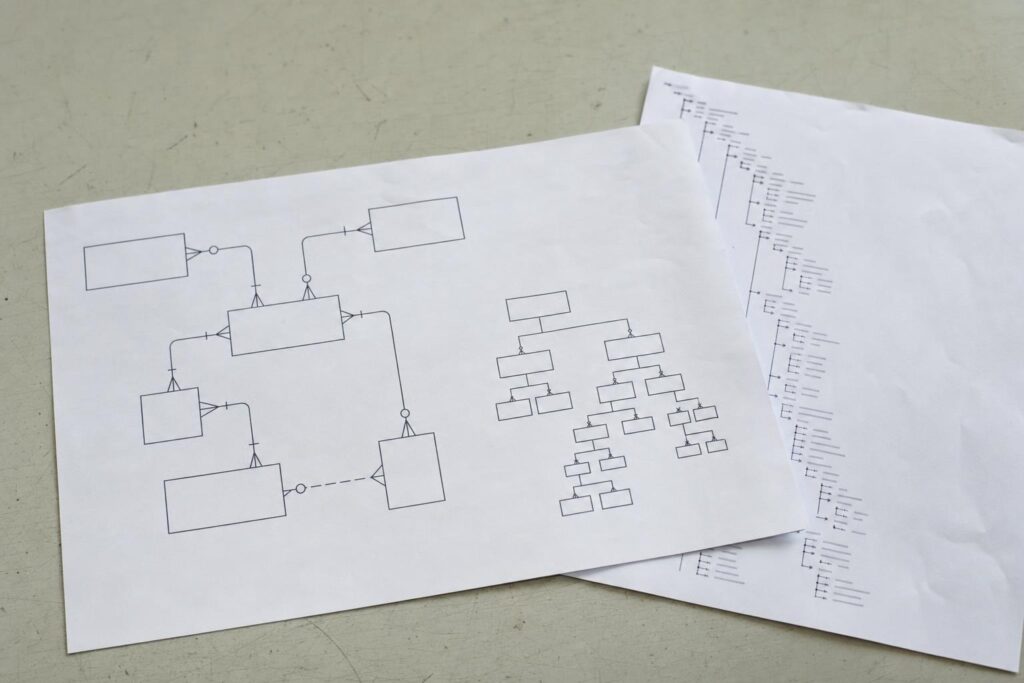
An entity relationship diagram, commonly called an ERD, is a visual map of entities, their attributes, and their relationships. Applying this approach to content can help teams plan URL patterns, internal links, sitemaps, and JSON-LD markup from the same source instead of making each decision separately.
What Visual Database Planning Means
An ERD has three main components. Entities are the items you manage, such as Article, Author, Category, Product, or Location. Attributes are the fields that describe each entity, including title, description, image, publication date, and canonical URL. Relationships show how entities connect and how many records can participate in each connection.
Crow’s foot notation is a common way to display these relationships. For example, one Author may write many Articles, while one Article may belong to several Categories. Making that cardinality visible helps teams identify where linking, filtering, and canonicalization rules are needed.
ERDs are often described at three levels. Conceptual diagrams show entities and relationships. Logical diagrams add attributes and keys. Physical diagrams include database-specific fields, types, and constraints. Content and SEO teams usually get the most value from conceptual and logical diagrams because those levels align closely with CMS content modeling.

An ERD does not determine the entire site architecture by itself. A relationship in the database does not automatically justify an indexable page. Search demand, user needs, editorial capacity, and duplicate-content risks still shape the final decision.
Why ERDs Matter for Technical SEO
A well-maintained diagram can answer several architecture questions at the same time.
Hierarchy and breadcrumbs. Parent and child relationships can inform breadcrumb trails and navigation paths. The final hierarchy should reflect how visitors browse the site, not just how records are stored.
Internal linking. Every important page should receive at least one crawlable internal link from another page. Relationship lines can act as a checklist for those links, making potential orphan pages easier to find before launch.
URL patterns. Stable entities support consistent URL rules. Use an internal identifier as the primary key and treat the canonical URL as an attribute, since URLs can change. If a Product belongs to one Brand and several Categories, decide which relationship controls the canonical path and which ones produce filters or supporting links.
Sitemaps. Entity counts show how many indexable URLs a project may create. A sitemap file is limited to 50,000 URLs and 50 MB when uncompressed, so large sites often need separate sitemap files grouped by content type.
Structured data. Entity attributes can map to Schema.org properties, but the markup must describe content that visitors can see on the page. Google generally recommends JSON-LD when it is practical to implement. Teams should also distinguish between valid Schema.org vocabulary and structured data types that are eligible for specific Google search features.
This entity-based approach also encourages consistency. When a person, product, organization, or place has one defined record and clear relationships, templates are less likely to publish conflicting names, URLs, images, or identifiers.
Step by Step: Model, Mark Up, and Monitor
1. Model the entities
List the core content types and assign each one a stable internal key. Add attributes that the site already publishes, then draw the relationships. A publisher might have one Author linked to many Articles, many Articles linked to many Categories, and one Brand linked to many Products.
2. Derive the site structure
Turn the diagram into written rules. Define the URL pattern for each indexable entity, the relationship that controls breadcrumbs, and the links each template must include. For many-to-many relationships, decide which combinations deserve landing pages and which should remain filters or parameters.
Document canonicalization rules alongside the diagram. This makes it easier for developers, editors, and SEO teams to understand why one URL is indexable while a similar filtered URL is not.
3. Map attributes to markup
Choose an appropriate Schema.org type for each entity, then map visible attributes to properties. An Article entity might provide a headline, author, image, publication date, modification date, and canonical URL. A Product entity might provide a name, image, description, brand, and offer details when those elements are present on the page.

Output the markup as JSON-LD and render it reliably, preferably in the initial HTML when the platform allows it. Validate representative pages before release. Check both Schema.org syntax and Google’s current documentation for any search feature you intend to support, since valid markup does not guarantee a rich result.
4. Choose a modeling tool
Almost any medium works for an early draft, including a whiteboard or shared document. The more important question is whether the model can stay aligned with the CMS or database.
For teams that want a collaborative canvas with schema import and export options, an ER diagram tool can keep the visual model and technical details in one shared location. Lucidchart supports collaborative diagramming and can help teams visualize imported database structures.
Lucidchart may be especially useful when content strategists and developers need to review the same relationships without working directly in database administration software. Text-based formats and open-source desktop editors are alternatives when diagrams need to live in version control.
5. Publish and monitor
After release, update the relevant sitemap files and confirm that robots.txt does not block required pages or resources. Test a sample from each entity type rather than checking only the home page. Review canonical tags, breadcrumbs, internal links, rendered HTML, and structured data together because errors often cross template boundaries.

Use URL inspection, rich result testing, crawl reports, and relevant Search Console enhancement reports to find mismatches. Track index coverage and organic landing pages by entity type so you can tell whether a new hub is being discovered, indexed, and used as intended.
A Short Blueprint for an Ecommerce Catalog
Consider a model containing Product, Brand, Category, Review, and Article. Brand has a one-to-many relationship with Product. Product and Category have a many-to-many relationship. Product and Article connect through buying guides, comparisons, and how-to content.
The model could produce a breadcrumb pattern such as Home, Category, Product. It could also support hub-and-spoke internal linking, with category hubs linking to products and guides linking to the products they discuss. Not every category-product combination needs its own indexable URL, so the model should identify which paths are canonical and which are filters.
The same attributes can support structured data. Product pages may use visible image, brand, offer, and rating information, while Article pages can use the author relationship already defined in the model. Image requirements should also be part of the content specification rather than an afterthought.
Common Problems and Maintenance
One common failure is markup that describes the intended page rather than the page visitors actually receive. This can happen when the model changes but the template does not. Another risk is relying on client-side JSON-LD injection without checking whether the markup renders consistently. Quiet model drift is also common when editors add CMS content types or fields without updating the diagram.
A short maintenance routine can prevent many of these issues. Review the diagram after major releases, check that each indexable entity has an inbound internal link, validate representative templates, and confirm that sitemaps remain within their limits. Review search documentation periodically so unsupported or outdated markup does not remain in templates.
Teams using Lucidchart can keep database or CMS reference material beside the drawing, making differences easier to notice during reviews. Regardless of the tool, assign an owner and record the date of the last update.
Treat the Diagram as a Living Document
An ERD should not be filed away after a redesign. It works best as a shared reference that keeps content strategists, developers, and search teams aligned. Model the entities, define useful relationships, derive URL and linking rules, map visible attributes to supported JSON-LD, and validate the result after publication. When the content model changes, update the diagram and the related implementation rules together.