SEOs spend significant energy optimizing how content gets discovered through search. Less attention goes to how content gets consumed and retained after the first visit. Feed-based distribution is the gap in that thinking. The calendar subscription format is the most mature, widely supported, and least utilized version of it available to publishers right now.
This is not about helping a soccer coach share practice times. It is about understanding a distribution model with properties that most content operations have not thought to apply.
The Feed Model and Why It Matters for Content Distribution
Most content assets are static by design. A PDF, even one neatly assembled with a tool like PDF Hammer, an embedded schedule table, or a social post pushing an update. Each of these creates a dead-end relationship between publisher and audience. The publisher produces the asset, the audience receives it once, and any subsequent update requires the entire distribution cycle to restart from scratch.
The iCalendar format, standardized as RFC 5545 by the Internet Engineering Task Force in 2009, solves a different problem.
A calendar subscription is a live link to a machine-readable file hosted at a stable URL. The subscriber adds the URL once. Every subsequent update the publisher makes to the source feed propagates to the subscriber automatically on their next pull cycle, without any redistribution effort on either side.
The architecture is pull, not push. The subscriber’s calendar app fetches the latest version of the feed at intervals it determines independently. One feed URL serves an unlimited number of subscribers without fan-out infrastructure. There is no subscriber registry, which removes a layer of data handling complexity entirely.
For an SEO professional thinking about content distribution, the relevant properties are:
URL stability
automatic update propagation
zero redistribution overhead
These are the same properties that make an RSS feed a more durable distribution primitive than a social post, applied to a format with broader native support across more platforms.
The Canonical URL as a Distribution Relationship
The feed URL in a calendar subscription functions as a permanent canonical resource. Subscribers add it once and never interact with it again directly. The publisher updates the source; the subscribers receive the update. The URL is the entire relationship.
Changing that URL breaks every subscriber’s connection simultaneously, with no redirect mechanism and no way to notify affected subscribers automatically. It is structurally identical to changing a canonical URL without implementing a redirect. The relationship built around the original address dissolves, and rebuilding it requires every subscriber to resubscribe from scratch.
For SEOs, treat the feed URL with the same permanence discipline applied to any high-value canonical resource. The distribution relationship it carries is the asset, not the individual events it contains at any given moment.
The platform accepts plain text, a photo of a flyer, a CSV, or a public events page as input and outputs a properly formatted iCalendar feed at a stable URL.
The publisher manages the source content; the URL persists indefinitely.
Updates propagate to Apple Calendar, Google Calendar, Outlook, Microsoft 365, and Yahoo without any further action from anyone.
Pull Architecture and the Content Freshness Problem
One of the more instructive aspects of the calendar subscription model for SEOs is how it handles the gap between a publisher updating content and that update reaching the audience.
The pull model means refresh cadence is determined by the subscribing client, not the publisher. That cadence varies significantly across platforms:
Apple Calendar lets users configure intervals from every 5 minutes to weekly, with weekly often the default.
Google Calendar refreshes every 12 to 24 hours with no user-facing control over the interval.
Outlook desktop refreshes every 1 to 3 hours.
Yahoo Calendar holds cached versions for 8 to 12 hours between fetches.
The Google Calendar window is the most relevant constraint for anyone managing time-sensitive content. A correctly published update may not reach subscribers for up to 24 hours regardless of how quickly the source is updated. The fix for urgent changes is a supplementary direct message to subscribers, not a change to the feed itself.
SEOs who have worked on crawl budget and indexing lag for large sites will recognize the shape of this problem. The content is correct at the source. The delivery layer introduces a delay that cannot be fully controlled from the publisher side. The operational response is the same in both contexts: account for the lag in your communication plan, and do not assume that publishing equals delivery.
Where the Format Has Direct Client Applications
The consumer use cases for calendar subscriptions are well understood. The applications that are underused in professional and agency contexts are more interesting:
Local business event publishing
A business publishing a recurring event feed creates a stable, machine-readable asset that supports schema markup, feed-based aggregation, and repeat direct traffic from subscribed users. The feed is a structured data asset with a persistent URL, not a one-time content publication.
Content publisher and newsletter schedules
Media sites and newsletters that publish on predictable cadences can offer subscription feeds as a retention mechanism. A reader who subscribes to a publication schedule gets a low-friction, app-native reminder. The publisher doesn’t have to manage a push notification infrastructure or depend on social platform algorithms for distribution.
Agency and partner coordination
Multi-party campaign schedules, product launch windows, and promotional calendars distributed as a single feed replace version-controlled documents passed across email threads. One source of truth, one URL, automatic propagation to every stakeholder’s existing calendar app.
Internal publishing and reporting cadences
Sprint reviews, content publishing calendars, and SEO reporting cycles. A single internal feed eliminates the overhead of recurring manual reminders and keeps schedules synchronized across a team without requiring anyone to maintain a separate coordination layer.
The Technical Floor Is Lower Than It Looks
Building an iCalendar file manually requires adherence to RFC 5545 syntax, with properties including SUMMARY, DTSTART, DTEND, LOCATION, and RRULE for recurring events. Malformed VEVENT blocks fail validation silently in some clients and visibly in others, which creates inconsistent subscriber experiences that are difficult to diagnose at scale.
The webcal:// protocol signals to a calendar application that it should subscribe to a feed rather than perform a one-time import. Major calendar apps recognize it natively. The subscriber confirms the subscription in a single click and the feed appears as a discrete calendar layer alongside their personal calendars.
For anyone without developer resources, Calfeed abstracts the spec compliance layer entirely. The output is a properly validated feed at a stable URL, which does not require the publisher to understand or maintain the underlying syntax.
The RFC 5545 standard has been in continuous use since 1998, refined from its original RFC 2445 form and now natively supported across every major calendar platform.
The interoperability that this standard provides is the reason a single feed URL works across Apple, Google, Outlook, Yahoo, and dozens of third-party applications without transformation or middleware. That level of cross-platform support without an intermediary layer is genuinely rare in the content distribution space.
Troubleshooting the Gaps
Two failure modes appear consistently in calendar feed implementations:
Slow update propagation
This is almost always a client-side caching issue rather than a feed problem. Google Calendar’s 24-hour ceiling is the most common source of subscriber complaints. A manual refresh triggers an immediate fetch on most apps. Unsubscribing and resubscribing forces a clean pull from the source URL. It is the most reliable diagnostic step when standard troubleshooting does not resolve the issue.
Time zone misconfigurations
This causes events to drift by hours and makes them easy to misattribute to feed errors. RFC 5545 stores event times in coordinated universal time and delegates local conversion to the subscribing client. Cross-referencing against a known-good client isolates whether the problem is in the feed or in the subscriber’s local settings.
What the Format Demonstrates About Durable Distribution
The calendar subscription model has operated on an open standard for over 25 years. It is natively supported across every major platform, stateless, horizontally scalable, and built around a URL permanence model that SEOs are already equipped to reason about.
The properties that make it useful for distributing event schedules are the same properties that make it an underused option for any publisher managing time-sensitive, recurring, or updateable content:
a stable canonical URL
automatic update propagation without redistribution overhead
a format every major platform already knows how to consume
Most content distribution strategies in SEO end at discovery. Calendar subscriptions extend that thinking by providing a production-ready mechanism for what happens after discovery, leveraging infrastructure that already exists on every subscriber’s device.
Whether the feed is built manually to spec or generated through a tool like Calfeed, the operational principle is the same: own the URL, maintain the source, and let the pull architecture do the distribution work.
As of 2026, the best fit by use case is Google Search Console for free diagnostics, Screaming Frog for deep crawling, Ahrefs and SEMrush for all-in-one audits with rank tracking and backlink tools, GTmetrix for performance, and OnCrawl or DeepCrawl for very large sites.
Top picks cover 5 distinct audit needs in 2026, from free diagnostics to crawling millions of URLs.
To aid you in choosing the optimal tool, we have curated a list of top tier SEO audit tools, clear pricing context, a side by side comparison, and a 60 minute how to framework for running a reliable technical review.
What is an SEO audit?
An SEO audit is a structured evaluation of how your website aligns with search engine best practices, covering technical SEO, on page content, off page signals, and user experience. In 2026, an effective audit examines indexation, internal linking, Core Web Vitals, structured data, sitemaps, robots directives, canonicals, hreflang, and security.
Technical audits typically span 100 to 300 automated checks across crawling, indexation, and rendering.
SEO auditing examines your site against industry best practices, then quantifies risk and opportunity in the context of search engine result pages, or SERPs. The immediate objective is to surface and prioritize issues that hinder organic growth, from blocked resources to content duplication to crawl budget waste. For background on how pages are discovered, see this overview of indexing the web.
Best SEO audit tools you can use to analyze websites
The tools below are grouped by what they are best at, and each subsection provides a direct answer, a key metric or benchmark, and pricing context for 2026.
Tool
Category
Best for
Core audit strengths
White label reports
Google Search Console
Free diagnostics
Index, coverage, CWV
Indexing, Core Web Vitals, sitemaps, enhancements
No
Ahrefs
All in one
Backlinks plus audits
Site Audit with hundreds of checks, Site Explorer, rank tracking
Limited
SEMrush
All in one
Audits and reporting
Identifies 130+ issues, Position Tracking, reports
Use the crawler class of tools for technical depth and the all in one class for blended backlink plus rank tracking workflows.
1. Google Search Console
Google Search Console is the baseline audit and monitoring suite for any site in 2026, because it shows how Googlebot crawls, indexes, and ranks your pages, straight from the source.
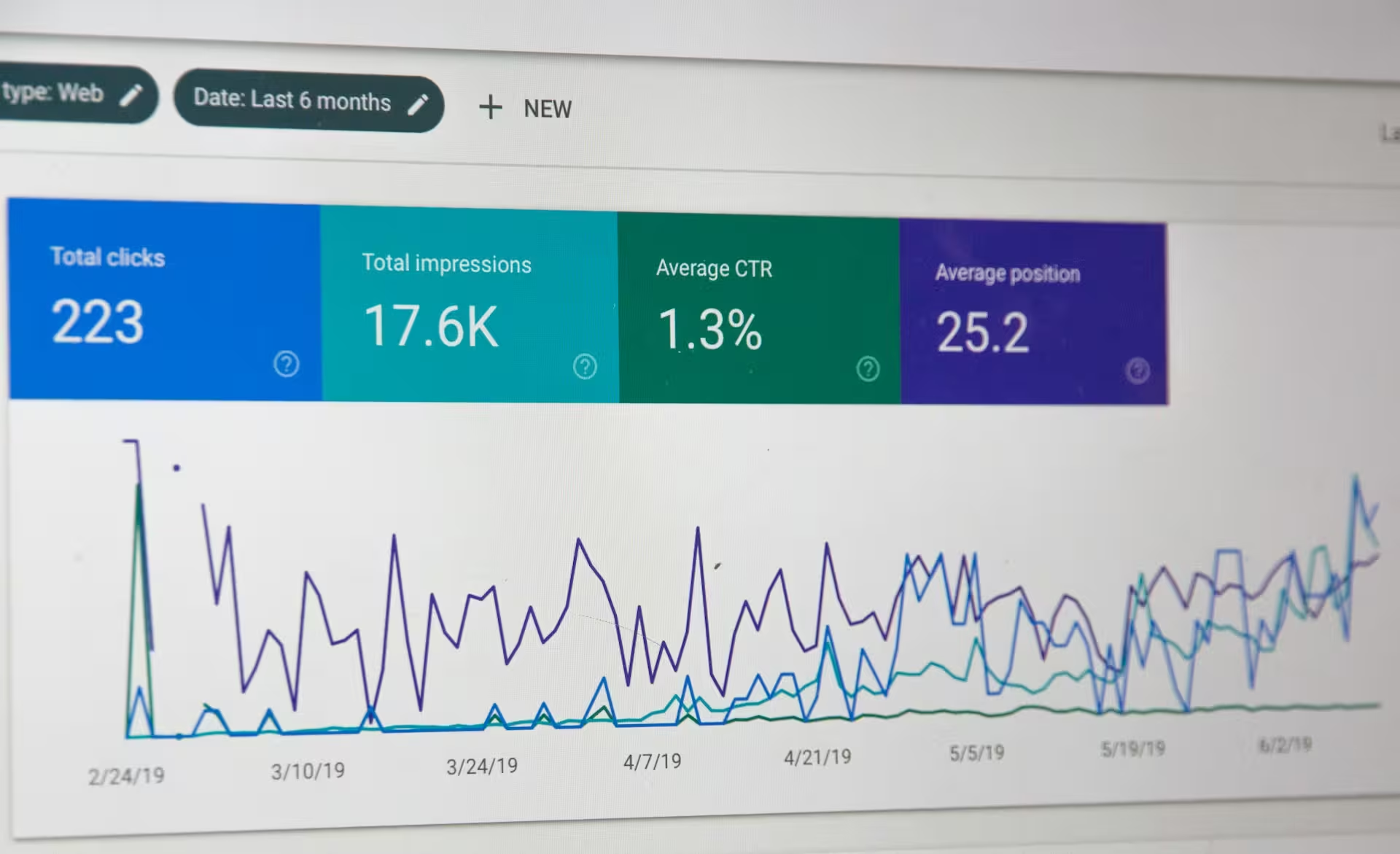
Google Search Console is 100 percent free and reports impressions, clicks, and average position for the last 16 months.
It includes Core Web Vitals, Mobile Usability, Page Indexing, sitemaps, and enhancement reports for elements like structured data. These diagnostics help prioritize fixes that impact visibility in Google, especially when paired with a deeper technical crawl from a third party tool. If you’re auditing without a paid crawler, this guide to search operators for technical SEO is a solid free way to spot-check indexing and duplicate content issues directly in Google Search. Pricing: Free
2. Ahrefs SEO Audit Tool
Ahrefs is an all in one SEO platform whose Site Audit module surfaces technical issues alongside class leading backlink data and a robust keyword rank checker.
Ahrefs Site Audit flags hundreds of technical issues across crawlability, performance, and HTML tags.
Site Audit provides color coded reports, trend charts, and structured issue groups. The platform also offers an extensive index for backlinks and keywords, plus an SEO API ecosystem for teams that want to automate large scale analysis. Pricing: Subscriptions to Ahrefs start at $99
3. SpyFu SEO Site Audit Tool
SpyFu specializes in competitor research across SEO and PPC, and includes audit and rank tracking features that are useful when you want quick intel on rival domains.
SpyFu focuses on US and UK SERP data for organic and paid research.
Use it for keyword gaps, competitor ad history, custom reporting, backlink builders, and tracking to inform your content and marketing strategy. If you target geographies beyond the US and UK, validate coverage before relying on the data. Pricing: $33 to $299 per month
4. Screaming Frog SEO Spider
Screaming Frog is a desktop website crawler that gives technical SEOs total control over how a site is crawled and how data is extracted for audit analysis.
The free version crawls up to 500 URLs, the paid license removes the cap and unlocks advanced features.
It finds broken links, duplicate content, redirect chains, missing metadata, JavaScript rendering issues, and generates XML sitemaps. Because it runs locally, it is fast for sites of any size and is ideal when you need custom extraction, QA, and precise control over crawl settings. Pricing: $113 per year, and a free option is available
5. SEMrush Website Tool
SEMrush combines a technical Site Audit with competitor research, backlink analysis, and a keyword rank checker, all integrated into dashboard style marketing reports.
SEMrush Site Audit identifies 130 plus technical and on page issues and includes Position Tracking for keywords.
Teams use SEMrush when they want one place for audits, rank tracking, and client friendly reporting. The thematic reports help prioritize the issues that will move the needle, which helps you hit your SEO KPIs. Pricing: $119 to $450 per month for up to 100,000 monthly pages, with a free option for 100 pages
6. GTmetrix Site Tool
GTmetrix is a performance analysis tool that benchmarks page speed and user experience, using Lighthouse rules and detailed waterfalls to show exactly what slows a page.
GTmetrix reports a performance score per URL and provides request level waterfalls and video playback.
It complements a crawler based audit by quantifying how images, scripts, and third parties affect load time and Core Web Vitals. Since Google treats user experience as a ranking signal, performance findings belong in every technical audit. Pricing: $63 to $450 per month, plus custom plans
7. DeepCrawl
DeepCrawl, now branded as Lumar, is an enterprise scale crawler built for auditing complex sites, governing technical SEO at scale, and integrating with team workflows.
DeepCrawl introduced ultra fast crawling with expanded capabilities designed for millions of pages.
It brings in depth reports, large scale crawling, and governance features suitable for big SEO programs. It can also align audit tasks with team workflows and approvals. See the announcement on ultra fast crawling and expanded capabilities for context. Pricing: Contact for demo
8. OnCrawl SEO audit tool
OnCrawl is a technical SEO platform for auditing and monitoring large and very large websites, with advanced segmentation and log file analysis.
OnCrawl has audited websites with hundreds of millions of pages and integrates cloud scale processing.
Its crawler, log analyzer, and backlink monitor help you connect behavior, crawling, and rankings. OnCrawl is a strong choice when you need to section sites, build custom dashboards, and align with data teams. See large scale case studies at Google Cloud customers. Pricing: $69 to $250 per month, with custom plans
9. Page Modified Audit Tool
Page Modified is a lightweight browser based crawler that outputs an organized spreadsheet of technical findings with optimization tips, ideal for straightforward site reviews.
Entry pricing starts at $5 per domain per month, with a free plan for basic use.
It flags broken redirects, canonical conflicts, internal linking issues, duplicate content, and XML sitemap problems, then produces export friendly data for handoffs or reports. Pricing: $5 to $50 per domain per month, and a free plan is available
10. Seomator
Seomator is a web based auditing platform that scores on page and off page factors and exports branded reports, useful for agencies that want quick deliverables.
Plans range from $5 to $179 per month with a free trial to validate fit.
It assembles a clear report with issues, scores, and suggested fixes that can be delivered to stakeholders in PDF format. Pricing: $5 to $179 per month, with a free trial
Why it is important to use an SEO audit tool to audit your website
Using an audit tool provides measurable visibility into technical debt and content gaps, which accelerates fixes that influence rankings, crawl efficiency, and conversions.
A mid sized site audit commonly surfaces 50 to 300 discrete issues across crawling, content, and performance.
Audit outputs inform your technical SEO roadmap, help refine keyword optimization, and strengthen internal linking and information architecture. They also quantify user experience defects that reduce conversion rates, especially when performance bottlenecks or mobile issues appear in Core Web Vitals.
From a business standpoint, audits improve efficiency by preventing wasted crawl budget, reveal the content that earns the most revenue, and ensure your site keeps pace with changes in Google systems in 2026. They also support competitive analysis, so you can compare keyword coverage and backlinks, then adapt faster than rivals.
How to run a 60 minute technical SEO audit in 2026
This rapid framework uses the free and paid tools above to surface critical technical issues within one hour.
60 minutes, 8 steps, from index coverage to Core Web Vitals and internal linking.
Index coverage and sitemaps, 10 minutes. In Google Search Console, check Page Indexing, Crawl Stats, and submitted sitemaps. Confirm no unexpected Discovered, not indexed spikes and that your XML sitemap only lists canonical URLs.
Core Web Vitals, 5 minutes. Review CWV status and the top problem patterns. Prioritize LCP, CLS, and INP across templates.
Full crawl sample, 15 minutes. In Screaming Frog, crawl a key section or limit to 5,000 URLs. Export high priority issues, such as 4xx and 5xx status, duplicate titles, missing H1, canonical mismatches, long redirect chains, and orphan pages for further analysis.
Performance snapshot, 10 minutes. Test representative URLs in GTmetrix. Note largest files, third party blockers, and render blocking scripts, then create a page speed backlog for engineering.
Backlink health, 5 minutes. In Ahrefs or SEMrush, check referring domains trend for the last 6 to 12 months and identify toxic or broken backlinks that may need disavow or outreach fixes.
Rank tracking gap, 5 minutes. Verify your top keywords in a keyword research tool and Position Tracking. Ensure critical pages map to primary queries and avoid keyword cannibalization.
Structured data and enhancements, 5 minutes. Confirm schema coverage for key templates and that enhancements are error free in Search Console.
Action plan, 5 minutes. Triage issues into quick wins, engineering tickets, and content updates. Document next steps in your content marketing strategy and technical backlog, and summarize KPIs to monitor.
Related capabilities to consider in 2026
Audit tools are more valuable when paired with functions that support growth, reporting, and accountability.
Six add ons that matter: backlinks, rank tracking, competitor research, marketing reports, link building manager, and a keyword rank checker.
Backlink tools. Validate link quality and growth with Ahrefs and plan outreach using this list of free backlink sites.
Rank tracking and keyword rank checker. Use the Position Tracking modules in SEMrush or the Rank Tracker in Ahrefs to monitor progress at the query level.
Competitor research. Tap SpyFu for PPC plus SEO comparisons and to identify gaps you can close.
Marketing reports. Use SEMrush dashboards or export from your crawler and consolidate with internal reporting to align stakeholders. If GTmetrix, Seomator, and Page Modified each hand you a separate PDF export from the same audit, a quick way to organize PDFs into one ordered packet beats sending stakeholders three disconnected files.
Link building manager. Organize prospects and follow ups within Ahrefs and your CRM to avoid duplication and track outcomes.
Content planning. Feed findings into your editorial calendar, and coordinate publishing with a social media content calendar to maximize reach.
How we evaluated these SEO audit tools
We compared tools in April 2026 against five criteria: audit depth, ease of prioritization, reporting and export options, scale and speed, and total cost for a typical 50,000 URL site. We ran structured test crawls, validated issues against technical SEO best practices, reviewed export formats for client ready reporting, and noted whether rank tracking, backlink data, and competitor research are included or require add ons.
Five weighted criteria drive our recommendations, with audit depth and prioritization accounting for 50 percent of the score.
FAQs
What is the best technical website audit tool for small sites in 2026?
For under 10,000 URLs, use Screaming Frog for crawling and GTmetrix for performance, then round out with Search Console. If you also need backlinks and rank tracking, add Ahrefs or SEMrush.
How often should I run a technical SEO audit?
Run a light audit monthly for coverage, errors, and performance, and a full audit quarterly. Large or frequently updated sites benefit from weekly scheduled crawls with alerting.
Which tool is best for rank tracking inside an audit workflow?
SEMrush Position Tracking and Ahrefs Rank Tracker are the most integrated options, so you can tie technical fixes to ranking changes at the keyword level.
What is the difference between a crawler and a performance tester?
A crawler like Screaming Frog or OnCrawl fetches many URLs to audit technical elements at scale. A performance tester like GTmetrix runs one URL at a time, measuring load and UX metrics with a deep waterfall and Core Web Vitals.
Do I need log file analysis for a technical audit?
For sites over 100,000 URLs or those with crawl budget challenges, log analysis from OnCrawl can reveal which sections Googlebot visits, frequency, and waste, which a normal crawl cannot show.
How much do SEO audit tools cost in 2026?
Free options include Search Console and a limited Screaming Frog crawl. Paid tools range from $5 per month for Seomator entry tests or Page Modified, to $69 to $450 for OnCrawl and GTmetrix tiers, to $99 to $450 for Ahrefs and SEMrush plans. Confirm current pricing before purchase.
Can I white label SEO audit reports?
Agency friendly white label exports are available in SEMrush, OnCrawl, and DeepCrawl. For custom templates, export CSV from your crawler and integrate into your reporting stack.
Conclusion
Technical SEO audits in 2026 are best approached as a repeatable process that blends crawling, index diagnostics, and performance measurement, then links findings to rank tracking and content updates. The right tool stack depends on scale and team needs. Pair a crawler such as Screaming Frog or OnCrawl with Google Search Console and a performance analyzer like GTmetrix, then add Ahrefs or SEMrush if you want integrated backlinks, a keyword rank checker, and reporting.
Audit monthly for coverage and speed, perform a full audit quarterly, and track progress against clearly defined SEO KPIs.
For additional context on strategy and execution, explore our guides to SEO tools, DIY SEO software, and practical keyword optimization. Keep your roadmap current, align fixes with business impact, and your site will compound gains in SERPs throughout 2026.
Further reading
Build your skills with these related Click Raven resources.
Organic traffic drives revenue, but only when you can measure what actually moves the needle. SEO teams juggle keyword ranking data, referral sources, on-site behavior and conversion paths across dozens of properties. And the gap between raw pageview counts and actionable search insights keeps widening as privacy rules tighten and cookie-based tracking erodes.
Picking the right platform means juggling three tensions at once. Data accuracy against compliance. Depth of reporting against day-to-day usability. Budget against scalability. Some tools shine at behavioral analysis, others at unsampled traffic data or live competitive intelligence. Get the match wrong, and you lose months to misguided optimization.
So which tools earn their place in an SEO stack? The ten platforms below range from open-source self-hosted setups to enterprise suites, ranked by how well they serve search-focused workflows. Pricing, privacy posture, conversion tracking, the features that matter when organic performance is on the line: it’s all here.
Best web analytics software for SEO teams in brief
#
Solution
Free plan
Cheapest paid plan
GDPR-compliant
Conversion tracking
Key takeaway
1
Matomo
Yes (On-Premise, lifetime)
€19/mo (Cloud, 50K hits)
Yes (CNIL-approved)
Yes
Open-source platform delivering 100% unsampled data with full data ownership and cookieless tracking.
2
Mixpanel
Yes
–
Yes
Yes
Event-based product analytics with AI agents, session replay and over 100 marketing integrations.
3
Plausible Analytics
30-day trial
From €9/mo
Yes, cookieless and EU-hosted
Yes
Lightweight analytics for measuring organic landing pages, traffic sources and conversions without harming page speed.
4
Fathom Analytics
No (7-day trial)
$15/mo
Yes (EU Isolation)
Yes (custom events)
Privacy-first lightweight script (2 KB) with EU-only data processing and email reports.
5
Adobe Analytics
No
Custom pricing
Yes, with enterprise privacy controls
Yes
Enterprise analytics with advanced attribution, segmentation and cross-channel journey analysis.
6
Google Analytics
Yes
Free (GA4)
Partial
Yes
Industry-standard free platform with machine learning insights, multi-platform attribution and Google Ads integration.
7
Simple Analytics
Yes (small projects)
$15/mo
Yes (EU-hosted)
Yes
Cookieless EU-based tool capturing 100% of traffic including visitors who decline consent banners.
8
Piwik PRO
Yes (500K actions/mo)
Custom pricing
Yes
Yes
Integrated analytics suite with tag manager, consent manager and raw unsampled data access.
9
Contentsquare
No
Custom pricing
Yes
Yes
Digital experience analytics connecting organic landing-page behavior with journeys, friction and conversions.
10
Amplitude Analytics
Yes
From $49/mo
Yes
Yes
Product and web analytics linking organic acquisition to funnels, retention and downstream user behavior.
1. Matomo
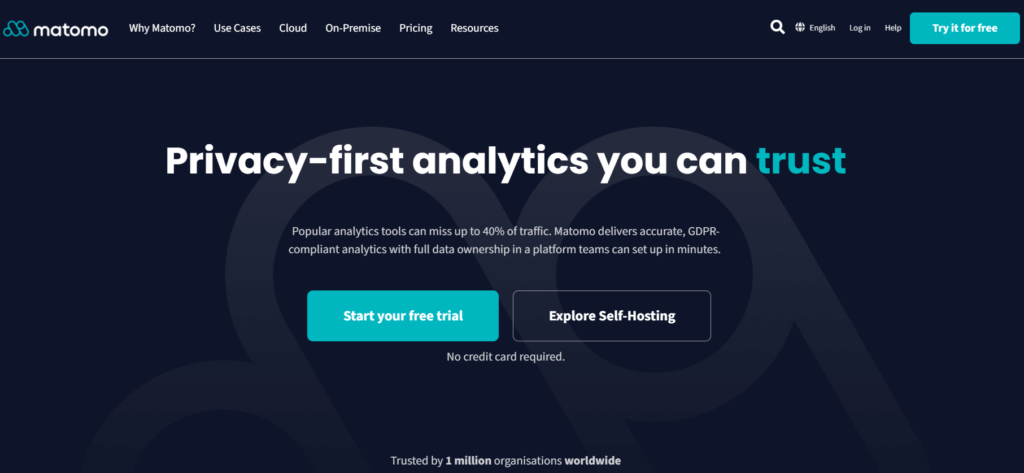
Matomo is the only CNIL-approved analytics platform that can legally collect visitor data in France without a consent banner. That single regulatory edge makes it a frontrunner for any SEO team working under strict European privacy rules. Deployed on over one million websites across 190+ countries, its open-source codebase also gives technical teams full visibility into how data gets processed.
Two deployment models coexist. Matomo Cloud starts at €19 per month for 50,000 hits, with data hosted in Germany. Matomo On-Premise costs nothing, forever, and stores everything on your own servers. For departments trying to reconcile data sovereignty with a tight budget, that flexibility is hard to match.
Every report relies on unsampled data, so 100% of recorded visits feed your dashboards. Google Analytics samples aggressively once volumes spike. Matomo doesn’t. The upshot for SEO teams: funnel analysis, landing page breakdowns and organic traffic segmentation reflect reality rather than statistical projections.
Cookieless tracking via `config_id` removes the dependency on browser cookies altogether. Heatmaps, session recordings, A/B tests and personalization modules all ship built in, not as paid add-ons. A dedicated tag manager lives inside the same interface, which cuts the need for external tools like Google Tag Manager.
Migrating from GA4? You can import historical analytics data directly and keep your trend comparisons intact. Over 100 integrations cover WordPress, Shopify, Google Tag Manager and major CMS platforms, while the API opens every metric to custom dashboards or automated SEO reporting pipelines.
On privacy, Matomo bundles a GDPR manager, IP anonymization controls and visitor opt-out mechanisms. Its ISO 27001:2022 certification reinforces enterprise-grade security, and white-label options let agencies rebrand the whole interface for client reporting.
One caveat: the On-Premise version demands server maintenance and technical know-how. Smaller teams without DevOps resources may prefer Cloud, though the monthly cost climbs with traffic. Even so, the mix of data accuracy, compliance and zero data limits makes Matomo a compelling first pick for search-driven organizations.
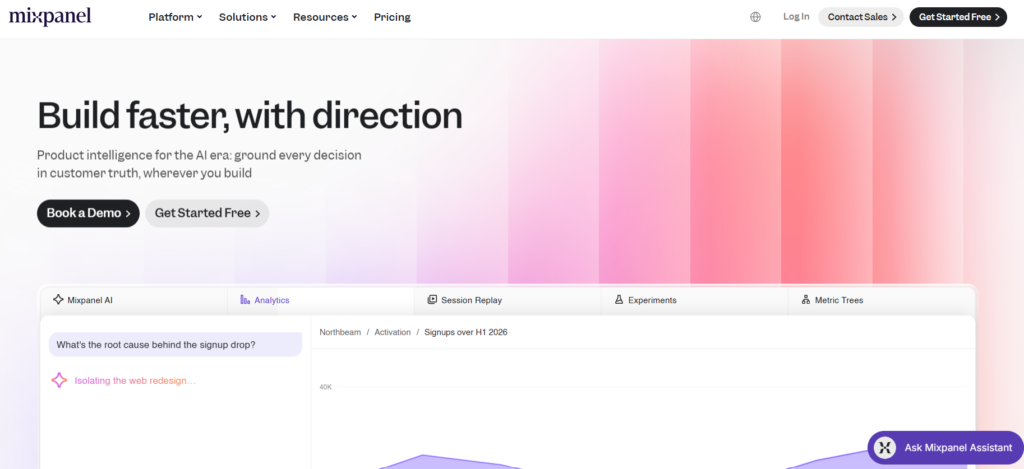
2. Mixpanel
Mixpanel comes at analytics from an event-tracking angle rather than a pageview model. Every click, scroll, form submission or purchase becomes a discrete data point. That lets SEO teams tie organic landing pages to downstream user actions far more precisely than session-based tools allow.
The free tier removes the barrier to entry. Three pricing tiers exist, but the no-cost plan already includes core analytics, cohort analysis and basic funnel visualization. GDPR and CCPA compliance come standard, and a Cloud Data Residency option keeps European user data on EU servers.
AI runs through the whole platform. Mixpanel Agent watches product metrics around the clock and surfaces anomalies before they snowball. Session replay pairs with AI-generated summaries, so analysts spend far less time scrubbing recordings to find friction. You can even automate A/B test setup through AI prompts, a feature few rivals offer natively.
Custom Buckets group users into meaningful audience segments without a line of SQL. Attribution supports several models, defaulting to Last Touch but configurable for multi-touch scenarios. From there, teams can trace which organic entry points ultimately drive conversions across a multi-step funnel.
The proprietary Arb query engine handles complex queries fast, even across large datasets, and over 100 integrations connect Mixpanel to CRMs, CDPs, ad platforms and data warehouses. A Forrester study commissioned by Mixpanel reported 354% ROI and a six-month payback period, with the company citing 29,000+ global customers.
Where does it fall short for SEO? It doesn’t track keyword rankings or crawl your site structure. Think of it as a behavioral layer that complements a dedicated SEO tool, not a replacement for one. For proving how organic visitors behave after they land, though, the event-level granularity is tough to beat.
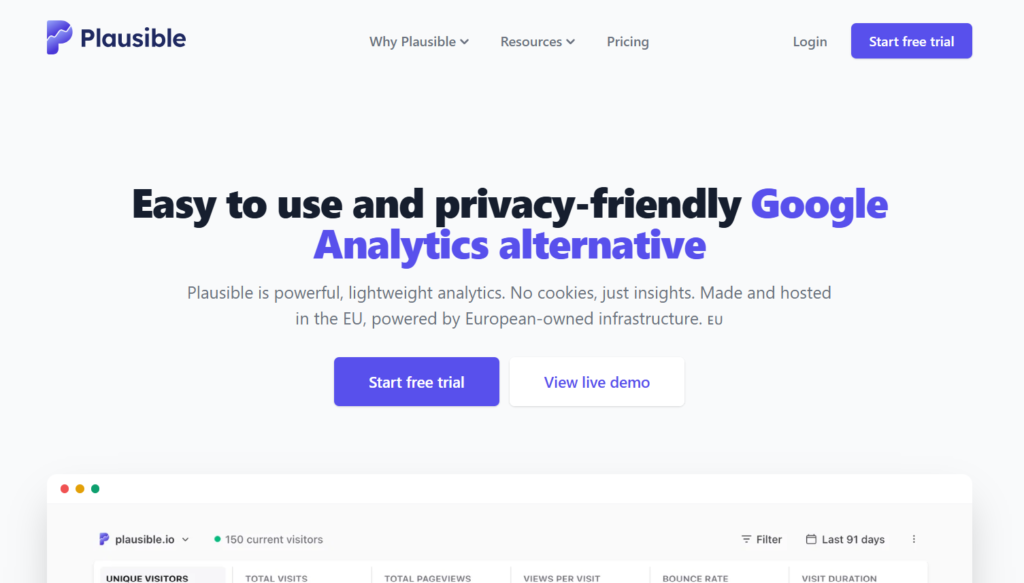
3. Plausible Analytics
Plausible Analytics is a lightweight web analytics platform built for teams that want clear traffic and conversion data without the complexity of traditional analytics suites. Its streamlined dashboard makes it particularly useful for SEO teams monitoring landing-page performance across multiple properties.
The platform reports visitors, pageviews, entry pages, traffic sources, devices, countries and campaign parameters on a single screen. Organic search traffic can be isolated quickly, allowing teams to compare which pages attract visitors and which ones contribute to business goals.
Custom events and goals connect SEO landing pages with form submissions, downloads, registrations and purchases. Funnel reports can then show how visitors progress through key conversion journeys after entering through organic search.
Plausible does not use tracking cookies, persistent identifiers or cross-site profiles. Its managed infrastructure operates within the European Union, reducing the consent and international data-transfer complications associated with conventional analytics platforms.
The tracking script is deliberately lightweight, limiting its impact on loading speed and Core Web Vitals. Historical Google Analytics data can also be imported, helping teams retain long-term traffic comparisons during migration.
Plausible does not provide keyword rankings or technical crawling. It works best alongside a dedicated SEO platform, but for measuring organic traffic, landing pages and conversions privately, it is far more suitable than a basic WordPress statistics plugin.
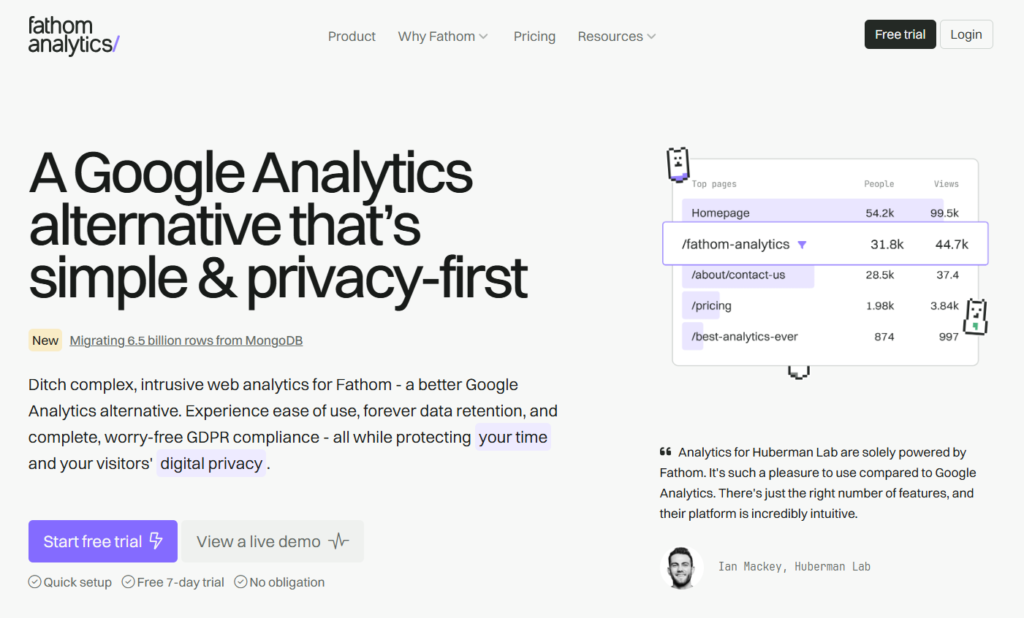
4. Fathom Analytics
Fathom Analytics processes all European visitor data on EU-based servers by default, a setup the company calls EU Isolation. No personal data crosses the Atlantic, which shields sites from FISA and EO12333 surveillance risks. For teams under GDPR, that erases a whole layer of legal uncertainty.
The script is tiny. Fathom puts it at just 2 KB, against roughly 45 KB of JavaScript for Google Analytics. That difference feeds straight into your Core Web Vitals, handing Fathom users a measurable page speed advantage that can lift search rankings. Setup means pasting a single line of code, whatever your CMS or framework.
Pricing starts at $15 per month after a seven-day free trial, covering up to 50 sites and 100,000 monthly visits. No free tier here. Custom event tracking watches form submissions, button clicks and goal completions with no extra tooling, while UTM campaign tracking shows which initiatives drive organic and paid results.
The single-page dashboard keeps it lean:
• unique visitors and pageviews
• bounce rate and time on site
• referral sources and top pages
Regular email reports summarize performance without a login, over one million sites run Fathom, and the company explicitly pledges never to monetize visitor data. A Google Analytics historical data importer eases migration, integrations span WordPress, Next.js, Vue.js and ConvertKit, and support replies land within one business day.
The trade-off is depth. Fathom deliberately drops segmentation, cohort analysis and funnel visualization, so teams needing granular user journey work will want a companion tool. For anyone who prizes speed, privacy and simplicity, though, it delivers exactly what it promises, minus the bloat.
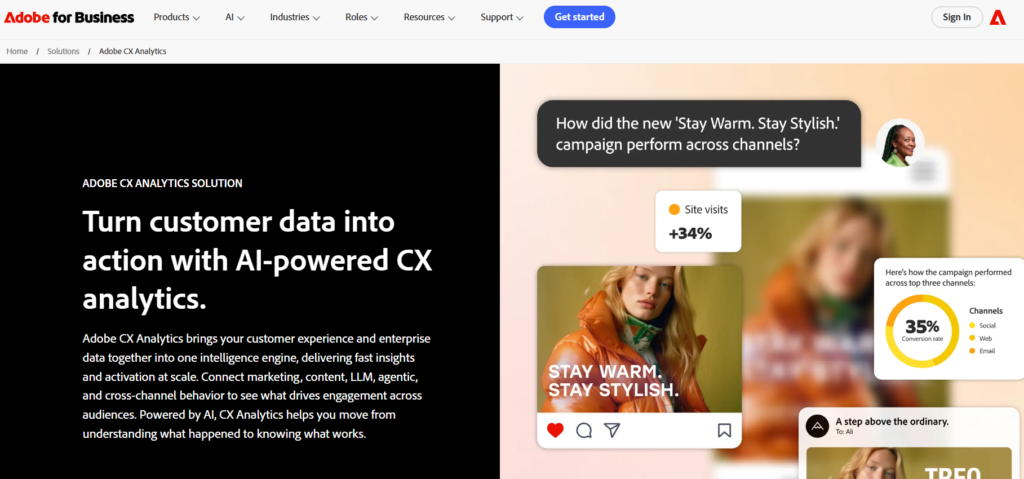
5. Adobe Analytics
Adobe Analytics is designed for enterprise SEO teams managing complex websites, multiple brands and customer journeys that extend across several digital channels.
The platform allows analysts to segment organic traffic by landing page, content type, device, geography, customer profile and virtually any custom dimension included in the tracking implementation. This makes it possible to connect search traffic with conversions, revenue and longer-term customer behavior.
Advanced attribution models evaluate how organic search contributes alongside paid media, email, social and direct traffic. Rather than assigning every conversion to the final interaction, teams can compare different models and understand the wider role SEO plays in the customer journey.
Analysis Workspace provides flexible dashboards, flow reports, cohort analysis and anomaly detection. SEO teams can investigate unexpected traffic changes, compare content groups and identify pages whose engagement or conversion performance differs from the site average.
Adobe Analytics integrates closely with Adobe Experience Platform, Adobe Target and the broader Experience Cloud. Organizations can therefore connect analytics with experimentation, personalization and customer data activation.
The platform requires careful implementation, disciplined tracking governance and experienced analysts. Pricing is available through a custom enterprise contract.
For large SEO teams that need advanced segmentation, attribution and cross-channel reporting, Adobe Analytics provides significantly broader capabilities than a commerce platform restricted to Shopify stores.
6. Google Analytics
Google Analytics is still the most widely deployed web analytics platform on the planet, and the reason is obvious: GA4’s standard tier costs nothing. SEO teams get cross-device, cross-platform measurement across websites and mobile apps inside a single property.
Machine learning surfaces insights that manual analysis would miss. Predictive audiences, churn probability and revenue forecasts help you prioritize the pages and segments with the highest commercial upside. Multi-platform attribution then maps the full customer journey, from first organic click to conversion, across Google Ads, Display and YouTube.
Custom audience lists feed straight into Google Ads campaigns, creating a loop between organic discovery and paid amplification. Shareable reports and automated email summaries cut the manual grind of stakeholder communication, and the Looker Studio integration pushes visualization far past the native dashboards.
The weak spots are well documented. Data sampling kicks in at higher traffic volumes and can distort metrics for large-scale SEO audits. Privacy advocates flag the transfer of visitor data to Google’s servers, a GDPR sticking point that has already triggered regulatory action in several EU countries. And because tracking depends on consent, GA4 can miss a large share of actual site visits when users decline cookies, with cookieless vendors estimating losses of 20 to 60%.
If those trade-offs sit fine with you, the ecosystem advantage is undeniable. Search Console integration, BigQuery export and a mountain of third-party tutorials and community support make onboarding faster than any rival. Teams in privacy-sensitive markets, though, may need to layer a cookieless tool on top to capture the full traffic picture.
7. Simple Analytics
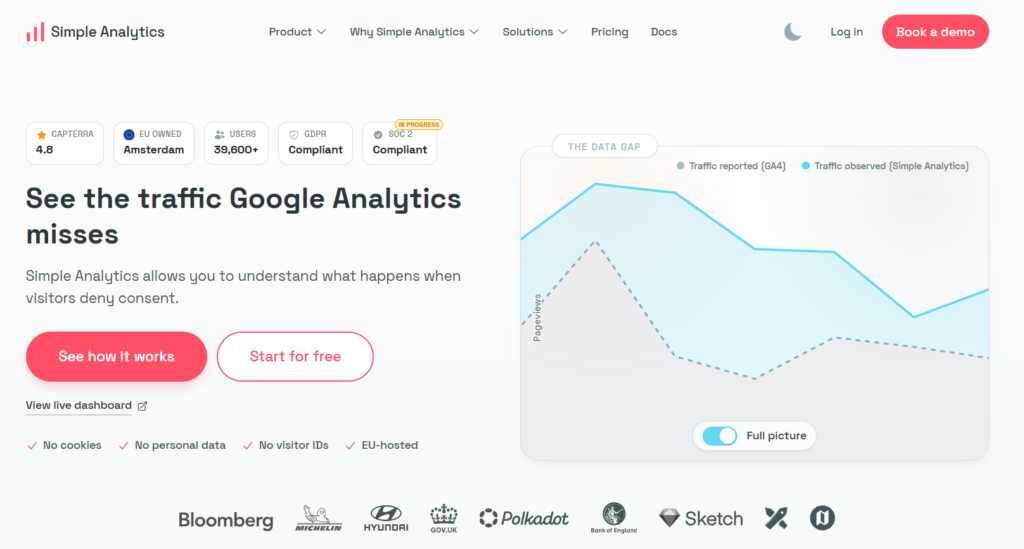
Simple Analytics captures 100% of site traffic, including visitors who reject cookie banners. That claim carries weight, since cookieless vendors estimate GA4 loses between 20 and 60% of visits in consent-heavy markets. For teams trying to measure true organic reach, that gap between reported and actual numbers can quietly derail strategy.
Headquartered in Amsterdam, the company hosts everything on European servers with no cookies, no visitor identifiers and no cross-site tracking. GDPR compliance is automatic, not configured. A free tier covers small projects, the paid plan starts at $15 per month for up to ten sites, and the Team plan at $40 per month supports twenty sites and two user seats.
An AI assistant built into the dashboard reads your metrics and suggests reasons behind traffic fluctuations. Event capture and campaign data track goal completions and UTM-tagged sources. Integrations with Looker Studio, Power BI and data warehouses pull Simple Analytics data into workflows you already run.
The Stats API delivers aggregated data, while the Raw Export API opens granular analysis outside the platform. The company reports over 31,300 active users since its 2018 launch, with SOC 2 certification in progress, and frameworks like React, Gatsby, Django and Vue plug in natively.
The shortfall, again, is depth. No session recordings, no heatmaps, no funnel visualization. Simple Analytics deliberately avoids building visitor profiles, which rules out behavioral segmentation beyond page-level data. Teams that need to see how users move through a site after landing should pair it with a behavioral analytics layer like Hotjar or Clarity.
8. Piwik PRO
Piwik PRO folds four modules into a single privacy-compliant suite: Analytics, Tag Manager, Consent Manager and Customer Data Platform. So SEO teams set consent rules, deploy tracking tags and analyze traffic in one interface instead of stitching separate vendors together.
The freemium Cloud plan supports up to 500,000 monthly actions at no cost, with data hosted in the EU. Paid plans open at $23 per month for 50,000 hits and scale from there. Enterprise clients also get a dedicated technical representative available around the clock, plus professional services covering implementation, training and analytical consulting.
Compliance presets ship for GDPR, HIPAA and TTDSG. A drag-and-drop segment editor builds custom audience slices without SQL, and conversion funnels pinpoint exactly where visitors abandon key flows, handing SEO teams the evidence to prioritize landing page optimizations.
All data arrives unsampled and raw, reachable through the API, Google BigQuery export, CSV download or a native Tableau connector. Dashboards refresh in real time, every ten seconds, while the underlying data updates every thirty minutes. Real-time anomaly alerts flag when traffic patterns shift, which proves invaluable during an algorithm update.
Native integrations with Google Ads and Google Search Console pull paid and organic data into the same layer, and the 14-month default retention window extends on premium plans, a detail that matters for year-over-year trends.
The main drawback: keyword position tracking leans entirely on Search Console data rather than proprietary rank monitoring. If you need daily rank checks across hundreds of keywords, you’ll still want a dedicated SERP tracker alongside Piwik PRO.
9. Contentsquare
Contentsquare is a digital experience analytics platform that helps SEO teams understand how visitors behave after arriving from search engines. It connects quantitative performance data with detailed insights into engagement, navigation and conversion friction.
Journey analysis maps the paths visitors take between landing pages, content, product pages and conversion steps. SEO teams can isolate organic sessions and compare how different entry pages influence progression through the website.
Heatmaps and zone-based analysis reveal which elements attract attention, generate clicks or remain ignored. This helps teams evaluate whether important headings, internal links and calls to action are positioned effectively on pages receiving significant organic traffic.
Session replay and frustration signals highlight problems such as repeated clicks, navigation loops, form errors and unexpected exits. These insights help explain why a page can rank well and attract traffic while still producing weak engagement or conversion results.
Funnels connect individual pages and interactions with business outcomes. Teams can identify where organic visitors abandon a journey and prioritize changes according to their potential impact.
Contentsquare also uses automated insights to surface unusual behavior and recurring experience issues across large volumes of sessions. This reduces the need to review recordings manually.
The platform is primarily aimed at mid-market and enterprise organizations and follows a custom pricing model. For SEO teams that need to connect landing-page performance with user journeys and conversion outcomes, Contentsquare offers a deeper analytical layer than a standalone heatmap tool.
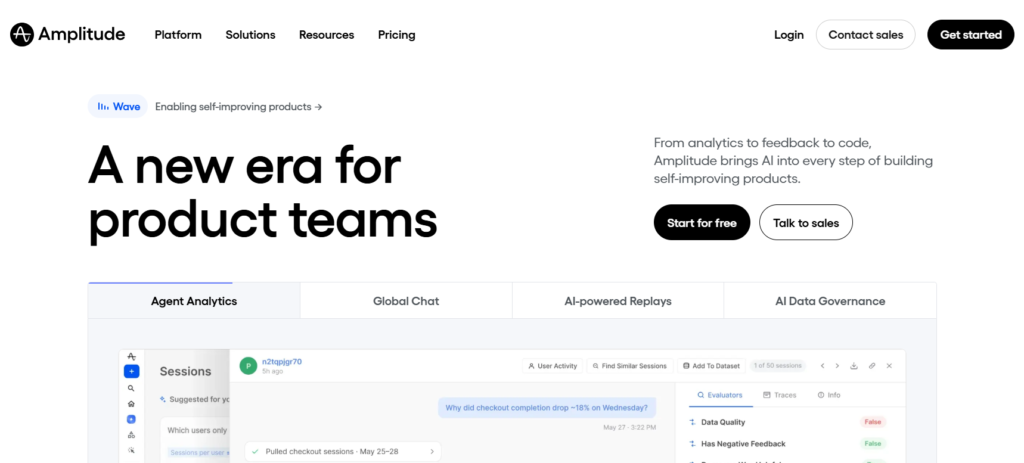
10. Amplitude Analytics
Amplitude Analytics is an event-based platform that helps SEO teams understand what organic visitors do after they reach a website or digital product.
Rather than limiting reporting to pageviews and sessions, Amplitude tracks actions such as registrations, feature use, purchases, downloads and repeat visits. This allows teams to connect organic landing pages with deeper engagement and revenue outcomes.
Funnels show how search visitors progress through important journeys and where they abandon them. SEO teams can compare conversion performance by landing page, device, geography, content category or visitor cohort.
Cohort and retention analysis reveal whether users acquired through organic search continue engaging over time. This is particularly useful for SaaS, subscription and product-led businesses where the value of SEO extends beyond the first session.
Journey reports visualize the sequences of actions visitors take after landing. Teams can identify which content paths contribute to activation or conversion and which entry pages tend to produce low-quality visits.
Amplitude also includes experimentation and session replay capabilities, allowing teams to test changes and connect quantitative results with observed user behavior in the same environment.
The platform requires a structured event-tracking plan and is more complex than lightweight web analytics tools. It does not replace rank tracking or technical SEO software.
For SEO teams that need to prove how organic acquisition affects activation, retention and revenue, Amplitude offers much greater analytical depth than a free behavioral recording tool.
FAQ
What features should SEO teams prioritize in analytics software?
Focus on unsampled traffic data, organic source segmentation and conversion tracking tied to landing pages. Keyword rank monitoring, while sometimes bundled, usually needs a dedicated tool.
Privacy compliance matters just as much. Cookieless tracking and EU data hosting stop consent banners from hiding a big share of your visits. API access and dashboard customization round out the essentials, so data flows into your existing reporting stack without manual exports.
Can free analytics tools handle enterprise-level SEO needs?
Several free options run deeper than you’d expect. Google Analytics GA4 covers multi-platform attribution, while Matomo On-Premise delivers unsampled data with no traffic limits. Different free tools cover different needs depending on your priorities. Each covers a different slice of the puzzle.
Enterprise teams tend to outgrow free tiers once they need dedicated support, advanced segmentation or SLA-backed uptime. The pragmatic move: start free, spot the gaps, then pay for upgrades only where the free version genuinely comes up short.
How does GDPR compliance affect analytics accuracy?
Cookie consent rules under GDPR cause real data loss for tools that depend on opt-in tracking. Platforms like Plausible, Fathom and Simple Analytics sidestep the problem by collecting zero personal data. No consent banner means 100% of visits show up in reports.
Cookie-based tools, GA4 included, only record visitors who actively accept tracking. In privacy-conscious European markets, rejection rates can climb past 40%. A cookieless platform removes that blind spot and gives you a more accurate traffic baseline.
Should SEO teams use one analytics platform or combine several?
A single platform rarely covers the whole spectrum. Quantitative tools like Matomo or GA4 handle traffic volumes, source attribution and conversion metrics, while behavioral tools like Hotjar or Clarity reveal how visitors actually use your pages.
Layer a lightweight cookieless tracker on top of a feature-rich platform, and you catch the visitors that consent-dependent tools miss. The trick is dodging redundant data collection that drags down page load and muddies compliance. Two or three well-chosen tools beat one bloated suite.
How much should an SEO team expect to spend on analytics software?
Budgets stretch from zero to several thousand dollars a month. Matomo On-Premise and Google Analytics are available at no licensing cost, while cloud-hosted privacy tools like Plausible and Fathom run between $9 and $15 per month. Cloud-hosted privacy tools like Plausible and Fathom run between $9 and $15 per month. Product analytics platforms such as Amplitude begin at $49 per month on annual billing.
Enterprise platforms like Adobe Analytics, Contentsquare and Piwik PRO use custom pricing based on deployment, traffic and support requirements that scales with site count and feature access. Most mid-sized teams land between $50 and $200 per month by pairing a core analytics platform with a free behavioral tool and a dedicated rank tracker.
AI search has made brand tracking harder. Buyers now find companies through Google AI Overviews, ChatGPT, Perplexity, Gemini, Copilot, and other answer engines. They no longer rely only on traditional search results.
I reviewed AI visibility tools for SEO leads, growth teams, SaaS marketers, and agencies. I focused on whether each tool helps you see where your brand appears, which sources get cited, and what to improve next.
Key Takeaways
Elmo is my top pick for self-hosted AI visibility tracking. It gives teams open-source control, broad answer-engine coverage, and practical citation analysis without vendor lock-in.
Ahrefs Brand Radar is best for fast benchmarking at scale. Its large search-backed prompt dataset helps with executive reporting and competitor comparisons.
SE Ranking is a strong agency-friendly option. It combines AI Overviews tracking, cross-engine visibility, and familiar SEO workflows.
Modeled visibility metrics are directional. I would compare share of voice, impressions, citations, and mentions across multiple sources before making major decisions.
What is AI visibility?
AI visibility is the practice of tracking how answer engines describe, mention, and cite your brand. A mention means your brand appears in an answer. A citation means the system points to a supporting source. Because outputs shift by prompt, model, location, and time, treat these measurements as modeled signals rather than exact rankings.
How I Tested the AI Visibility Tools
Engine coverage
I gave more weight to tools that monitor Google AI Overviews or AI Mode plus LLM answer engines like ChatGPT, Perplexity, Gemini, Copilot, Claude, and Grok.
I treated AI search optimization as the broader discipline behind these visibility workflows.
Citation depth
Mentions are useful, but citations are more actionable. I looked for domain-level and URL-level source reporting, per-prompt views, and change tracking over time.
I also checked whether each workflow supported AI citation readiness instead of only counting mentions.
Workflow fit
A startup needs something different from an enterprise SEO team. I considered dashboards, competitor benchmarking, custom prompts, exports, and agency reporting.
Pricing and control
I also looked at deployment model. Self-hosted tools offer more data ownership, while SaaS tools are usually faster to launch and easier to maintain.
The Best AI Visibility Tools, Reviewed
1. Elmo
Pros
Open-source and self-hosted, with full data ownership and no vendor lock-in.
Tracks prompts across ChatGPT, Google AI Overviews and AI Mode, Perplexity, Gemini, Copilot, Claude, Grok, Mistral, and DeepSeek through bring-your-own API keys.
Citation views show which domains and URLs AI models cite most.
Tracks new versus dropped sources over time, which makes citation changes easier to investigate.
Supports per-prompt and per-model visibility analysis with competitor benchmarking.
Lets teams audit exact LLM outputs and sources instead of relying only on summary scores.
Cons
Self-hosting and API key management require some technical ownership.
The managed cloud option is listed as coming soon.
As an early-stage open-source project, workflows may evolve quickly.
My experience with Elmo
I liked Elmo most because it starts from a practical SEO question: what are AI engines saying about us, and which sources are they using? In my review setup, the citation view was the most useful screen because it separated brand visibility from source visibility.
We self-hosted Elmo to audit how ChatGPT and Google AI Overviews were citing our brand across priority prompts. Its citation analysis and competitor benchmarking made source gaps clear enough to act on that week.
The tradeoff is that you need to run your own instance and bring API keys. For teams that care about data control, that is part of the appeal rather than a major drawback.
Pricing
Elmo lists its self-hosted plan at $0. Infrastructure and model API usage are separate costs to plan for. Cloud is marked as coming soon, and White Label is available as a custom option.
For teams comfortable with self-hosting, the value is strong because spend goes toward infrastructure and model use rather than a seat fee.
2. Ahrefs Brand Radar
Pros
Tracks AI visibility across AI Overviews, AI Mode, ChatGPT, Perplexity, Copilot, Gemini, and Grok.
Uses a large search-backed prompt dataset for broad market coverage.
Reports AI Share of Voice, mentions, citations, and modeled impressions.
Useful competitor benchmarking and citation discovery.
Includes custom-prompt checks for focused monitoring.
Cons
SaaS only, so there is no self-hosted deployment path.
Share of voice and impressions are modeled, so they need context.
Pricing is premium for small teams.
My experience with Ahrefs Brand Radar
Ahrefs Brand Radar is the tool I would reach for when leadership wants a fast benchmark. The methodology is documented, and the prompt dataset is useful for market-level comparisons.
I like it for competitor share of voice work. It is less about hand-picking every prompt and more about seeing how a category looks across a broad, search-backed set.
Pricing
Public pricing lists Brand Radar at $398 per month for selected platforms and $699 per month for all platforms.
Both listed tiers include 2,500 custom-prompt checks per month, which matters if you want to monitor priority prompts directly.
3. SE Ranking
Pros
AI Overviews Tracker flags which tracked keywords trigger an AI Overview.
Shows where a website ranks within AI Overview results and analyzes cited sources.
AI Search Add-on extends visibility to AI Mode, ChatGPT, Perplexity, and Gemini.
SE Visible offers standalone brand, sentiment, and competitor monitoring.
Fits naturally into rank tracking and agency reporting workflows.
Cons
Broader cross-engine visibility may require an add-on or separate product.
Setup depends on choosing the right prompts, keywords, and engines.
The platform can feel dense if you only need lightweight monitoring.
My experience with SE Ranking
SE Ranking is practical for agencies because it connects AI visibility to familiar SEO reporting. I like that it covers both AI Overview tracking and broader AI search monitoring through newer products.
The packaging is the main appeal. If your team already reports rankings, competitors, and content performance, SE Ranking makes AI visibility feel like an extension of that workflow.
Pricing
SE Visible publishes a starter price for its standalone AI visibility product. The AI Search Add-on is available for existing SE Ranking users, with availability depending on plan and setup.
4. RankLLM
Pros
Tracks your brand’s visibility across leading AI search platforms.
Includes Brand AI Score to measure AI search visibility.
LinkRadar helps discover niche edit and listicle placement opportunities using AI.
Offers Niche Edit Finder, Listicle Finder, and Mix Find to streamline link prospecting.
Includes a free Listicle Marketplace for browsing live placement opportunities.
Provides ready-to-send editor briefs for outreach workflows.
Cons
Focuses primarily on AI visibility and link opportunity discovery rather than traditional SEO.
Technical SEO audits and backlink analytics are not part of the platform.
LinkRadar Scans are limited by your subscription plan (except Agency).
My Experience with RankLLM
RankLLM stands out because it combines AI search visibility tracking with link opportunity discovery in one platform. Instead of only showing whether your brand appears in AI search results, it also helps you find relevant niche edit and listicle opportunities through LinkRadar.
I also like that the workflow is practical. The AI-generated placement suggestions and ready-to-send editor briefs can save time during outreach, making it useful for marketers and agencies focused on improving AI visibility and earning editorial mentions.
Pricing
Free Marketplace – Browse live listicle opportunities and send inquiries for free.
Detects Google AI Overviews in Position Tracking and Sensor.
AI visibility features appear across Domain Overview, Keyword Overview, Organic Research, Position Tracking, and Sensor.
Offers free AI Overviews visibility tools for quick checks.
Good fit for teams already using Semrush for SEO reporting.
Cons
Some AI visibility features may depend on plan level.
It is broader SEO software, not a dedicated prompt-level LLM monitoring tool.
My experience with Semrush
Semrush is convenient if your SEO team already lives in its dashboards. I would use it to connect AI Overview presence with organic rankings, keyword movement, and competitive research.
It is not the deepest specialist tool for LLM prompt monitoring. For Google AI Overview visibility inside a mature SEO workflow, though, it is easy to justify.
Pricing
Semrush offers free AI Overview and AI visibility checkers for initial research. Deeper tracking sits inside paid Semrush plans, with enterprise options for larger organizations.
6. SISTRIX
Pros
Tracks whether a domain or URL is cited in Google AI Overviews.
Shows citation frequency with weekly trend graphs.
Strong international coverage across markets.
Works well for teams already monitoring visibility indices and SERP features.
Cons
More focused on Google AI Overviews than multi-LLM monitoring.
Requires a thoughtful keyword tracking strategy.
My experience with SISTRIX
SISTRIX feels like a reliable fit for teams that care most about Google. The weekly trend view is useful for spotting whether AI Overview citations are expanding or fading.
I would not treat it as a complete answer-engine monitoring suite. I would use it as a Google AIO layer alongside a broader LLM visibility tool.
Pricing
SISTRIX uses transparent, modular packages, so teams can choose the parts of the suite they need. Check the current plan page for exact module pricing and market coverage.
7. seoClarity
Pros
Enterprise-scale AI Overviews tracking as a native SERP feature view.
Supports visibility checks across tracked keywords.
Connects AIO monitoring with broader enterprise SEO analytics.
Good fit for large sites that need governance and reporting.
Cons
Enterprise-oriented pricing and sales process.
Primarily focused on Google AI Overviews rather than broad LLM coverage.
My experience with seoClarity
seoClarity is built for large SEO programs, and that shows. I would shortlist it for enterprise teams that need scalable reporting, permissions, and SERP-feature context.
For a small startup, it may be more platform than you need. For a large site, the structure can be a strength.
Pricing
seoClarity uses custom enterprise pricing through sales. That makes sense for organizations that need a full SEO visibility platform rather than a standalone AI tracker.
8. Clearscope
Pros
Tracked Topics report AI Mentions and AI Citations percentages.
Prompts are assigned automatically to tracked topics.
Connects AI visibility signals with content optimization workflows.
Useful for content teams already working from topic coverage and GSC data.
Cons
Not a full AEO monitoring suite.
Tracked Topics limits vary by plan.
Less focused on broad multi-LLM monitoring than specialist tools.
My experience with Clearscope
Clearscope is different because it approaches AI visibility from the content workflow. That helps if your main concern is whether topic coverage is turning into AI mentions and citations.
I would use it as a complement, not the only system of record. For content-led teams, the lightweight AI signals are helpful without adding a separate monitoring process.
Pricing
Clearscope publishes plans with tracked-topic limits, and larger requirements are handled through enterprise sales.
If your team already uses Clearscope for content briefs, Tracked Topics can be a natural way to add AI visibility reporting.
Screen recording has quietly become one of the most underrated tools in an SEO professional’s arsenal. Whether you’re documenting a technical audit, walking a client through a rankings report, creating tutorial content to drive organic traffic, or building backlink outreach videos, the right screen recorder can sharpen your workflow and elevate how you communicate complex data.
But not all screen recorders are built for SEO use cases. You need something that handles long audit sessions, produces shareable links in seconds, integrates with your existing stack, and (increasingly) leverages AI to add searchable captions and metadata that matter for discoverability.
Here are the best screen recorders for SEO professionals in 2025.
1. Zight: Best Overall for SEO Professionals
Pricing: Plans start at $7.95/month (billed annually) | Free plan available Platforms: Mac, Windows, iOS, Chrome Extension
Zight (formerly CloudApp) earns the top spot for SEO professionals because it was built with content discoverability and team productivity in mind. Both things matter enormously in SEO work.
What makes Zight stand out is its deep AI integration. The platform uses AI to generate smart titles, automatic captions, and video descriptions, making your recordings instantly more searchable and shareable. For SEO teams that produce a lot of visual content, think tutorial videos, Loom-style client walkthroughs, or process documentation, this means your internal and external assets are discoverable by default, not as an afterthought.
Zight lets you record your entire screen or a selected region, with or without a webcam overlay. This is particularly useful when presenting a client’s Google Search Console data or walking through a competitor analysis, as you can keep focus tight on exactly what matters. You can also capture screenshots, annotate them with arrows, shapes, and text, and share everything via an auto-generated link.
The platform integrates natively with Slack, Asana, Trello, and other project management tools, making it easy to drop a quick recorded walkthrough directly into a client update or internal bug report without leaving your workflow.
Auto-transcription and AI translation into 50+ languages
Region-specific screen recording (great for isolating SERP screenshots or analytics dashboards)
Instant shareable links with no uploads and no friction
Chrome extension for capturing directly from the browser
GIF creation for quick visual documentation
Integrations with Slack, Asana, Trello, and more
Custom branding options on higher-tier plans
Best for:SEO agencies, content teams, client-facing professionals, and anyone producing video assets at scale.
2. Loom: Best for Async Client Communication
Pricing: Free plan available; paid plans start at $12.50/user/month Platforms: Mac, Windows, iOS, Android, Chrome Extension
Loom has earned its place as the go-to screen recorder for remote teams, and SEO professionals are no exception. Its standout feature is speed: hit record, capture your screen, and share via link in seconds, with no exports or rendering waits.
For SEO use cases like walking a client through a monthly performance report or explaining a technical fix to a developer, Loom is effortless. It supports automatic captions, viewer engagement tracking (so you can see if your client actually watched your 12-minute site audit walkthrough), and comment threads tied to specific video timestamps.
The main limitation is editing. Loom’s trim-and-cut tools are basic, and there’s no region-specific recording. You’re recording the full screen or nothing. For teams that need to polish their videos or capture focused dashboard views, this can be frustrating.
Best for: Quick async client updates, team communication, and walkthroughs that don’t need heavy editing.
3. Camtasia: Best for Tutorial and Educational Content
Pricing: $299.99/year Platforms: Mac, Windows
If you’re building SEO tutorial content for YouTube, an online course, or a client training library, Camtasia is the professional’s choice. It combines screen recording with a full-featured video editor built specifically for tutorial and instructional content.
Callouts, zoom-and-pan animations, quizzes, interactive elements, and custom annotations are all built in. The 2026 version added AI-powered noise removal, auto-captions, and a “Smart Cut” feature that removes dead air and filler words automatically. It’s a significant time saver for long-form SEO walkthroughs.
The tradeoff is price and complexity. Camtasia is among the more expensive options, and mastering its full feature set takes time. But for SEO professionals serious about building a content library or video training materials, the production quality it delivers is hard to match.
Best for: SEO educators, course creators, agencies building client training libraries.
4. OBS Studio: Best Free Option for Advanced Users
Pricing: Free and open-source Platforms: Mac, Windows, Linux
OBS Studio is the standard for streamers and power users who need maximum control over their recording setup, and it costs nothing. For SEO professionals who do live webinars, screen share sessions, or need to record from multiple sources simultaneously, OBS delivers capabilities that paid tools often can’t match.
The downside is the learning curve. OBS is not built for casual use. It’s built for people who want to configure every detail of their recording environment. There’s no built-in cloud sharing, no auto-generated links, and limited post-production editing tools. You’ll need to pair it with a separate video editor for polished output.
Best for: Budget-conscious SEO professionals comfortable with technical software, and those doing live streaming or webinars.
5. Snagit: Best for Documentation and Visual Reports
Pricing: $62.99/year (after free trial) Platforms: Mac, Windows
Snagit sits at the intersection of screenshot tool and screen recorder, making it ideal for SEO professionals who produce a lot of written documentation, including technical audits, process guides, and client-facing reports with annotated visuals.
Where Snagit shines is in its annotation toolkit. You can capture scrolling web pages (a dream for documenting long SERPs or full-page audits), add precise callouts and labels, and export polished images or short clips directly into reports and presentations. It’s less suited to full-length video recordings but exceptional for building visual documentation.
Best for: Technical SEO professionals, content strategists building documentation, and anyone producing heavily annotated visual reports.
6. ScreenPal (formerly Screencast-O-Matic): Best Budget Option
Pricing: Free plan available; paid plans from $3/month Platforms: Mac, Windows, iOS, Android, Chromebook
ScreenPal punches well above its price point. For freelance SEO professionals or small SEO agencies watching overhead, it offers solid recording, basic editing, and direct uploads to YouTube and Vimeo, all at a fraction of what Loom or Camtasia costs.
The free tier is genuinely usable (though it adds a watermark), and the paid plans unlock longer recordings, cloud storage, and caption tools. It won’t match the polish of Camtasia or the speed of Zight, but for everyday use it’s a capable and affordable workhorse.
Best for: Freelancers and small SEO agencies looking for a reliable, low-cost solution.
What to Look for in a Screen Recorder as an SEO Professional
Not every feature that matters for a gamer or educator matters for SEO work. Here’s what to prioritize:
Instant shareable links. You’re sending recordings to clients and colleagues constantly. A tool that makes you download and upload a video file before sharing adds unnecessary friction.
AI captions and transcription. Searchable content matters even internally. AI-generated captions make your recordings accessible and indexable, saving you hours of manual transcription.
Region recording. SEO work involves dashboards, SERPs, and analytics interfaces. Being able to isolate exactly the part of your screen that matters keeps recordings focused and professional.
Integration with your stack. Whether you live in Slack, Notion, Asana, or a CRM, your screen recorder should fit seamlessly into where your work actually happens.
Storage and organization. Long-term, you’ll accumulate a library of recordings. Cloud storage, folder organization, and searchability become important at scale.
Final Verdict
For most SEO professionals, Zight offers the best combination of speed, AI-powered discoverability, and workflow integration. Its AI captioning and smart metadata features speak directly to what SEO teams care about, making content findable and shareable without friction.
If you’re purely focused on async client communication, Loom remains a strong contender. For building polished tutorial or educational content, Camtasia is the professional standard. And if budget is the primary constraint, ScreenPal or OBS Studio will get the job done.
The right tool ultimately depends on where screen recording fits in your specific workflow, but any of these will put you ahead of a team still trying to explain technical issues over email.