
Category: SEO

  • What is Keyword Cannibalization? How to Identify & Fix It

    What is Keyword Cannibalization? How to Identify & Fix It

    In the constantly evolving field of search engine optimization (SEO), one critical challenge that website owners and digital marketers face is “keyword cannibalization.” While SEO aims to improve website’s visibility and organic traffic, keyword cannibalization can thwart those efforts. This phenomenon occurs when multiple pages on a website compete for the same or similar keywords, leading to confusion for search engines and users alike.

    In this digital era, where online visibility is fundamental for the success of online enterprises, understanding the concept of keyword cannibalization is essential. This phenomenon has far-reaching consequences, negatively impacting a website’s search engine rankings, user experience, and overall online visibility.

    This comprehensive post will delve into the intricacies of keyword cannibalization. We will explore its definition, the reasons behind its occurrence, and the detrimental effects it can have on a website’s performance. Furthermore, we will provide practical insights into effectively identifying and resolving instances of keyword cannibalization, ensuring that your SEO strategies align with best practices and drive the desired results.


    So, let’s embark on this journey to unravel the mysteries of keyword cannibalization and equip ourselves with the knowledge to overcome this SEO challenge.

    What Is Keyword Cannibalization in SEO?

    Keyword cannibalization refers to a search engine optimization (SEO) situation where multiple website pages target the same or similar keywords. This competition between pages can lead to confusion for search engines, who need help determining which page is the most relevant for a keyword search.

    As a result, the website’s overall search rankings and organic traffic need to improve. Keyword cannibalization is a detrimental phenomenon that can be addressed by optimizing keyword usage, content organization, and website structure to ensure clarity and effectiveness in SEO strategies.

    Is Keyword Cannibalization Bad?

    Yes, keyword cannibalization is considered harmful for several reasons. It can negatively impact your website’s SEO performance, user experience, and overall online visibility. This section will explore why keyword cannibalization is terrible and its adverse effects on your website.

    1. Diluted Ranking Signals

    When different pages on your site target the same or similar keywords, they compete with each other for search engine rankings. It can dilute ranking signals, as search engines are unsure which page to prioritize for a particular keyword. As a result, only some of the pages may achieve a high ranking, reducing overall organic traffic and visibility.

    2. Confusing User Experience

    Keyword cannibalization can confuse visitors and diminish their user experience. If users land on different pages within your website, targeting similar topics, they may encounter repetitive or conflicting information. It leads to frustration and dissatisfaction, ultimately driving users away from your site.

    3. Lower Click-Through Rates (CTR)

    With multiple pages cannibalizing each other in search results, users may encounter the same website multiple times. They are less likely to click on additional results from the same site when presented with identical or similar content. Your click-through rates may need to improve, impacting the overall clickability of your website in search results.

    4. Loss of Link Equity

    In cases of keyword cannibalization, external websites might link to different pages on your website targeting the same keyword. It leads to the dispersal of valuable link equity across multiple pages instead of consolidating it on a single authoritative page. As a result, no single page gains enough link equity to stand out and rank higher.

    5. Inefficient Use of Resources

    Keyword cannibalization can also lead to inefficient use of resources. Instead of creating unique and valuable content for each page, you may end up duplicating efforts by producing similar content for multiple pages. This wastes time and resources that you can utilize to create diverse, high-quality content.

    6. Missed Conversion Opportunities

    Users who encounter different pages from the same website in search results may navigate to less optimized pages for conversions. It results in missed conversion opportunities as the user may not find the most relevant and persuasive page to complete their desired action.

    7. Impact on Ranking Authority

    Keyword cannibalization can reduce your website’s overall credibility and trustworthiness in the eyes of search engines. As search engines struggle to determine the most relevant page for a particular keyword, they may perceive your site as less authoritative or valuable, affecting its rankings across the board.

    8. Hindered Content Discoverability

    When multiple pages target the same keyword, some of your valuable content will be in search results. Search engines must distinguish which page is the most relevant to display your pages prominently, impacting your content’s discoverability.

    How to Identify or Recognize Keyword Cannibalization

    Identifying keyword cannibalization in is crucial to resolving the issue and optimizing your website’s SEO performance. Here are detailed steps to help you recognize instances of keyword cannibalization:

    1. Conduct Thorough Keyword Research

    Begin by conducting comprehensive keyword research to understand the target keywords on your website. Identify the primary keywords for each page and list the targeted keywords across your site.

    2. Review Search Engine Results

    Perform searches using the targeted keywords and assess the search engine results page (SERP). Look for multiple pages from your website appearing in the search results for the same or similar keywords. If you find that different pages compete for the same search query, it indicates keyword cannibalization.

    3. Analyze Page Titles and Meta Tags

    Review the page titles and meta tags of your website’s pages. Check if you have multiple pages with identical or similar title tags or meta descriptions targeting the same keyword. Such overlap suggests keyword cannibalization, as search engines may need help identifying the most relevant page.

    4. Assess Content Overlap

    Carefully examine the content of your pages targeting similar keywords. Look for instances where the content overlaps or is nearly identical. It occurs when multiple pages discuss the same or similar topics, resulting in keyword cannibalization.

    5. Monitor Keyword Rankings

    Track the rankings of your pages for the targeted keywords. If you notice that multiple pages are ranking for the same keyword, it suggests cannibalization. Remember that cannibalization might lead to fluctuating rankings and lower overall visibility.

    6. Review the Internal Linking Structure

    Evaluate your website’s internal linking structure and anchor text usage. Check if you have multiple pages internally linking to each other using the same or similar anchor text targeting a specific keyword. This internal linking pattern can contribute to keyword cannibalization.

    7. Examine Google Search Console Data

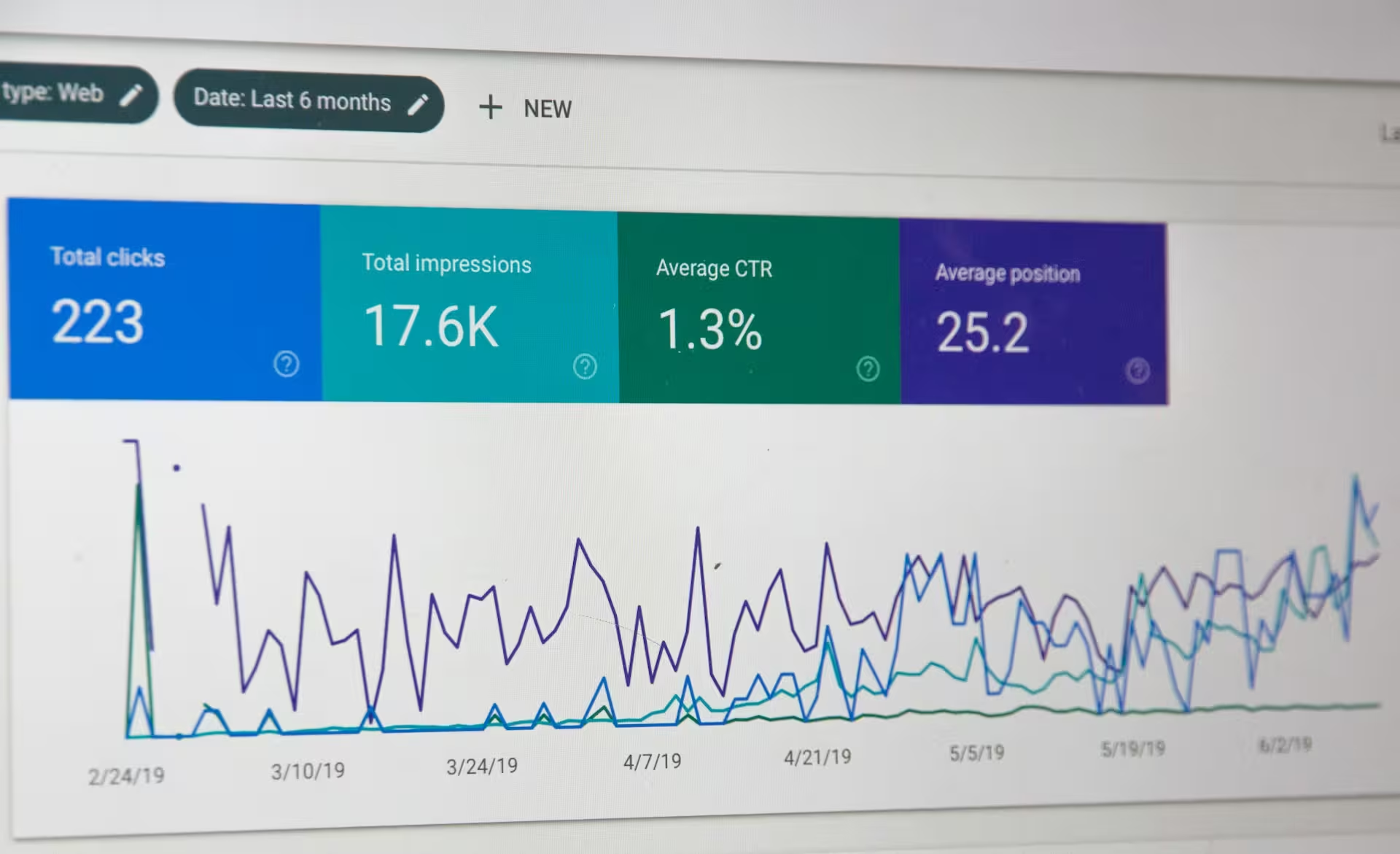
    Utilize Google Search Console to gain insights into the performance of your website. Analyze the query report to identify keywords that trigger multiple pages from your website in the search results. This data can help identify keyword cannibalization issues.

    8. Consider User Intent

    Put yourself in the shoes of your target audience and consider their search intent. Evaluate if multiple pages on your website address the same search intent and provide similar information. If you find pages overlapping in content and purpose, it indicates keyword cannibalization.

    9. Seek Professional SEO Audits

    If you are uncertain about identifying keyword cannibalization, consider seeking assistance from professional SEO auditors or agencies. They have the expertise and SEO audit tools to thoroughly analyze your website, identify cannibalization issues, and provide actionable recommendations.

    By following these detailed steps, you can effectively identify instances of keyword cannibalization on your website. Once you have determined the issue, you can implement strategies to resolve it and optimize your SEO efforts.

    How Do You Resolve Keyword Cannibalization in Your Content?

    Resolving keyword cannibalization is crucial to improving your website’s SEO performance. Here are detailed steps to help you address and fix keyword cannibalization effectively:

    1. Identify Keyword Cannibalization Patterns

    Analyze your website’s content and keyword targeting to identify the specific pages and keywords affected by cannibalization. Look for overlapping topics, similar keyword usage, and competing pages.

    2. Determine the Primary Page

    Evaluate each page’s quality, relevance, and authority by targeting the same keyword. Determine the most comprehensive and valuable page regarding content and user experience. It will be the primary page you will focus on preserving and optimizing.

    3. Consolidate and Merge Content

    Merge the content from the cannibalized pages into the primary page. Carefully review the content, ensuring you retain the most relevant and valuable information while eliminating duplicate overlapping or outdated content. Rewrite and reorganize the content to create a comprehensive and authoritative resource.

    4. Optimize the Primary Page

    Optimize the primary page to align with the target keyword. Update the title tag, meta description, headers, and other on-page elements to reflect the keyword and improve search engine visibility accurately. Incorporate relevant internal and external links to enhance the page’s authority and user experience.

    5. Implement 301 Redirects

    Redirect the URLs of the cannibalized pages to the first page using 301 redirects. It informs search engines that the content has permanently moved to the primary page, consolidating ranking signals and preserving link equity. It also ensures a seamless user experience by automatically redirecting visitors to the most relevant page.

    6. Update Internal Linking Structure

    Review your internal linking structure and update the anchor text to prioritize the primary page for the target keyword. Adjust the anchor text of internal links pointing to the cannibalized pages to direct them to your primary page. It reinforces the importance and relevance of the primary page.

    7. Update External Backlinks

    Identify external websites linking to the cannibalized pages and reach out to them. Request that they update the anchor text or link to the primary page to consolidate external ranking signals. It helps consolidate authority and relevance for the primary page, improving its search visibility.

    8. Monitor Performance and Adjust

    Monitor the performance of the primary page, including keyword rankings, organic traffic, user engagement, and conversions. Analyze data from analytics keyword research tools and search console to identify any fluctuations or areas for improvement. Make adjustments to optimize the page further if necessary.

    9. Review and Refine Keyword Strategy

    Review your overall keyword strategy to prevent future instances of cannibalization. Conduct comprehensive keyword research, ensure each page targets unique keywords or variations, and align them with user intent. Create a well-structured content plan that avoids overlapping topics and keywords.

    10. Continuously Monitor and Maintain

    Keyword cannibalization can reoccur if not monitored regularly. Monitor your website’s performance, conduct periodic audits, and stay current with SEO best practices. Make adjustments and improvements as needed to maintain a cannibalization-free website.

    Keyword Cannibalization Solutions We Rarely Recommend

    While there are practical solutions to address keyword cannibalization, there are also specific approaches that we rarely or never recommend due to their potential drawbacks. Here are a few solutions that you should use with caution:

    1. Creating Doorway Pages

    Doorway pages are low-quality, thin content pages created solely to target specific keywords. While they may seem like a solution to keyword cannibalization, search engines have become increasingly sophisticated in identifying and penalizing such practices. Doorway pages can harm your website’s overall reputation and lead to potential penalties from search engines.

    2. Keyword Stuffing

    Keyword stuffing involves excessively repeating keywords within a page’s content or meta tags to manipulate search engine rankings. This approach is against search engine guidelines and can result in penalties or negatively impact user experience. Instead of keyword stuffing, focus on creating high-quality, natural content that provides value to users.

    3. Keyword Canonicalization of All Pages

    Canonicalization is a process that involves specifying a preferred version of a webpage when duplicate content exists. While canonicalization is a valid technique for handling duplicate content, applying it to all pages indiscriminately to address keyword cannibalization may have unintended consequences. It could lead to devaluing unique pages or prevent them from ranking effectively.

    4. Ignoring Internal Linking

    Internal linking guides search engines and users through your website’s content. Ignoring internal linking to avoid keyword cannibalization can result in a disjointed user experience and hinder search engine crawlers from understanding the relationships between your pages. Instead, optimize internal linking to direct users and search engines to the most relevant and authoritative page.

    5. Deleting Underperforming Pages

    While deleting underperforming pages to address keyword cannibalization may be tempting, you should use this approach cautiously. Deleting pages without considering their potential value or alternative solutions may result in losing valuable content, historical data, and potential opportunities. Instead, consider merging or repurposing underperforming pages to strengthen your content strategy.

    It’s important to note that each website is unique, and the best solution to address keyword cannibalization may vary. We recommend you consult SEO professionals or seek guidance from reputable sources to determine the most suitable action for your situation. The objective is to create a comprehensive, user-friendly website that provides value, avoids manipulative tactics, and adheres to search engine guidelines.

    Final Thoughts On Keyword Cannibalization in SEO

    In conclusion, keyword cannibalization poses significant challenges to the effectiveness of SEO strategies and overall website performance. It dilutes ranking signals, confuses users, lowers click-through rates, and hinders the efficient utilization of resources. However, by recognizing and resolving instances of keyword cannibalization, website owners and digital marketers can optimize their content, improve user experiences, and enhance their search engine rankings.

    Through proper identification, consolidation of content, optimization of the primary page, and strategic implementation of redirects and internal linking, you can solve keyword cannibalization. By staying proactive, monitoring performance, and refining keyword strategies, websites can avoid future instances of cannibalization and achieve sustained success in the digital landscape.

    Featured Image Source: accuranker.com

  • The Full Guide To Blogger Outreach Strategies For SEO

    The Full Guide To Blogger Outreach Strategies For SEO

    Whether you’re a savvy entrepreneur, a marketer, a blogger, or someone crafting content, diving into blogger outreach can boost your game. It’s all about broadening your audience, scoring top-notch backlinks, and advancing your business.

    In this guide, we’ll dig into spotting outreach opportunities, sizing potential connections, and sealing the deal with some irresistible perks for SEO. That’s the secret sauce to standing out from the crowd. So, let’s dive in!

    What is Blogger Outreach

    In SEO practice, blogger outreach is like connecting with key players in your niche. Brands reach out to respected bloggers or influencers to spotlight their products and services. Choose influencers or bloggers who resonate with your domain, boast a solid following, and voila! Blogger outreach will become an influential asset in your link-building toolkit.

    The end game? Persuade those influential voices with substantial, targeted audiences to talk about you and provide a link to your website. It’s a strategic move to spread the word in the right circles.

    Step-By-Step Guide To Do Blogger Outreach

    1. Set a Clear Goal

    Begin your outreach strategy by establishing specific, measurable goals like any other project. Set concrete objectives to provide you with clear guidelines for how to evaluate your achievement. You won’t know whether your campaign was successful if you don’t have concrete goals.

    Even when your campaign achieves excellent success, evaluate its effectiveness to identify areas for improvement. Therefore, choose your goals before starting to develop a blogger outreach approach.

    In case you want to clarify your objectives, consider the following questions:

    • Do you desire to boost sales?
    •  Do you desire to boost brand recognition?
    •  Would you want to boost off-page SEO by acquiring some high-quality backlinks?

    2. Define Measurable Success Criteria

    After deciding on a specific objective or set of goals, you must establish the criteria for evaluating possible blogging partners. These standards will help you visualize your ultimate goal.

    The standards may change depending on your niche and objectives. For instance, consider the scenario where obtaining high-quality backlinks is your aim. In that case, your primary considerations should be traffic, spam score, and domain ranking.

    A few quantifiable criteria are:

    1. Audience Engagement

    There are various ways to gauge how engaged a site’s readership is. The easiest way is to ask yourself the following questions:

    • Does the blog’s audience leave frequent comments? 
    •  Do authors respond to comments? 
    •  Do readers of this blog share posts on social networks? 

    The more comments and social shares you receive on your blog post, the more engaged the audience is.

    2. Traffic

    A target site’s traffic might make it very qualified. The more traffic a blog receives, the better it becomes. The best part is that you can measure a site’s traffic, domain ranking, or authority using SEO software.

    3. SEO

    You can also evaluate a site using SEO data. If you want to obtain high-quality backlinks, use SEO metrics. Evaluate the following when analyzing SEO metrics:

    • Page Authority: This reflects the SEO authority of the page; the stronger its authoritativeness, the better.
    •  Spam Score: This shows the domain’s spam toxicity. You don’t want your site penalized by search engines because you link to spammy or unethical websites.
    •  Content Relevancy: This indicates how pertinent a hyperlink is to a post’s context. The more relevant the backlink, the higher the quality of the audience you receive from the site.

    3. Find Prospects

    Now that you have quantifiable standards, it’s time to look for outreach candidates. Start by identifying the bloggers who best represent your brand. You may use a straightforward spreadsheet to determine who the best influencers are for your local brand.

    For instance, you can use Excel or Google Drive to construct a spreadsheet with a list of popular blogs. For each site, you want to learn about the blogger who runs it and acquire their contact information. You can use tools like LinkedIn email finder Chrome extension to find their updated contact details from LinkedIn.

    However, check each publisher against the following standards before you start reaching out to them:

    • Quality: Their online design and content standards should be on par with or higher than yours.
    • Relevance: Do they create appropriate content for your audience and brand?
    • Opportunity: Do they frequently provide opinions from brands or individuals like you?

    The best part is that you can use different tools to get around. For instance, you could use BuzzSumo. This tool is valuable if you are looking for relevant bloggers, trending topics, and content ideas for guest posting. Alternatively, you could use Google or your preferred search engine to search for your niche’s best bloggers. 

    Now that you have researched and created your list of bloggers, you must group them into different categories.

    • The first group is the elite influencers or bloggers you want to collaborate with—the handful of powerhouses in your niche. 
    •  The second group should have a list of well-liked bloggers who receive respectable comments on their articles. They most likely have a long history of blogging.
    •  The third group should consist of bloggers who are relatively new to the industry but often create relevant content. This section should have fewer bloggers.  

    4. Choose Your Type of Blogger Outreach Strategy

    Select the blogger outreach strategy that best suits your prospective outreach partner. Several fantastic blogger outreach methods are available. The kind of outreach you conduct will typically depend on your niche, target market, and objectives.

    Here are some of the top blogger outreach strategies you can use.

    1. Guest Posting

    This kind of blog outreach is when organizations or individuals produce content for another blog. It can be helpful to reach a new audience, and you can use it to advertise a good, service, or website. Most of the time, specialists in their fields who can offer the blog’s visitors useful information write guest pieces. Blogger outreach services exist to do this for you at a price.

    2. Sponsored Posts 

    These are a sort of blog outreach where organizations or people pay to post their content on someone else’s blog. You can use it to advertise a particular commodity, service, or website. Most often, writers of sponsored pieces are subject-matter experts who can provide readers of the site with helpful information.

    3. Product Evaluations

    Another excellent chance for outreach is a product review. You can provide a free product sample for a blogger to review. Free samples are always appreciated; this is a quick and straightforward outreach strategy. 

    Genuine reviews can position your company as a market leader, introduce your goods to a new audience, and build a long-lasting backlink profile.

    4. Persuade Them Using a Powerful Incentive

    After choosing your target bloggers and deciding on your blogger outreach strategy, developing an alluring perk will persuade bloggers to support your outreach plan. Consider what you can provide your prospects that they will find beneficial as you search for the ideal reward. Here are some pointers to assist you:

    • Money: If you engage in high-volume blogger outreach in a highly transactional manner, using money as an incentive works well.
    • Freebies or Subscriptions: Swag or free subscriptions can be effective marketing tools if you offer a product or service. This is especially true if you contact bloggers to get them to mention and evaluate your products. Swag or free subscriptions frequently accompany free samples and gifts.
    • Content: If you aim to deliver the content in exchange for free placement, you have an easy task. Most bloggers won’t accept content unless you have built a great relationship with them, have specialized knowledge that they and their audience would value, or can produce an epic piece of worthwhile content. 

    Whatever the situation, you must always give bloggers or influencers something worthwhile. Once you’ve identified the ideal bait, it’s time to contact your target.

    5. Structure Your Message 

    You can begin structuring the messaging. The email you send will decide whether or not the entire adventure was worthwhile. Remember that if your messaging is unclear, you won’t get excellent results, regardless of how qualified your list is or how many emails you send. So, do this:

    • Be concise and to the point. Include these three things in your cold email: your identity, proposal, and what you want the potential customer to do. Keep in mind that most people view emails on mobile platforms. Reading and responding to a short message is considerably simpler than scrolling through a short article. 
    •  Keep it Personalized: Include the name of the person whose attention you are seeking. People are much more likely to respond if you know it, so look it up if you don’t. A little individuality goes a long way when emailing a generic email address, so try to find a contact who works there. Don’t be scared to take a step further with this, as it frequently determines whether you receive a response or if your email is deleted.
    •  End with a CTA. Use the appropriate call-to-action (CTA) to increase your reaction rates. This section of your email convinces recipients to respond, click a link, complete a form, etc. The CTA and the objective of your email should be precisely aligned. Try to concentrate your outreach efforts on a particular goal.
    •  Be prompt with your follow-up emails. Your outreach email should hopefully receive a response from the receiver. Your emails may occasionally go unanswered; if so, consider following it up. 

    6. Track Your Results to Optimize Your Outreach Strategy

    When your outreach effort is over, you must analyze your results. This will help you get the most out of your efforts and understand the overall performance of your campaigns. You can do this by comparing the outcomes to what you had anticipated.

    Benefits of Using Blogger Outreach Strategies 

    1. Increases Online Visibility

    Having an active online presence is crucial for any e-commerce brand. Although marketing on social media is compelling, most people already use it. To differentiate yourself, you must look for an alternative. 

    An influential blogger outreach strategy increases your brand’s online visibility while promoting it across different platforms. It ensures you step outside the social media bubble and advertise your business on various sites. The exposure is excellent for your company’s short- and long-term digital blogger outreach strategies.

    2. Builds Relationship

    These days, establishing good relationships with renowned industry experts who have an online voice or influencers has become crucial for business growth. A compelling blogger outreach strategy will help you build good relationships and enhance your brand.

    3. It Is Cost-Effective

    Outreach to bloggers is a very economical method of marketing. It’s a terrific approach to improving your SEO and content marketing strategies. Working with bloggers in your niche will help you market your brand to the right demographic. Additionally, this approach can generate more leads for your brand and is far less time-consuming than conventional approaches.

    4. Blogger Outreach Strategies Enable Brands to Access New Markets

    Given how quickly the eCommerce business world is changing, it is becoming clear that market diversification is essential for success. A business cannot afford to concentrate solely on one SEO strategy, and exploring new markets is a way to continue developing. Blogger outreach is one of the few strategies that will significantly improve your chances of success.

    5. Blogger Outreach Strategies are Excellent for Backlinks

    Backlinks are crucial since they direct potential clients to your site. Building many backlinks to your website through blogger outreach is an intelligent SEO strategy. Your website will rank higher in search engine results pages (SERPs) if you have more high-quality backlinks, increasing your brand’s visibility.

    6. It Improves a Brand’s Connection with Its Audience

    You cannot overstate the value of exposure for a business. However, raising awareness by itself won’t help your brand much. If you want to persuade an audience member to commit financially, connect with them. With this in mind, a blogger can improve a brand’s relationship with its targeted audience by educating and reassuring them about their products. The corporation can more easily encourage specific user actions with the help of this brand promotion.

    Conclusion

    In addition to introducing you to the most influential voices in your niche, a strong blogger outreach campaign promotes blog development and visibility. Develop and implement a successful blogger outreach strategy for your brand using the tips and techniques described in this blog. 

  • What is Google EAT? The ultimate SEO E-A-T Guide

    What is Google EAT? The ultimate SEO E-A-T Guide

    Whenever I hear the term E-A-T in SEO circles, I always think of food first. Then, after a reality check, it dawns on me that we are talking about Google E-A-T.

    Over the years, this has been a common term for SEO professionals. However, the bigger question to the SEO pro reading this right now is why this Google E-A-T matters and what it is.

    E-A-T stands for Expertise, Authoritativeness, and Trustworthiness.

    It has been part of the Google algorithm over the years. It is also part of the Search Quality Evaluator Guidelines, which determine how a site rates on the E-A-T scale (although Google denies any existence of an E-A-T scale or score).

    However, we assume this is very important to Google because of the number of pages Google spends explaining every aspect of E-A-T in the Search Guidelines (57 pages out of 175).

    Therefore, in this article, we want to discuss the following:

    1. What is E-A-T?

    This term first appeared in Google’s Search Quality Guidelines in 2014. Over the years, there has been a lot of iteration of that section of the guidelines to improve it. However, from the beginning, E-A-T has always meant:

    • The Expertise person creating the content.
    • The Authoritativeness of the person creating the content, the content itself, and the website where the content is published.
    • The Trustworthiness of the content creator, the content itself, and the website on which it is published.

    In summary, consider this question.

    Who would you trust to feed you with actionable content on a particular topic?

    A simple answer would be:

    Someone with professional credibility who writes content for a website that displays continuous authority and consistency in the topic.

    So here are quick examples:

    • A professional violinist who started a website that talks about Violins inside out.
    • A professional psychologist who creates content about mental illness on a website that consistently covers mental illness across the board.
    • A renowned cyclist who creates content about cycling for other cyclists and cycling enthusiasts who continuously engage with the content.

    I hope that the concept of E-A-T now makes sense to you. We now delve deeper into the Google E-A-T and how it affects your SEO strategy.

    2. Summary of Google’s Search Quality Rater Guidelines of E-A-T

    Google’s Search Quality rater guidelines provide a framework for evaluating and ranking web pages. This framework helps webmasters understand Google’s expectations of their sites and how that affects their ranking in the search engine rankings.

    We have discussed the Quality Rater Guidelines in greater detail in this post: How the Google Algorithm Perceives Quality.

    However, for the sake of our article, we will summarise below the guidelines with an emphasis on the E-A-T requirements.

    The whole Quality Rater Guidelines PDF can be summarised into the following two areas:

    • Page Quality – this is the quality of a website divided into the following areas:
    1. The goal or purpose of a website.
    2. The content quality.
    3. The E-A-T of the source where information on the website is coming from.
    • Satisfying the users’ needs – Does your website content meet the needs of its visitors?

    Therefore, Google rates a website as high quality if it scores very highly in the guidelines mentioned above – one of which is E-A-T.

    3. Is E-a-T a Ranking Factor or Not?

    Google has a set of ranking factors that are well-known to most SEO professionals. However, E-A-T is not a direct ranking factor.

    Sometimes, it is essential to read between the lines of what Google says regarding Google’s guidelines.

    Gary Illyes from Google has said people talk about E-A-T more than it is talked about at Google:

    However, in the Google Quality Rater Guidelines, Google mentions E-A-T more than 100 times in over 50 pages.

    This document shows how Google fights misinformation on the Internet. E-A-T is an essential part of how Google determines search rankings.

    In this set of tweets by Danny Sullivan, Google’s Public Liaison of Search, he said that there are some signals that Google uses to determine E-A-T where some of the signals could be ranking factors;

    In summary, there is no Google E-A-T score. However, E-A-T is an essential concept for Google. It uses other measurable factors to determine whether a website achieves the level of quality that showcases Expertise, Authoritativeness, and Trustworthiness (EAT).

    4. Importance of E-A-T

    If E-A-T is not a ranking factor, then what is its importance? I know this is the very question going into your head.

    It’s simple. Google has human reviewers. This Google E-A-T guideline tells those reviewers that Google wants content with the following attributes considered high quality:

    • An expert writes content.
    • Content is written on an authoritative blog.
    • Content is trustworthy.

    This is all about the importance of Google E-A-T. If your content doesn’t meet the attributes above, you are not creating high-quality content.

    Therefore, how do you bake Google’s E-A-T into your content to achieve that credibility with Google? Here is a 5-step checklist.

    5. How to Integrate Google E-A-T Into Your Content: A 5-Step Checklist

    a) Create an Author or About Page

    The first requirement of the E-A-T acronym is Expertise.

    Google wants to know who is creating the content on your website. So tell them that it is you or your team.

    Tell Google why you have the required expertise in this content.

    For example, be open about your team’s credentials on your About page. This could also be part of your team page.

    Highlight your team’s qualifications and why they should be trusted to inform others regarding your niche or topic.

    Create author pages, too. Each author can have a brief bio where Google gets to learn about why they are experts on what they are writing about.

    A hobbyist DIYer could start a blog about designing and crafting various types of furniture. This is a hobby, but Google loves that it’s your hobby – you are obsessed with it and have built up some experience, too.

    You don’t have to be a professor of carpentry to write a blog about DIY furniture. The bottom line is that you have the expertise.

    b) Collaborate With Experts in Your Industry

    Collaborating with experts further adds to the Expertise-Authoritativeness-Trustworthiness of your content.

    Instead of working with writers who are not experts in your topic, find experts in your niche and work with them to publish various high-quality issues and research.

    c) Update Old Content Regularly

    Google wants your website content refreshed with something new and valuable every chance.

    Old content that is just so out of touch with the current trends sucks. And Google knows that its users (literally everyone) want to see ever-current and helpful content.

    If you have old pages that have not been looked at for ages, you should update them with new visuals and data, fix broken links, and improve their information.

    Read Also: How to Remove Outdated Content From Your Website

    That way, it shows Google that your site can continuously provide relevant, accurate information for users.

    d) Link to High-Authority Sources

    How do you stamp your understanding and Authoritativeness of a specific topic? How can you show Google you are a trustworthy source?

    Link to other authority sources to back up what you publish in your content.

    Use accurate raw data, links to research papers, and even social posts from people in your industry who are known experts.

    This way, Google sees that you rely on high-quality sources for the content you share with your users.

    e) Generate Backlinks from High Authority Sources

    What is more E-A-T than getting high-authority backlinks from other high-authority websites? This is one of the best wins you can continuously push for by generating high-quality, linkable content.

    When people in their high E-A-T industries link back to your site through various types of backlinks like niche edits, press releases, infographic links, etc, you can quickly stamp your credibility in your industry.

    Bottomline

    Google has clarified that E-A-T is not some internet destroyer. However, it will matter if Google wants to determine whether the content is high quality.

    Therefore, you now need to serve E-A-T in your content marketing strategy.

    The Expertise, Authoritativeness, and Trustworthiness (E-A-T) of your content can no longer be ignored. Or you won’t eat? At least not from the internet money.