If you’ve just started working on your website’s SEO and are wondering when you’ll start seeing results, you’re not alone. Almost every founder, blogger, or marketer has asked this same question: How long does SEO take to work?
And the frustrating answer?
It depends.
But that’s not helpful, right? So in this guide, I’ll walk you through exactly what’s going on behind the scenes, what affects how fast (or slow) you rank, and how to know if your SEO is on the right track. Think of this like a map—one that shows you where the slow curves, steep hills, and acceleration lanes are.
Let’s start at the beginning.
Why Does SEO Take So Long to Work?
Imagine planting a seed.
You water it, give it sunlight, and care for it daily. But the next day? It still looks like a pot of dirt. That’s SEO.
SEO works kind of like farming. You’re not buying results like you would with ads. You’re building authority, relevance, and trust with Google—over time.
Here’s why it takes a while:
Google doesn’t instantly trust your website. Especially if it’s new, Google needs time to figure out who you are and if you’re a reliable source.
There are millions of websites. If you’re writing about something lots of other websites are also covering (like “best laptops” or “how to lose weight”), you’re in a tough race.
Google uses hundreds of factors to rank websites. Things like your content, your website’s speed, how many other websites link to you, and how easy your site is to read and navigate.
Google needs time to find and understand your content. Even if you publish a great blog post, it can take days or weeks before Google fully crawls, indexes, and evaluates it.
So SEO isn’t just about writing and waiting. It’s about doing the right things consistently and patiently.
How to Get SEO Results Faster
Now, while SEO takes time, there are things you can do to speed things up a little bit. Think of these like adding fertilizer to your plant—it doesn’t make it grow in one day, but it helps.
1. Choose Easier Keywords to Compete For
Let’s say you’ve just opened a tiny coffee shop in a big city. If you try to compete with Starbucks on day one, you’ll get crushed. But if you focus on your local street or neighborhood—boom, now you have a chance.
That’s what low-competition and long-tail keywords are.
Instead of going for “digital marketing,” try something like “digital marketing for handmade soap businesses.”
Tools like Ahrefs, Semrush, or even Google’s autocomplete can help you find these gems.
2. Understand What the Searcher Really Wants (Search Intent)
Let’s say someone types “best running shoes.” Do they want a history of shoes? No—they want recommendations.
Google tries really hard to match what people mean when they search—not just the words they type.
So before you write, Google the keyword yourself and look at the top results:
Are they listicles? (“Top 10 Running Shoes”)
Are they reviews? (“Nike vs. Adidas”)
Are they how-tos? (“How to choose running shoes”)
Match the type of content you create with what’s already ranking. That’s what Google thinks people want.
3. Fix the Hidden Tech Problems on Your Site
Even if your writing is great, your website needs to be technically sound.
Think of it like a beautiful house built on a weak foundation—it looks good, but it’s risky.
Creating content that’s good enough to be cited naturally
Also, don’t forget to link between your own pages. It helps Google understand your site structure and keeps people exploring.
5 Things That Determine How Fast You’ll See Results
You can do everything right and still see slow results if these factors aren’t working in your favor:
1. Your Budget and Resources
If you’re doing everything yourself in your spare time, results will come slower. If you have a team creating content, fixing your site, and building links, things move faster.
2. Your Domain’s Age and History
Older websites that have built up a good reputation usually rank faster. New sites? They need to prove themselves.
If your domain has been penalized before (maybe someone used spammy tactics in the past), that can also slow you down.
3. How Search-Engine-Friendly Your Website Is
If your website has poor navigation, no clear structure, or messy code, Google has a hard time figuring it out. Clean things up:
Use proper headings (H1, H2, etc.)
Make sure your URLs are simple and descriptive
Write good page titles and meta descriptions
4. How Fast Google Can Crawl and Index Your Site
Sometimes Google takes a long time to discover your pages. You can help by:
Submitting new pages to Google Search Console
Having a sitemap
Avoiding pages blocked by robots.txt or “noindex” tags by mistake
5. The Competition in Your Industry
Trying to rank for fitness, health, finance, or tech? Expect slower results. These are ultra-competitive.
But if you’re targeting something specific like “SEO for landscaping companies in Phoenix,” you might see traction within weeks.
What a Real SEO Timeline Looks Like (Month by Month)
Let’s say you’ve just started your SEO campaign. Here’s what to expect in the first six months:
Month 1: Research and Audit
You begin by:
Auditing your website
Researching your keywords
Looking at what your competitors are doing
Making a game plan
Not much happens on the surface this month, but this research is your blueprint.
Month 2: Fixing and Preparing
You fix tech issues, set up Google tools, and maybe redesign a few parts of your site.
You’ll also start writing your first pieces of content.
But traffic? Still probably flat. That’s normal.
Month 3: Content Starts Rolling Out
Now the fun begins.
You start publishing helpful blog posts, improving service pages, and setting up internal links. If you’ve done outreach, maybe you get your first backlinks.
A few keywords might creep onto page 2 or 3 of search results.
Month 4: First Signs of Life
Now you start seeing actual growth.
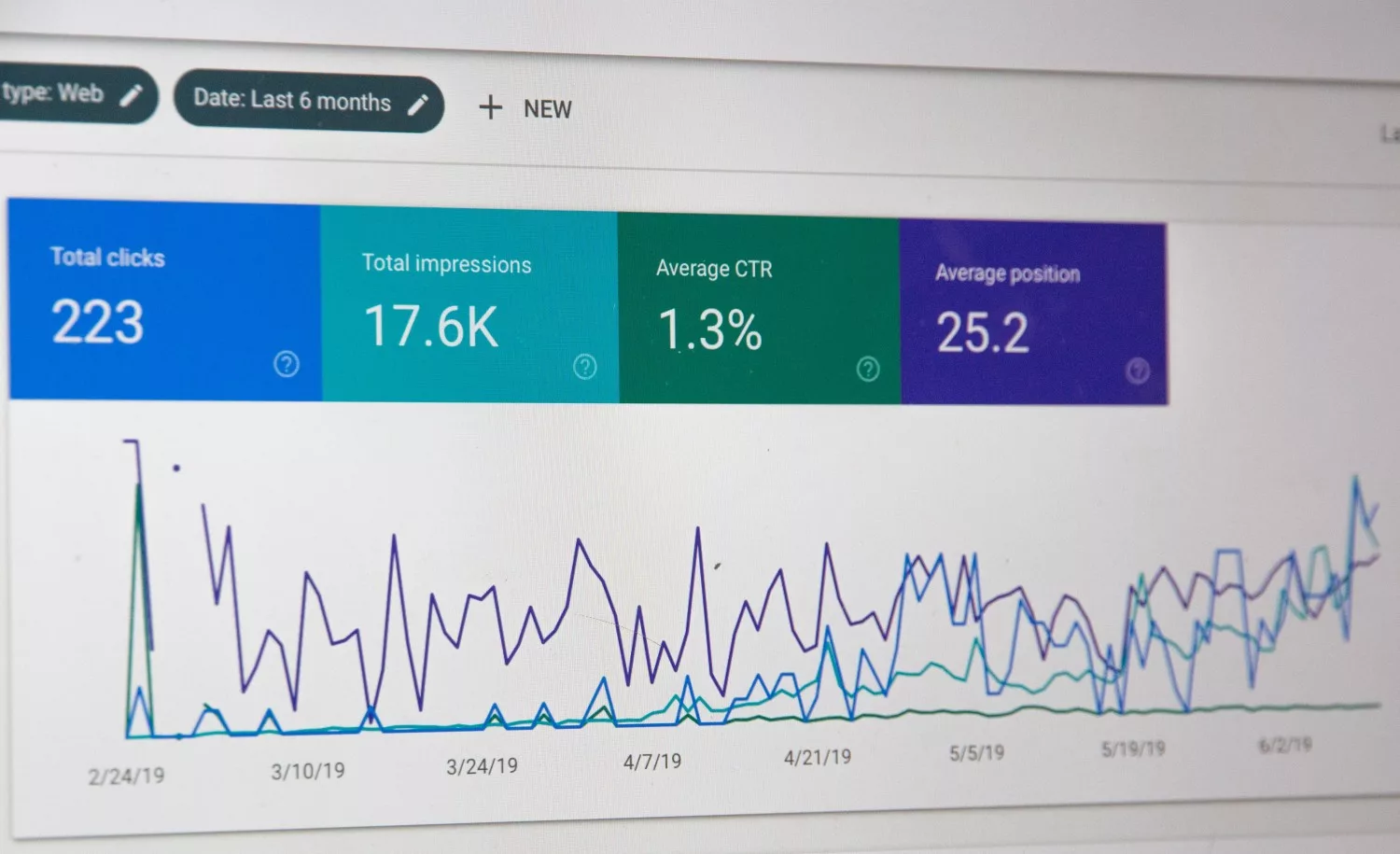
You get more impressions in Google Search Console
A few posts show up on page 1 (usually for long-tail keywords)
You might start getting a trickle of traffic
Keep going. This is where most people give up—but you’re just warming up.
Month 5: Acceleration
You’re in a groove now.
Content is consistent
You’re building links and getting mentions
You’ve removed bad pages and improved your site structure
Traffic starts climbing. Maybe 300–1000 monthly visitors. Leads or sales might start trickling in.
Month 6: Compounding Growth
This is when it gets fun.
Your old posts are ranking higher. Your new posts get indexed faster. Your site starts earning trust.
If you’ve done things right, you might be seeing:
2–5x the traffic you had in month 3
Consistent keyword wins
Some page 1 rankings for higher-volume queries
So… When Will I Rank #1?
If you’re asking, “When will I be number one on Google?”—pause.
It’s not about ranking #1 for everything. It’s about building a steady stream of traffic that grows month after month.
Realistically:
In a low-competition niche with great execution? You might see real results in 3–6 months.
In a competitive niche? Expect 9–12 months before you hit serious traction.
But the cool part?
Once it works, it works on autopilot. No ads. No chasing trends. Just reliable, compounding organic traffic.
Final Thoughts
SEO is not a quick fix. It’s a long-term investment. But if you stick with it, the rewards are huge.
You’ll build trust, get traffic while you sleep, and eventually—rankings, leads, and authority will come to you.
I’ve been managing content for online casinos for about 3 years now, and honestly, you can’t fix what you don’t measure.
Most teams I’ve worked with treat Google Search Console like a report card they check once a month. They peek at the numbers, nod, then close the tab. But there’s a huge gap between having information and actually knowing what to do with it. Seeing “347 clicks last week” doesn’t tell you which pages are bleeding traffic or why that one article suddenly stopped ranking.
So here’s what changed for me.
Last April, I was working with a casino seo agency that showed me how they were using Search Console data differently, not just reading it but actually interpreting what the numbers meant for our business goals and content strategy.
The Problem With Raw Data
Dashboards are useless without context.
I remember staring at a 23% drop in impressions one Tuesday afternoon, having no idea whether that was normal fluctuation, a penalty, or something breaking on the backend.
Search Console data doesn’t tell you “hey, you’ve got three pages competing for the same keyword” or “that guide you published in January is slowly dying”. You’re supposed to figure that out yourself.
What I Actually Needed
Most of us, don’t have 4 hours a day to manually track spreadsheets. I needed someone to just tell me what was wrong.
In my experience, the 3 things that matter when you’re trying to grow organic traffic are:
Catching problems early before you lose 50% of your clicks
Knowing when you’re wasting effort on the wrong pages
How I Use Search Console Data Differently
Separate brand traffic from true organic growth
I’ve found that separating brand searches from everything else changes the whole picture. If 80% of your traffic comes from people typing your casino name directly, you’re not really growing, you’re just catching people who already know you exist.
Track content decay on a weekly basis
In my case, I had a slots guide that ranked position 4 for about 8 months. Then it started slipping, position 7 then 12 and finally to page two. I didn’t notice until we’d lost 890 clicks per month, and yeah, I went back and counted every single one because I was pretty frustrated with myself.
Now I track it weekly. Sometimes daily if we just launched something new.
Don’t overlook small fixes
Sometimes fixing a meta description pulls in 40 more clicks without changing your ranking at all. Simple fixes like just making the snippet more clickable can add up pretty fast when you’re consistent.
Conclusion
All in all, what I’m saying is data without interpretation is just noise. You need something that actually tells you what to look at and why it matters right now.
Most people don’t think of images when they hear “SEO.”
But here’s the truth: optimized images can boost your rankings, speed up your website, and even help you show up in Google Images.
That means more clicks, more traffic, and a better experience for your visitors.
In this guide, we’re not just going to throw buzzwords at you. We’ll walk through how to optimize images for SEO step-by-step, like you’re sitting next to someone explaining it over coffee.
Whether you’re running a blog, a small business website, or an online store, this guide is for you.
1. What Is ALT Text (and Why Should You Care)?
Imagine you’re blind and using a screen reader to browse the web. When it gets to an image, it reads a short line of text that tells you what’s in that image. That line is the “ALT text.”
But screen readers aren’t the only ones reading it. Google uses ALT text to understand what your images are about. And if it can’t understand your images, it won’t show them in search results.
Why ALT Text Matters:
It makes your site accessible for visually impaired users (a legal and ethical must!)
It gives Google extra context for ranking your pages
It helps your images appear in Google Image search, driving extra traffic
How to Write Great ALT Text:
Be descriptive: Describe exactly what’s in the image.
Be concise: You don’t need a paragraph. One sentence is plenty.
Be natural: Include keywords only if they make sense. Don’t stuff them in.
Examples:
❌ image123.jpg
✅ close-up of a chocolate cake with strawberries on top
How to Add ALT Text:
In WordPress: When uploading an image, look for the “ALT text” field
In HTML: Add alt=”your description here” inside the <img> tag
How to Check Your ALT Text:
Right-click the image > Inspect (in Chrome)
Look for alt=”…” in the image code
2. How (and Why) to Compress Your Images
Ever been on a site that loads painfully slow? Big, bloated images are often the cause.
Image compression reduces the file size so your site loads faster—without making the image look ugly.
3. Choosing the Right File Format (It Actually Matters)
Not all image formats are created equal. Some are great for photos, others for simple graphics.
Common Formats:
JPEG/JPG: Great for detailed photos, keeps file size small
PNG: Best for logos or graphics with transparency (but bigger file sizes)
WebP: Modern format that’s smaller and high-quality (use if supported)
What to Do:
Use JPEG for photos
Use PNG for icons, logos, and transparent backgrounds
Use WebP whenever possible—it’s lighter and loads faster
Most image optimization tools let you convert formats easily.
Bonus Tip:
Don’t upload screenshots as PNG if they’re just full-color photos. Convert them to JPEG.
4. Resize Images to Match Their Display Size
Let’s say your site shows product photos at 600px wide. But you upload a 3000px-wide image. That’s 5x bigger than needed.
Your page wastes time loading extra pixels nobody ever sees.
Why This Matters:
Large images waste bandwidth
They slow your page down
Visitors on slow internet will hate it
How to Fix It:
Use a tool like Canva, Photoshop, or even Preview (Mac) to resize images before upload. If your image needs more canvas space before resizing, an image extender can expand the borders with AI before you finalise dimensions
Aim for display size ×2 (for high-res screens)
Example: If your layout shows images at 800px, upload them at 1600px max
How to Check:
Right-click > Inspect > look at the actual display size vs file size
5. Enable Lazy Loading for Images
Lazy loading means your images won’t load until someone scrolls to them.
This speeds up the first view of your page—which Google loves.
Why Use Lazy Loading:
Improves Core Web Vitals (important for SEO)
Loads only what’s needed when it’s needed
Speeds up the “above-the-fold” experience
How to Implement Lazy Loading:
In HTML: Add loading=”lazy” to your <img> tags
In WordPress: Use plugins like:
WP Rocket
Autoptimize
LiteSpeed Cache
How to Test Lazy Loading:
Open a page with lots of images
Open dev tools > Network tab > Refresh
Scroll slowly—images load as you scroll
Quick Checklist (Print or Save This):
✅ Write ALT text for every image
✅ Compress images before uploading
✅ Use JPEG for photos, PNG for logos, WebP when possible
✅ Resize images to actual display size (x2 for retina)
✅ Turn on lazy loading for images
Final Thoughts
Images are often the heaviest part of a webpage—and the most overlooked when it comes to SEO.
Make them work for your rankings, not against them
Best of all? You didn’t need to learn any code.
If your site is still slow or your images are unoptimized, start small. Pick one of these tips today, and do another one tomorrow. SEO is about stacking small wins—and image SEO is an easy place to start.
Need help with your specific site? Let me know. I’ll walk you through it.
For a while, online growth looked easy to measure. Traffic went up, followers went up, clicks came in, and everyone nodded like the machine was working. A dashboard full of rising lines can do that to people. It gives off this false calm. Numbers move, so surely something valuable is happening.
But growth online has a habit of lying in broad daylight. You can pull in more visitors and still weaken your position. You can get shares from people who never come back. You can build an audience that reacts a lot and buys nothing. That disconnect is where measurement starts getting less tidy and more useful.
So the real question is not whether something increased. It is whether the increase changed anything that matters over time. That sounds obvious, maybe too obvious, yet a lot of teams still drift toward surface metrics because surface metrics are easy to screenshot and easy to praise.
Content Performance Needs a Harder Look
Content teams often measure production and call it performance. Articles published, videos posted, newsletters sent. Output has value, sure. But output is not proof of effect.
A better measurement frame asks what the content did after it went live. Did it attract qualified traffic? Did it rank for terms that matched actual business intent? Did it lead to deeper browsing, signups, demo requests, or product understanding? Did it keep paying off after the first week?
Even then, there is room for confusion. A high-traffic article might pull in the wrong audience. A lower-traffic article might quietly drive stronger leads. That trade-off matters, especially now when people chase broad reach and then wonder why revenue does not move.
Questions around search make this harder too. Plenty of marketers want to decode things like how google ranks content in 2026, but the obsession with ranking mechanics can distract from the simpler issue: once people land on the page, does the content help enough to move them closer to trust?
If the answer is no, the ranking win is thinner than it looks.
More Attention Does Not Always Mean More Progress
Attention looks like progress because it is visible. It gives people a quick story to tell. This post performed. That reel took off. Traffic doubled on Tuesday. Fine. Maybe it mattered. Maybe it didn’t.
A spike can come from curiosity, outrage, bad targeting, or a lucky headline that pulled the wrong people in. None of those are growth by themselves. They are moments. Sometimes useful moments. Sometimes noise dressed as traction.
This is where online teams get pulled into bad habits. They start optimizing for what they can see fast. Click-through rate. Reach. Watch time. Open rate. Again, none of these are useless. The problem starts when they become the goal instead of a clue.
A clue points somewhere. A goal swallows the whole strategy.
You Need to Know What “Working” Means Before You Measure It
This part sounds boring, which is probably why people skip it. Before measuring growth or engagement, define what success actually looks like for the business. Not in a vague “brand awareness” way. In a real way.
Is the point to bring in qualified leads? Increase repeat visits? Turn readers into subscribers? Move more users from content into product pages? Get existing customers to stay active longer? These are not interchangeable. They produce different content, different channels, different benchmarks, different timelines.
If a company has not made that clear, its measurement system usually turns into a junk drawer. A few social numbers, some traffic stats, maybe a conversion chart, all sitting side by side without a real argument connecting them.
That happens a lot, actually. Teams collect data before they decide what question the data is supposed to answer.
Good Metrics Change Behavior Inside the Team
This part gets missed. Metrics do not only describe performance. They shape behavior. If a team is rewarded for clicks, it will chase clicks. If it is rewarded for follower growth, it will find ways to attract followers, whether those followers matter or not. If it is rewarded for qualified actions and repeat engagement, the work tends to sharpen.
So the measurement system is not neutral. It pushes the team toward certain choices. That is why bad metrics can quietly wreck good strategy. They pull people toward easy wins, short loops, and content that looks alive for a day and dead by next week.
Not Everything Valuable Shows Up Right Away
One reason online measurement causes so much confusion is that some of the most important effects arrive late. Brand familiarity grows slowly. Trust grows slower. A good content system can seem underwhelming for months before it starts compounding. Community work often looks inefficient until referrals and repeat attention start piling up.
That delay makes people impatient. They cut the channel too early, or they switch tactics because the faster numbers looked better. It is hard to blame them.
If you’ve ever wondered why your website isn’t showing up on Google—or why it’s not bringing in traffic—chances are, technical SEO is the missing piece.
And don’t worry, I’m explaining this like you’re five. Because that’s how simple technical SEO should be.
Let’s go through 25 key fixes one by one, like a friendly guide walking you through the backstage of your website.
1. Make Sure Google Can See Your Website
What it is: Think of Google like a visitor at your house. If your door is locked, they can’t come in. Your website has a special file called robots.txt that tells search engines what they’re allowed to see. If it says “stay out,” then Google won’t look at anything.
Why it’s important: If Google can’t access your site, it won’t be able to rank it. That means nobody will find you in search.
How to fix it:
Type yourwebsite.com/robots.txt in your browser.
Look for a line that says Disallow: /—that blocks everything.
If it’s there, change it to Allow: / or delete the line.
If it says “URL is on Google,” you’re good. If not, check your robots.txt again.
2. Submit a Sitemap
What it is: A sitemap is like a table of contents for your website. It lists all the pages you want Google to know about.
Why it’s important: It helps Google crawl your site more efficiently. Especially useful for new websites or large sites with lots of pages.
How to fix it:
If you’re using WordPress, install Yoast SEO or Rank Math.
These plugins automatically create a sitemap for you (usually at yourwebsite.com/sitemap_index.xml).
Log into Google Search Console
Click on Sitemaps on the left
Paste your sitemap URL and click submit
How to test it:
Google will show “Success” under submitted sitemaps
It will also tell you how many pages were discovered
3. Fix Broken Links (404 Errors)
What it is: A broken link is like giving someone directions to a store that no longer exists. When they get there, they hit a dead end, also known as a 404 error page.
Why it’s important: Broken links frustrate visitors and tell Google your site isn’t well-maintained. Too many of them can hurt your rankings.
How to fix it:
Use tools like Screaming Frog, Ahrefs, or Google Search Console
Find all pages or links that return a “404 Not Found” error
Decide how to fix them:
If the page still exists, update the link to the correct URL
If the page was deleted, either remove the link or redirect it to a related page
Why it’s important: Most people use their phones to browse. If your site doesn’t work on a phone, they’ll leave. Google also checks mobile experience before deciding to rank your site.
How to fix it:
Use a responsive theme that automatically adjusts to different screen sizes
Make fonts large enough to read on a small screen
Avoid using pop-ups or elements that cover content
What it is: HTTPS is a secure version of HTTP. It keeps your site safe by encrypting data.
Why it’s important: Google uses HTTPS as a ranking signal. Plus, browsers now mark HTTP sites as “Not Secure,” which scares visitors away.
How to fix it:
Get a free SSL certificate from your hosting provider (most offer this)
Use a plugin like Really Simple SSL (if on WordPress)
Set up a redirect so all traffic goes from HTTP to HTTPS
How to test it:
Visit your site and make sure the URL starts with https://
Look for a padlock icon next to your URL in the browser
7. Remove Duplicate Content
What it is:Duplicate content means having the same content on more than one page. For example, if two pages have the same product description word-for-word.
Why it’s important: Google gets confused. It might not know which page to rank—or it might ignore both.
How to fix it:
Merge similar pages into one stronger page
Use a canonical tag (a special code that tells Google which version is the “main” one)
Avoid copying content from other websites
How to test it:
Use Siteliner.com to scan for duplicates
Or use Copyscape to make sure your content is original
8. Set a Preferred Version of Your Website
What it is: Some websites can be accessed in multiple ways:
Google treats these like different sites unless you tell it otherwise.
Why it’s important: If you don’t choose one preferred version, Google may split your rankings between them.
How to fix it:
Set up 301 redirects from all alternate versions to one preferred version
Choose the same preferred domain in Google Search Console
How to test it:
Type all four versions in your browser and check that they all redirect to one version (e.g., https://example.com)
9. Fix Redirect Chains
What it is: A redirect is when one URL automatically takes you to another. A redirect chain is when a URL redirects to another, and then that one redirects again—and maybe again.
Why it’s important: Each hop in the chain slows things down. Google might stop following the chain altogether.
How to fix it:
Use Screaming Frog or Ahrefs to find redirect chains
Update links to point directly to the final URL in the chain
Example: Instead of A → B → C → D, go straight from A → D
How to test it:
Enter a URL into Screaming Frog and look for chains in the report
Click links manually and watch the browser bar—if it jumps through more than one URL, you have a chain
10. Remove Unnecessary Redirects
What it is: Sometimes, people link to a page that’s redirecting—but they could have just linked to the final page directly.
Why it’s important: Each redirect slightly delays page loading. Clean, direct links are better for users and search engines.
How to fix it:
Find links on your site that point to redirecting URLs
Update them to link directly to the final page
How to test it:
Click the link and watch the browser bar. If it hops to another page, and then another, you need to fix it.
11. Fix Orphan Pages
What it is: An orphan page is a page on your site that nobody links to. It’s floating out in space with no path leading to it.
Why it’s important: If there’s no link to the page, Google (and visitors) might never find it. It’s like building a great room in a house but forgetting to add a door.
How to fix it:
Use tools like Screaming Frog or Ahrefs to find orphan pages
Add internal links to those pages from other relevant articles or your main menu
For example, if you have a blog post about “summer shoes,” and your orphan page is about “summer sandals,” link them together!
How to test it:
Crawl your site again with Screaming Frog to make sure those pages are now linked from at least one other page
12. Add Structured Data (Schema Markup)
What it is: Structured data is extra information you add to your website’s code that helps Google understand what your content is about—like telling Google, “Hey, this is a recipe!” or “This is a product!”
Why it’s important: It can help you appear in fancy search results, like star ratings, FAQs, and product details. These are called “rich results” and they catch more attention.
How to fix it:
Use plugins like Schema Pro or Rank Math if you’re on WordPress
Or use Google’s Structured Data Markup Helper to generate the code manually
What it is: The title tag is what shows up as the big blue link in search results. It tells people (and Google) what your page is about.
Why it’s important: If your titles are boring, duplicate, or missing, nobody will click on your results—and Google might not rank them well.
How to fix it:
Make sure every page has a title that is clear, unique, and includes relevant keywords
Keep titles under 60 characters so they don’t get cut off
How to test it:
Use Screaming Frog to find pages with missing or duplicate title tags
14. Write Unique Meta Descriptions
What it is: This is the short summary that appears below the title in search results. It doesn’t directly impact rankings, but it affects whether someone clicks.
Why it’s important: Good meta descriptions = more clicks. More clicks = more traffic.
How to fix it:
Write a 1–2 sentence summary for each page
Include keywords naturally
Make it sound like a mini-ad or teaser
How to test it:
Check the HTML of your pages or use SEO plugins
Use Screaming Frog to find missing or duplicate meta descriptions
15. Use Only One H1 Heading Per Page
What it is: An H1 tag is your page’s main headline. It’s like the book title. Other headings (H2, H3, etc.) are chapter or section titles.
Why it’s important: Having multiple H1s confuses search engines. They want to know: what is this page mainly about?
How to fix it:
Check your page editor (like WordPress) and make sure there’s only one H1
Use H2 and H3 for subheadings
How to test it:
Use a browser extension like SEO Meta in 1 Click or Web Developer Toolbar
16. Avoid Thin Content
What it is: Thin content means pages with very little useful information—usually under 300 words, or just fluff.
Why it’s important: Google wants to rank pages that actually help people. If your page is too short or empty, it probably won’t rank.
How to fix it:
Add more useful content: answer common questions, include visuals, write real examples
Merge thin pages into one better resource if they’re about the same thing
How to test it:
Use Screaming Frog or Ahrefs to find pages with very low word counts
17. Use Clear, Clean URLs
What it is: A clean URL is short and easy to read. Example: yourwebsite.com/blue-running-shoes is better than yourwebsite.com/page?id=4738201.
Why it’s important: Clear URLs are better for users and give Google more context.
How to fix it:
Go into your site settings and make sure URLs use words, not numbers
Remove unnecessary words like “and,” “the,” or weird characters
How to test it:
Just look at your URLs. Are they readable? Descriptive?
18. Check for Crawl Errors
What it is: Sometimes Google tries to visit your pages and runs into errors (like 404s, server errors, or blocked pages).
Why it’s important: If Google can’t access your pages, it can’t index them. And if they’re not indexed, they won’t appear in search.
How to fix it:
Go to Google Search Console
Click on Pages > Why pages aren’t indexed
Fix the issues shown (usually broken links, incorrect redirects, or blocked content)
How to test it:
After fixing, re-submit the pages in Search Console and wait for them to be re-crawled
19. Avoid Mixed Content (HTTPS + HTTP)
What it is: If your website is HTTPS (secure) but still loads images or scripts over HTTP (non-secure), that’s called mixed content.
Why it’s important: It creates security warnings in browsers and breaks trust. Google also dislikes insecure setups.
How to fix it:
Update image, script, and stylesheet URLs to HTTPS
Use plugins or search-and-replace tools to do this in bulk
What it is: JavaScript can be useful, but too much of it—or poorly used code—can slow down your site and hide content from Google.
Why it’s important: If important content can’t be seen or loaded quickly, your rankings suffer.
How to fix it:
Defer non-essential scripts
Remove scripts you don’t need
Use a plugin to load scripts asynchronously
How to test it:
Run PageSpeed Insights and check if “Reduce unused JavaScript” appears in the suggestions
21. Add ALT Text to Images
What it is: ALT text is a short description added to your images. Google can’t “see” pictures, so this helps it understand them.
Why it’s important: Improves SEO, helps visually impaired users, and allows your images to show in Google Images.
How to fix it:
For every image, add a clear and simple description in the “ALT text” field
Use your main keyword if it makes sense naturally
How to test it:
Right-click the image > Inspect, and check for the alt="..." attribute
22. Compress Large Images
What it is: Large image files slow down your page speed.
Why it’s important: Slow pages = bad rankings and unhappy users.
How to fix it:
Use tools like TinyPNG, ShortPixel, or ImageOptim
Save images in WebP or compressed JPEG/PNG format
How to test it:
Use PageSpeed Insights or GTmetrix and look for “Efficiently encode images” in the report
Here is the full image SEO guide you can follow to ensure your images are well optimized for search engines.
23. Use Pagination Properly
What it is: When you split a long list (like blog posts or products) into multiple pages, that’s pagination.
Why it’s important: If not done correctly, search engines may not crawl your full content, or may treat each page as duplicate content.
How to fix it:
Add rel=”next” and rel=”prev” tags in the HTML (developers can help)
Or use a “Load more” button instead of numbered pages
How to test it:
Use Screaming Frog or view source code to confirm the presence of pagination tags
24. Block Low-Value Pages from Indexing
What it is: Some pages (like thank-you pages, login pages, internal searches) don’t need to show up in Google.
Why it’s important: Indexing junk pages wastes crawl budget and can dilute your site’s relevance.
How to fix it:
Add a noindex meta tag to those pages
Or block them in robots.txt
How to test it:
Search site:yourdomain.com/page-url in Google to see if it’s indexed
25. Check Core Web Vitals
What it is: These are three performance metrics Google uses:
LCP (Largest Contentful Paint): how fast the main content loads
FID (First Input Delay): how fast the page responds to interaction
CLS (Cumulative Layout Shift): does stuff jump around as it loads?
Why it’s important: Good scores = better rankings and happier users
How to fix it:
Optimize images and fonts
Reduce JavaScript
Improve server response times
How to test it:
Go to Google Search Console > Core Web Vitals
Run a test on PageSpeed Insights or use Chrome’s Lighthouse tool
Final Tip
Don’t try to fix everything in one day. Start with the basics: speed, crawlability, and mobile-friendliness. Fix 2–3 things per week, and before you know it, your site will be faster, cleaner, and ranking better.
Bookmark this guide. Run through it every few months. Your future self—and your rankings—will thank you.
A slow page can waste good traffic fast. People click, wait, and leave before they see your offer. That hurts paid results and organic growth at the same time. It also makes good content work harder than it should.
That is why many teams now plan paid media and SEO together. Both channels depend on strong pages, clear intent, and useful content. A good starting point is understanding programmatic advertising. It helps explain how automated buying supports better targeting and cleaner campaign decisions.
Why Programmatic Advertising Helps SEO
Programmatic advertising uses software to buy ad space. It speeds up the buying process and trims manual work. It also helps brands reach people with stronger intent signals. That makes campaign feedback faster and easier to study.
This helps SEO because paid campaigns can show what people respond to first. Teams can test offers, headlines, and audience groups before building more pages. That saves time and reduces guesswork. It also gives content teams clearer direction.
The IAB UK guide to programmatic explains how automated buying connects advertisers and publishers through data and bidding. That system helps marketers place ads based on timing, price, and audience fit. For SEO teams, those signals can guide content choices with more confidence. They also support smarter page planning from the start.
Programmatic and SEO work well together for a few simple reasons.
Paid campaigns show which headlines get clicks from real people
Audience data can reveal which topics attract stronger interest
Device trends can expose weak mobile experiences faster
Placement trends can show where your message connects best
Test results can shape page titles and content angles
These insights give SEO teams better input. Instead of guessing, they can work from live response data. That often leads to pages with clearer intent. It can also improve content structure and message fit.
Better Audience Data Leads To Better Content
Good SEO starts with people, not just keywords. You need to know what people want and when they want it. Programmatic campaigns can help show that. They respond quickly to audience behavior, device use, and content context.
This does not replace keyword research. It adds another layer of proof. When people respond to one message more often, that signal is useful. When one audience group stays longer on a page, that tells you something too. Those patterns can shape better content decisions.
A few areas often stand out first.
1. Headline Angles
A winning ad headline can inspire a better page title. It can also shape subheads and opening lines. If people click one promise more often, that idea deserves attention. SEO teams can use that signal to sharpen content.
2. Search Intent Gaps
Some keywords look strong in tools but fail on the page. Programmatic data can help explain why. One audience may want a guide, while another wants a fast answer. That gap helps writers match the page to real intent.
3. Mobile Behavior
Many paid clicks come from phones. If mobile visitors leave fast, the page may feel too heavy. The copy may also feel too dense. These patterns can help teams simplify layouts and tighten content.
When teams review both channels together, they often spot useful trends.
Some topics bring traffic but not strong engagement
Some pages attract clicks but fail to hold attention
Some offers work better for one audience segment
Some landing pages perform well only on desktop
Some content needs a clearer next step
Those findings help SEO teams build pages with more purpose. They can also refresh old content with stronger language. Over time, that leads to more relevant traffic. It also supports better page quality across the site.
Landing Page Speed Shapes The Result
Programmatic can send the right visitor to your page. But it cannot fix a slow or messy experience. If the page stalls, people leave early. That hurts paid results right away. It can also weaken engagement signals that support organic growth.
Google explains that Core Web Vitals track loading, responsiveness, and visual stability. These signals help site owners measure page quality in real use. Good scores support a smoother visit and a better user experience. They also help teams see where a page needs work. You can review that guidance in Google’s Core Web Vitals documentation.
Page speed affects more than one metric. It touches how users feel during the visit. If the page moves fast, people stay calmer and more focused. If the layout jumps around, trust drops fast. That can hurt both conversions and search performance.
A quick page speed check can help teams spot issues early. It shows load time, page size, and request counts in a simple view. That makes it easier to see whether the problem sits in the page, not the campaign. It also helps teams test changes with clearer benchmarks.
Here are a few page issues that often hurt both paid and organic results.
Large image files that delay the first view
Extra scripts that slow page response
Layout shifts that move buttons or text
Weak mobile design that hides the next step
Long blocks of copy with poor spacing
These problems can make good campaigns look weak. They can also drag down pages that deserve better results. When teams fix speed and layout issues, they give content a fair shot. That helps every channel work harder.
Shared Reporting Makes Better SEO Plans
Many teams still track paid and SEO in separate reports. That keeps useful signals apart. Paid teams may see click trends, while SEO teams watch rankings. But the full picture only appears when both sides compare notes. That is where better planning starts.
A shared view helps teams spot what is helping and what is hurting. If both channels struggle on one page, the issue may sit on the page itself. If one message works in ads and search, that theme deserves more focus. This kind of review helps teams spend time where results are more likely.
Some of the best insights come from simple comparisons.
1. Message Fit
When the same headline angle works in ads and search, it shows clear demand. Teams can build around that theme. They can also create supporting pages with better focus. That helps content stay useful and connected.
2. Page Quality
If both channels send traffic but users leave early, the page needs work. The issue may sit in speed, layout, or clarity. A weak opening can also cause drop off. Shared reporting makes those patterns easier to see.
3. Budget Choices
Some queries cost too much in paid search. But they may still deserve long term SEO work. Other topics may perform well in programmatic while search pages grow. That balance helps teams plan smarter across both channels.
You can also track website performance metrics to support these reviews. Metrics like load time, bounce rate, and page size help explain why users stay or leave. When that data sits next to campaign results, the picture gets clearer. Teams can then make updates with stronger evidence.
What Teams Can Take From This
Programmatic advertising can support SEO in practical ways. It helps teams test messages, learn from audience behavior, and spot page issues faster. Those lessons can shape stronger content and better landing pages. They can also reduce waste across both channels.
The best results come when paid media, SEO, and page performance work together. A fast page gives traffic a fair chance. Good reporting helps teams see what users respond to. When those parts line up, growth feels more steady and a lot less random.
Most of the SEO tactics that dominated the last decade have quietly lost ground. Directory submissions stopped moving rankings in 2020. Comment-linking hasn’t worked in five years. Private blog networks keep triggering manual actions. What’s survived, and actually strengthened, is editorial guest posting on real publications with real audiences. For SEO teams trying to build durable traffic rather than short-term spikes, this is the tactic that keeps performing quarter after quarter.
Photo by Atlantic Ambience on Pexels
The reason comes down to what Google now weights. Authoritative contextual backlinks from relevant publications remain one of the strongest ranking signals, and they’re increasingly hard to fake. That’s why using a guest posting service to build traffic to your site sits closer to the center of serious SEO strategies than it did five years ago. The approach isn’t glamorous, but it’s measurable and repeatable. Here’s how teams actually use it.
Why Does Guest Posting Still Work in 2026?
Three reasons the tactic has stayed effective while others have fallen away.
The first is signal scarcity. Because bad link tactics keep getting devalued by Google’s algorithm updates, the pool of “legitimate” link signals keeps shrinking. Editorial placements on real publications stand out more than ever because there’s less noise around them.
The second is search context. Google’s AI-powered features, Search Generative Experience, AI Overviews, and the increasingly personalized results, pull from pages that are mentioned authoritatively elsewhere. A guest post on a relevant publication is exactly the kind of “authoritative third-party mention” these systems prefer.
The third is traffic compounding. A well-placed guest post doesn’t just produce a backlink, it can drive referral traffic for months or years after publication, especially on publications that rank well for their niche keywords. That dual benefit (SEO plus direct traffic) is rare among link-building tactics.
What Makes a Guest Post Worth the Effort?
Five quality markers separate genuinely valuable guest posts from ones that waste budget:
Publication topical relevance. The publication’s audience should overlap materially with your target customers. Tangential industries don’t count.
Editorial control by a real team. Sites that publish anything for money aren’t editorial. Sites with editors who reject weak pitches are.
Contextual link placement. The backlink should appear in body text where it adds genuine reader value, not in a bio box or footer.
Descriptive anchor text. Generic “click here” links are dead weight. The anchor should describe what the link points to.
Natural publication cadence. Sites with a long history of guest contributors look natural to Google; new sites that suddenly start accepting paid placements don’t.
Any one of these missing is a warning sign. Two missing means the placement is probably net-negative for your SEO even if the link goes live. The Click Raven guide on bad links is a useful checklist for ruling out toxic sources before committing to a placement.
How Should You Measure Guest Post Value?
Photo by Polina on Pexels
Three metrics worth tracking on every placement are:
Domain diversity
A guest post from a publication you haven’t earned a link from before is more valuable than a second or third placement on the same site. Most SEO teams target 80 percent new referring domains per month.
Organic traffic delta on linked pages
The page the guest post links to should show measurable ranking improvement and traffic lift within 3 to 6 months. If you’re placing consistent guest posts with strong anchors and nothing moves, something upstream in the strategy is broken.
Branded search volume
Guest posts on tier-1 publications typically lift branded searches (people searching your company name) within 2 to 4 weeks of publication. That’s a leading indicator for the downstream conversion impact.
According to Google’s guidance on link best practices, the signals search engines value most are the signals that come from genuinely earned placements, which is exactly what a well-executed guest posting program produces.
What Are the Common Mistakes?
Here are some of the failure modes to avoid:
Picking publications by DR alone. A high-DR irrelevant site is less valuable than a medium-DR relevant one
Writing for the link rather than the reader. If the article’s only purpose is housing the link, editors will reject it
Over-optimizing anchor text. Exact-match commercial anchors on every placement looks algorithmic; vary it naturally
Publishing in bulk. Twenty placements in one month looks more suspicious than twenty placements spread across six months
Ignoring post-publication promotion. A placement that gets zero social amplification signals the site isn’t actually invested
Skipping link monitoring. Guest posts sometimes disappear. Check quarterly that your links are still live
Editorial guest posting outperforms most other link-building tactics for durable ranking gains
Five quality markers separate valuable placements from ones that waste budget
Track referring domain diversity, traffic deltas, and branded search lift to measure real value
Most common mistakes are avoidable with clear quality criteria and a steady cadence
Consistent publishing over 6+ months produces better outcomes than any short-term push
The Bottom Line for SEO Leaders
Guest posting is one of the few tactics where the ROI has genuinely improved over the last five years. Less competition for high-quality placements, stronger algorithmic weighting of editorial signals, and better measurement tooling make it the cornerstone of most serious SEO programs. For teams still treating it as a side experiment, the data is now clear enough that it belongs at the center of the link-building strategy.
Frequently Asked Questions
How many guest posts per month does a growing brand need?
Six to twelve high-quality placements per month is the range most established SEO teams target for consistent growth. For more on sizing the monthly number to your niche, see the Click Raven guide on monthly backlink volume. Quantity below four creates slow progress; above fifteen starts to look unnatural to Google’s quality systems.
Can small businesses do guest posting in-house or should they outsource?
For businesses under ten employees, outsourcing usually wins on cost and speed. Outreach and relationship management is time-intensive work that specialized agencies do faster than in-house teams can ramp.
What’s the typical cost per guest post placement?
Quality placements run $200 to $1,500 each depending on the publication’s domain rating, topical fit, and audience size. Tier-1 business publications run higher; niche industry blogs run lower.
How long until guest posting impact shows in organic traffic?
Three to six months is typical for measurable ranking movement, with full impact visible in the six-to-twelve month window. Short-term spikes are unusual; the value is in the compounding effect over time.
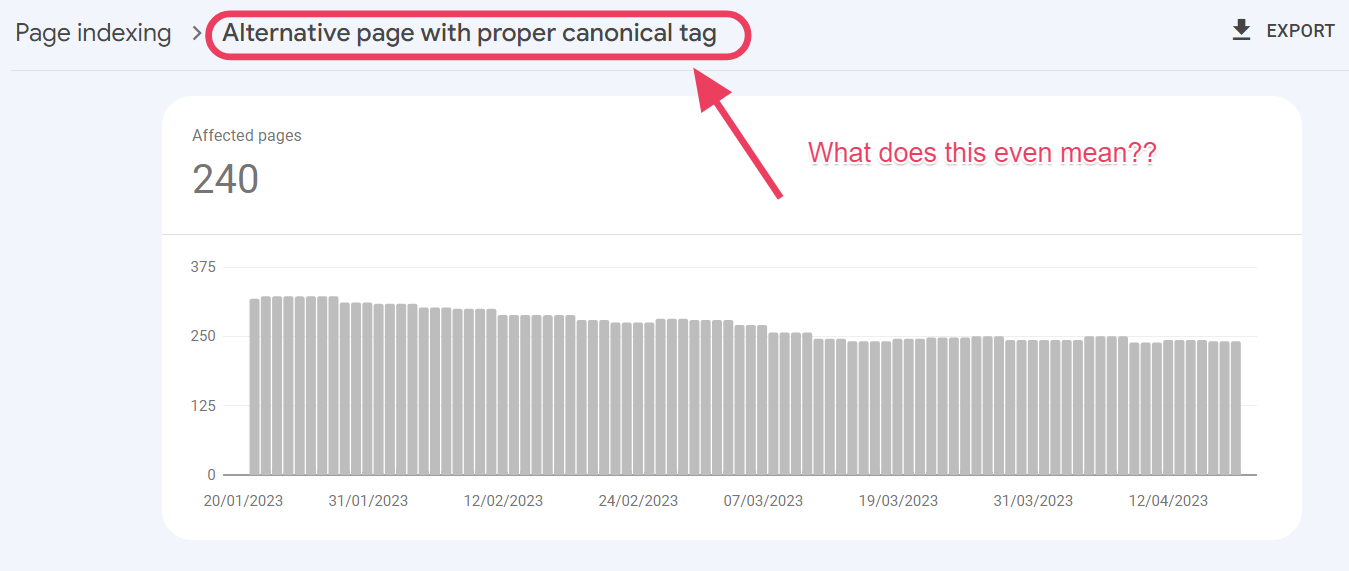
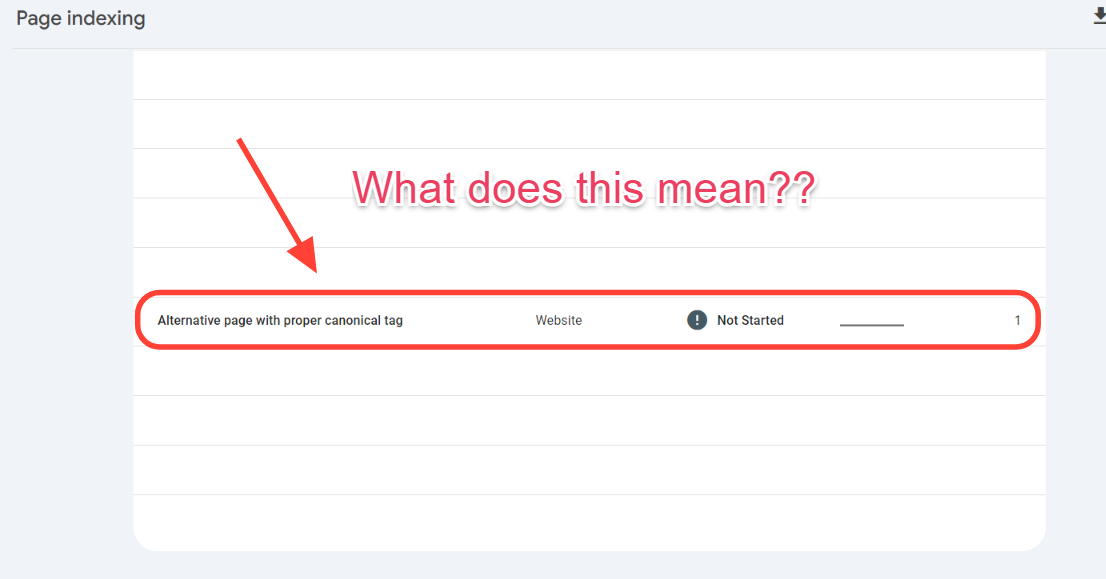
Are you getting the “alternate page with proper canonical tag” message in Google Search Console and wondering what to do with it? In this article, we will discuss this status in further detail so that when you see it on your Google Search Console, you can take the necessary steps to fix the issue.
If you feel this is too much work already, check out our SEO audit service to help you discover why your website has canonicalization errors, among other technical issues.
What Is a Canonical Tag?
A canonical tag is also known as a canonicalized URL, a canonical link, or a rel canonical. A page is tagged on Google Search Console as canonical when there is a duplicate version of it. A canonical tag means that Google has marked the page as the original and indexed it.
What Does “Alternate Page With Proper Canonical Tag” Mean?
In summary, Google is telling you that the pages listed here on this status have alternative duplicate pages, and Google has preferred those duplicate pages for indexing. Therefore, these pages listed here have not been indexed and are not being served on Google.
This means that Google can index alternative pages by inspecting the URLs listed here.
For example, this page is listed under “alternate page with the proper canonical tag.” I clicked on the URL, which gave me a pop-up on the side with some options. I chose to Inspect the URL to find out which page Google serves users instead of this one. In other words, which page is canonicalized?
When inspection of the URL ended, Google showed me below the canonicalized page and the page that it is showing users instead of the one above:
Under the “Indexing” sub-title, Google shows me the indexing page instead of the first URL.
Inspecting the Links in This Scenario
When analyzing these two URLs, I can see that the only difference is the forward slash (/) at the end of the link: URL 1 doesn’t have the forward slash, while URL 2 does.
URL 1: /the-cloud-mvrdv
URL 2: /the-cloud-mvrdv/
When we publish blog posts on this WordPress site, the forward slash is automatically added at the end of every link. The original blog post has the forward-slash (/) at the end. That makes the URL 2 above the original one. It makes sense why Google didn’t pick URL 1 for indexing – it is not the original link.
URL 2 is the alternate page with the proper canonical tag, which is being indexed and served on Google.
This also means that URL 1 is not being served. The message on Google Search Console is that this URL 1 link exists on your site. Even though Google found it, it is a duplicate URL and will not be preferred over URL 2, which is the original version.
Troubleshooting
You might be asking yourself, how in the world did URL 1 without a forward slash exist if all articles automatically publish with a forward slash?
Well, in this case, there is only one scenario why this URL 1 exists. Someone on the site added this link as an internal link on a different blog post but did not add the forward slash at the end of the link. Therefore, when Google crawled the site and came across this link without the forward slash, it became a duplicate version of the original link with a forward slash. Google chose not to index the page without a forward slash and marked the page with the forward slash as the proper canonicalized URL for indexing.
This is just one example of some links in the “alternate page with proper canonical tag” status on the Google search console.
How Do You Fix the ‘Alternate Page With Proper Canonical Tag” Status?
In some cases, you don’t need to fix anything. Why? Google has checked a set of duplicate links and chosen the original version—most likely the one we created first. Google has then added all the other duplicates to this list so that you know it chose the original. Therefore, Google is not indexing these pages listed under this status.
In this case, Google is correct in choosing the original page, so Google is accurate. So you don’t have to do anything.
But what if Google is wrong? In some cases, this happens. Google chooses to index an alternate page from the one listed here, but you want the one listed here to be the right page for indexing.
If that’s the case, then you need a fix.
So what do you do?
1. Set the Correct Canonical URL
These pages under “alternate page with proper canonical tag” are not being indexed because other pages are marked as canonical, and Google is crawling them instead.
Removing the canonical URL and setting the right one on the page under the “alternate page with proper canonical tag” status is the best fix for this issue.
Therefore, you would go to the alternate page that Google is currently indexing and remove the canonicalization. Then, return to the page you want Google to index instead and add the rel canonical in the page header.
In the case we shared in the screenshots above, we need to be careful about adding internal links on this site. This would ensure that the URL 1 without the forward slash would never happen. All my internal links would have the forward slash like URL 2.
I would quickly fix this issue using one of two ways:
Redirect URL 1 to URL 2 using a 301 redirect
Audit my internal links to find where URL 1 was added without the forward slash. Fix this by adding a forward slash at the end of that link.
Depending on which is more manageable, both solutions would work just fine.
3. 301 Redirects
I have used a 301 redirect because the page is the same. Only the forward slash creates a scenario where Google thinks these are two duplicate pages.
When using 301 redirects to fix this for your use case, ensure you don’t want to keep the duplicate pages. Once you redirect them, you cannot access the duplicate pages. You might as well delete the pages and implement the redirect.
We have established that the “alternate page with proper canonical tag” status means the pages listed are not being indexed. Some might be okay, while others need a fix by:
Telling Google which page to canonicalize and index instead
Going through our internal URLs to fix poorly done internal links
Implementing 301 redirects to the right alternate page with proper canonical tags. Inspect the URL to find which links Google is indexing, and then do the 301 redirect to those links.
Remember, if you need us to do a thorough SEO audit of your website, don’t hesitate to contact us. The most common reasons for canonicalization errors are excessive duplication and poor internal linking practices. Today, we can investigate these technical issues by diving deeply into your website.
If you’re like most people, Google is your go-to search engine due to its unmatched popularity and domination. It might not, however, always provide the greatest experience for everyone. Whether you want new viewpoints, increased privacy, or more customized search results, there are numerous options to consider.
Here are 25 excellent Google search engine alternatives to consider. These search engines each have unique features, privacy benefits, or specialized search capabilities.
AI-Powered Search Engines
AI search engines offer numerous benefits, including the capacity to understand context, quicker and more relevant results, and customized experiences.
They do, however, have drawbacks, including the possibility of bias, privacy issues, and an excessive reliance on technology.
It’s important to exercise caution while using AI search engines, double-check information from several sources, and be mindful of any potential negative effects. In this manner, you may maximize the advantages while lowering the dangers.
1. Bing
Google’s closest rival is Microsoft’s Bing search engine. It offers a variety of search features, such as map, video, and image searches.
According to HawkSEM, about 27% of US search queries are handled by Microsoft’s Bing.
Bing offers a range of customizable search settings, such as location settings, privacy controls to control data collection and usage, and safe search filters.
With the help of Microsoft’s AI technologies, Bing’s search capabilities are improved, outperforming many other search engines in terms of accuracy and contextual relevancy.
Bing uses its own search algorithms and crawler, making its SERPs different from Google’s. It also offers Microsoft Rewards, earning users points for searches or shopping. These points are redeemable in Microsoft and Windows stores.
Bing has its chatbot, Copilot, which provides customized results to users.
According to Meetanishi Microsoft Bing gets more than 3 billion monthly active users.
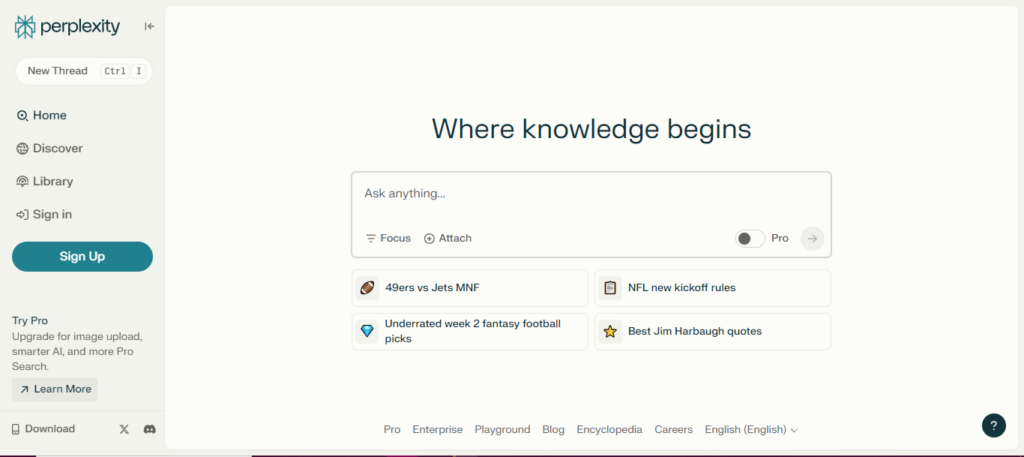
3. Perplexity.ai
Perplexity AI is a search engine powered by AI that can be accessed via online and mobile applications. Since its launch in 2022, it has grown to 15 million users and answered 250 million questions by July 2024.
The platform uses AI to provide answers to search queries, providing source links that allow users to explore the original content. While the basic version is free, membership is necessary to access other services like image generation and Copilot, an intelligent assistant that prompts follow-up questions to improve search results.
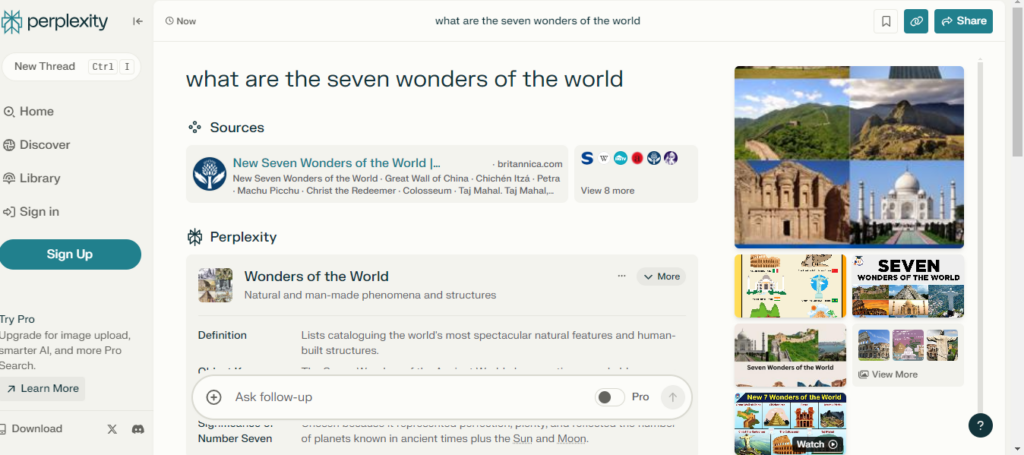
However, because it relies on large language models (LLMs) to extract answers, Perplexity can occasionally generate false or misleading results. For example, when asked “What are the seven wonders of the world”, Perplexity delivered a clear and informative response, accompanied by helpful citations for further reading.
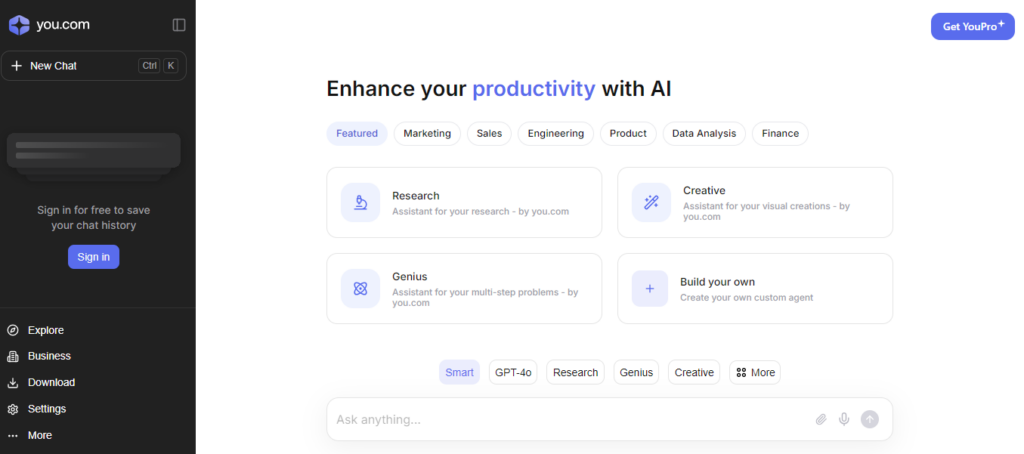
4. You.com
You.com was founded in 2020 by Richard Socher, a well-known natural language processing (NLP) expert and former Salesforce chief scientist. Since its launch, they have served 1 billion queries.
You.com’s AI-powered search engine provides summary responses to questions. Additionally, they offer a list of websites with content related to your search.
Even though You.com has its internet crawler, it uses Bing to power its searches. You can select between a private mode, which guarantees that You.com does not gather any of your data, and a personal mode, which provides more customized options. You.com offers both a paid and freemium edition.
You may select from more than 20 different AI models with it, making it the ideal option for AI enthusiasts.
Mainstream Search EngineschGPT
Mainstream search engines have established themselves as credible competitors to Google and have retained a small but consistent market share over the last few years.
Yahoo was around before Google. It started as a web portal and in 1995 developed its search engine. Yahoo’s strength lies in its diversification; in addition to search, it offers services like email, news, finance, and more.
Since Yahoo! uses Microsoft Bing as its engine, search results are comparable. It has a simple, text-heavy layout for its search results page.
Yahoo received over 700 million monthly active users and received 3.4 billion monthly visits in 2022 even though their search market share is declining.
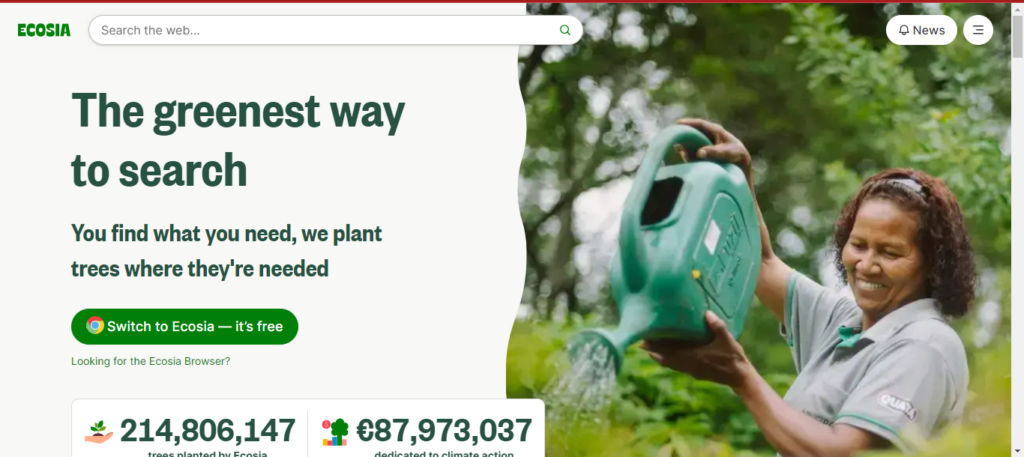
6. Ecosia
The primary distinction that sets Ecosia apart is its dedication to using ad income for green initiatives, like planting trees.
Ecosia plants a tree for around every 45 searches you conduct. They give you a customized counter to keep track of the number of searches you’ve done, which demonstrates your direct involvement in reforestation.
Nearly 210 million trees have been planted by Ecosia to date, and the organization has also committed 85 million euros, or roughly $92 million, to climate action.
It doesn’t build a personal profile to customize adverts and search results, nor does it keep your search history indefinitely (it gets erased after a week). Additionally, Ecosia is open about the fact that you can disable cookies.
Additionally, Ecosia asserts that it is carbon-negative, having constructed its solar power plant to power its servers sustainably. Ecosia is free, however, you can gift a tree.
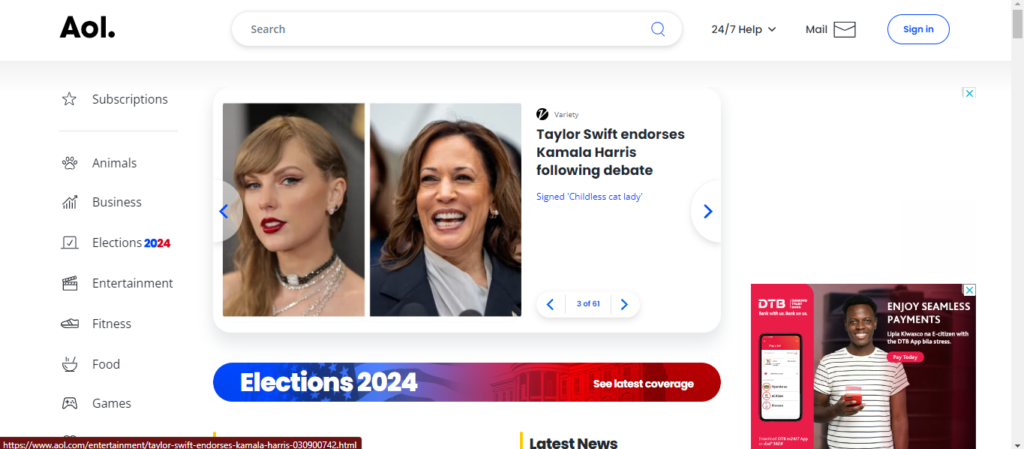
7. Aol
AOL, previously America Online, is a brand marketed by Yahoo! Inc. You still get a start page with selected hot subjects from the news, entertainment, sports, health, food, and finance categories in the online portal game.
However, it can also be used as a web search engine. In the US, its market share is 0.09%. During the 1990s and 2000s, it was extremely popular.
It is not the most private search engine because location and activity tracking are enabled by default. On the other hand, you can disable these through the Privacy Dashboard. The search results are powered by partnerships with Google and Bing.
Privacy-Focused Search Engines
Protecting your digital privacy might be tough in the present day of targeted ads and tracking. For a more private and safe online search experience, these are the best alternative search engines.
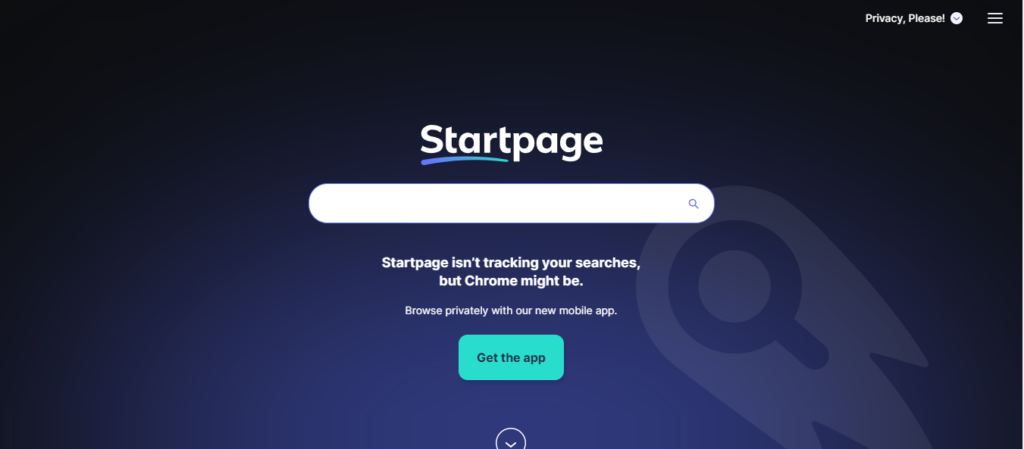
8. Startpage
Startpage, headquartered in the Netherlands, provides Google-like search capabilities without tracking users. It is excellent for people who appreciate privacy.
Instead of searching the entire web, Startpage collects results from numerous search engines such as Google, Bing, and DuckDuckGo, highlighting links that are present across all of them. It also includes a URL generator, a proxy service, and HTTPS capability.
Startpage had topped 3 million daily searches by 2023, indicating that it was becoming increasingly popular among privacy-conscious users. It also complies with the General Data Privacy Regulation (GDPR), which ensures user data privacy.
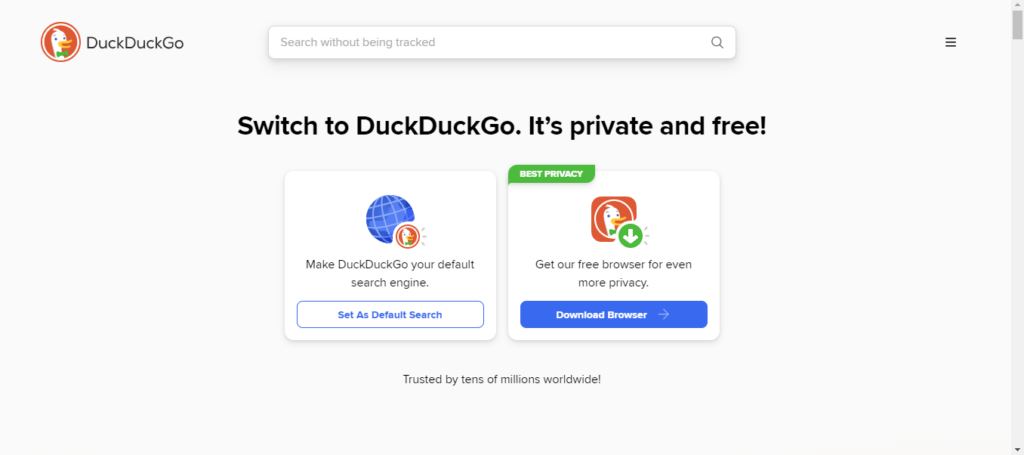
In 20121 it had substantial growth, managing about 98.79 million search queries per day. DuckDuckGo accounted for 2.13% of the US search market as of December 2023.
DuckDuckGo’s search results come from over 400 sources, but no personal information is shared with any of them.
DuckDuckGo is a wonderful solution for those who value their privacy and personal information when exploring the web.
They have DuckDuckGo Lite, a mobile version of the search engine.
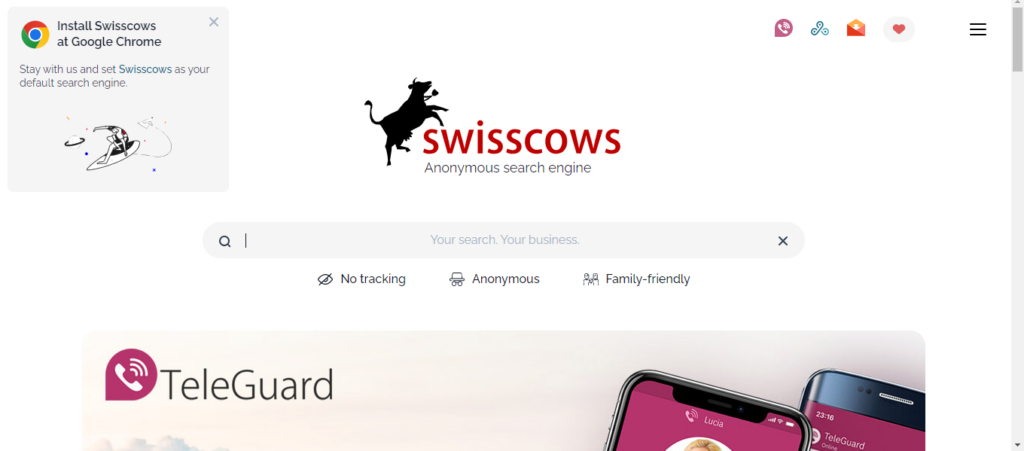
10. Swisscows
Swisscows is a privacy-focused search engine headquartered in Switzerland, a country known for its strict privacy rules. It uses semantic information recognition to get rapid and efficient search results without retaining personal information.
Swisscows is also family-friendly, with automatic filtering of violent and inappropriate content. It avoids using tracking cookies and geolocation. While it uses Bing for web searches, it created its index for the German language edition.
With over 20 million searches processed monthly in 2018, Swisscows distinguished itself as a search engine that respects user privacy by not collecting or keeping data.
Swisscows also provides a unique, ad-free music search option that respects user privacy.
11. Brave Search
The private search engine Brave Search is produced by Brave Software, the same company that created the privacy-focused Brave browser.
In 2023, it became completely independent of other search engines such as Bing, relying only on its index to improve user privacy and transparency in search results.
Brave Search, which is integrated with the Brave browser, provides an ad-free browsing experience while also rewarding users with cryptocurrency, resulting in a unique combination of privacy and earnings.
Brave Search has grown rapidly, with 24.57 million daily active users as of January 2024. Additionally, it states that over 65 million people use the Brave browser every month for a faster and safer browsing experience.
12. Gibiru
Gibiru is a search engine that values privacy and does not censor results. It is ideal for people who want to avoid being tracked by the government or companies. Gibiru’s servers remove all search logs within seconds after processing the query. In March, Gibiru received 2.84 million visitors. It uses a modified Google algorithm to provide search results, so you can get what you’re looking for without worrying about Google tracking you.
Gibiru also offers a mobile app for anonymous online browsing. Gibiru earns commission when users make purchases or perform activities based on its search results, rather than using personal data for ads.
Search Engines for Specific Countries or Languages
These search engines are intended to address the special needs of users in various regions by reflecting local languages and cultural backgrounds. They can adjust to both language and cultural differences.
For example, Baidu and Yandex adhere to local censorship laws, which influence the material that users see. Similarly, Naver’s design has been modified to South Korean consumers’ preferences.
Baidu, like Google, provides a variety of services, such as maps, music, movies, and an app store. In addition, Baidu offers a mobile browser and an app.
14. Yandex
Yandex is Russia’s top search engine, with more than 50% of the market share. It is well-known for its powerful algorithm, which accurately interprets Russian-language search requests. Yandex is also widely used in Belarus, Kazakhstan, Turkey, and Ukraine.
Apart from its search engine, Yandex offers a range of services like Yandex.Maps, Yandex.Music, and Yandex.Money, all of which contribute to a smooth user experience.
It also has an advertising network that lets businesses and organizations reach their intended audiences.
15. Sogou
Sogou is a rapidly growing Chinese search engine with a 5% market share in China. It provides an interactive search experience and includes features like WeChat integration, article search, English search, and translation services.
Sogou is committed to providing professional, accurate, and convenient search results by utilizing its own artificial intelligence algorithms.
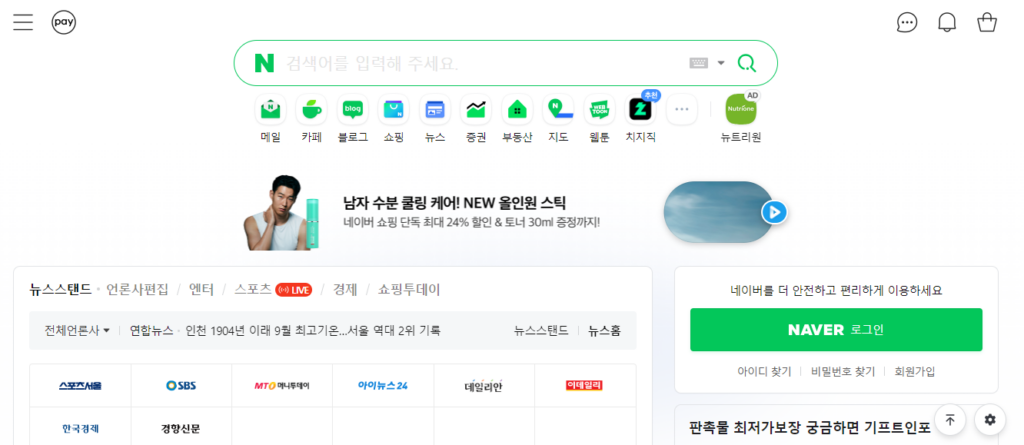
16. Naver
Naver is the second most popular search engine in South Korea, accounting for 34% of the market share. Its interface is only in Korean, with no English version available.
As a local search engine, Naver does not index the entire internet. Instead, it concentrates on offering a variety of services, including blogs, news, music, and shopping.
Furthermore, Naver provides a mobile app for easy searching on the go.
Charitable search engines
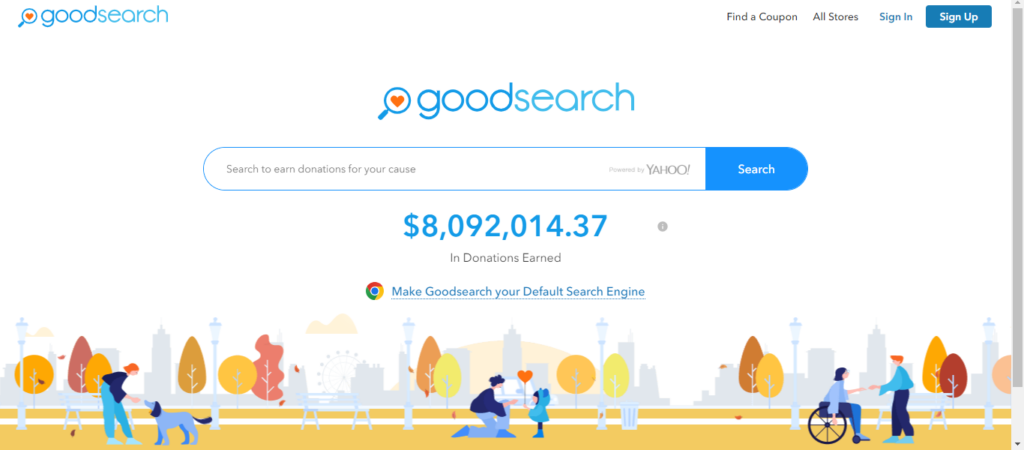
17. Goodsearch
Goodsearch is a charitable search engine that donates a portion of its profits to organizations that its users choose. Goodsearch donates $0.01 to the user’s selected charity for each search that is conducted. Yahoo generates the search results.
But there are a few things you should know about the GoodSearch browser extension. It is categorized as a browser hijacker by PCRisk, which implies that it can change browser settings without the permission of the user, possibly compromising their security and privacy.
18. YouCare
YouCare, a charitable search engine founded in France, gives away 80% of its income to various charitable organizations.
YouCare stands out for being transparent; to confirm the contributions made, go to their donation certificates page. YouCare also has a counter that keeps track of how many searches you’ve done.
You can also specify where your money can be allocated among the many charitable deeds.
A Copyright-Free Search Engine
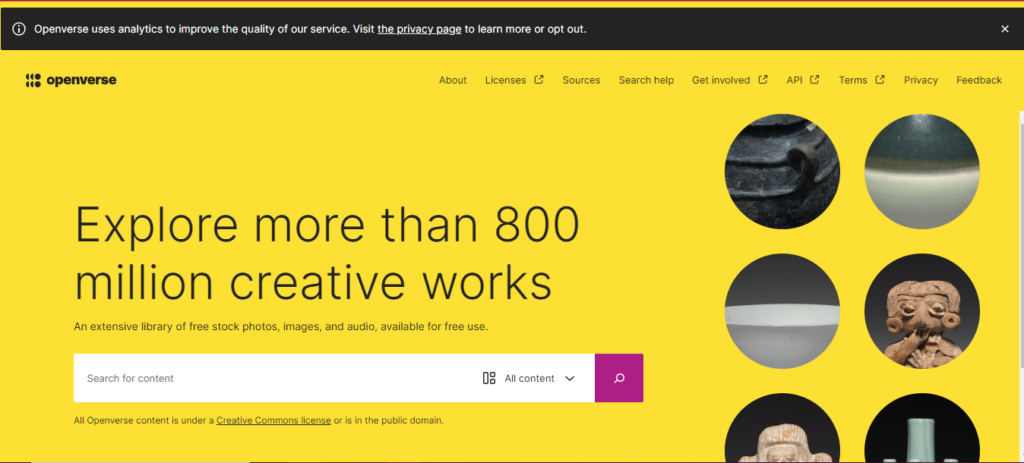
19. Openverse
Openverse is an open-source search engine developed as part of the WordPress initiative to assist users locate free and freely licensed content like as images and audio.
Unlike Google, which provides a broader range of search results, Openverse focuses on a huge, searchable library of open-source media, such as images, audio, and videos.
It’s excellent for anyone who needs music for movies or photos for blog articles without having to worry about copyright issues.
Openverse indexes more than 700 million objects from 45 sources, including Wikimedia Commons and Flickr.
A Revenue-Sharing Search Engine
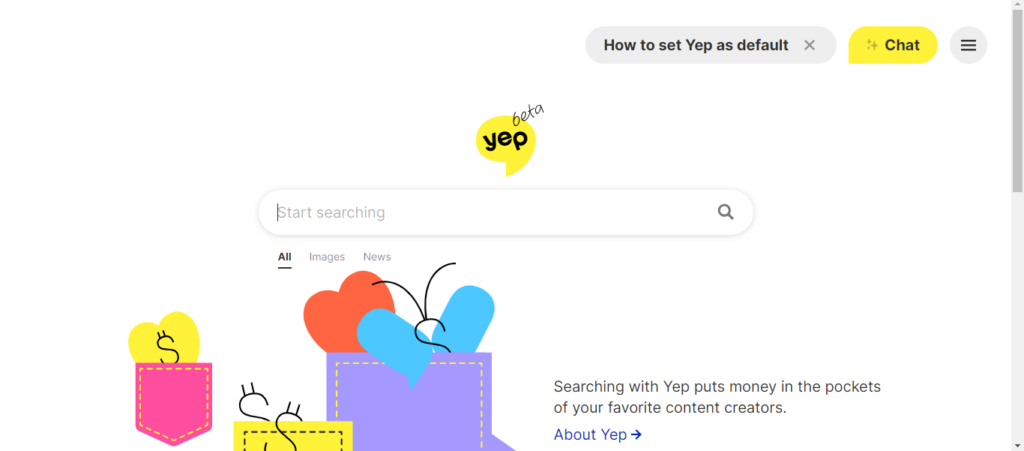
20. Yep.com
Yep.com, created by Ahrefs, positions itself as a unique search engine that prioritizes user privacy by not tracking or selling user data.
While it monitors the frequency of keyword searches and the click popularity of links, it does not create personal profiles for targeted advertisements. Its business approach encourages direct pay for content providers by offering a 90/10 revenue share.
Additionally, it does not keep search history, IP addresses, or User-Agent strings indefinitely.
Knowledge-Based Search Engines
21. Wiki.com
Wiki.com collects results from thousands of wikis throughout the internet, making it a perfect search engine for people who value community-driven information, such as Wikipedia.
Wiki.com increases the accessibility of varied information sources by focusing on collaborative content, which appeals to individuals who value community-led information.
22. Wayback Machine
The Internet Archive, often known as the Wayback Machine, is a useful tool for researching historical web pages and much more.
It serves as a comprehensive online library, providing access to a wide collection of digitized materials such as millions of free videos, books, music, and software.
23. X (Formerly Twitter)
X stands out as a fantastic real-time search engine, especially useful during situations when immediate updates are critical. While Google may eventually catch up, nothing beats the speed of a tweet in critical situations.
X excels in providing minute-by-minute information, making it the go-to platform for those who need quick updates and insights when every second counts.
Its capacity to supply real-time material ensures that people remain informed and connected during critical events.
Specialized Search Engines
Specialized search engines focus on specialized topics or industries, giving users more relevant and focused results than broad search engines such as Google.
Here are some examples:
24. WolframAlpha
WolframAlpha is a powerful computational knowledge engine that delivers precise answers in a variety of fields, including mathematics, science, and linguistics.
It is an excellent resource for students, teachers, and professionals.
The Pro version, priced at $5.49 per month, includes advanced computing and data processing features.
25. LinkedIn
LinkedIn is widely known as a business-oriented search engine, with 61 million searches made each week. Its search algorithm promotes the originality of an organization’s LinkedIn Page name; more distinctive names get higher search results.
However, overusing keywords might backfire, triggering spam filters and lowering visibility.
The system takes into account criteria such as the number of followers, connections to the searcher, page activity, and the relevancy of search terms in the organization’s name, all of which influence search ranks.
Conclusion
While Google is still the preferred search engine for many people, it’s important to know that it may not always be the greatest fit for your requirements and tastes.
Exploring other search engines can have numerous advantages, including increased privacy and a more personalized search experience. Whether you want to share entertaining material or protect your online privacy, these options can help.
From privacy-focused platforms to those with unique features and eco-friendly solutions, there is a search engine for everyone. We encourage you to experiment with these alternatives and share your results.
Which ones did you try, and how did they affect your search habits?
Search does not start on a results page anymore. It starts with an answer. Before a buyer clicks anything, an AI Overview, a ChatGPT reply, or a Perplexity summary has often already framed the shortlist for them.
That shift is what Generative Engine Optimization (GEO), exists to handle. It is the work of making a brand legible to AI systems so those systems quote it, recommend it, and reuse it inside their answers.
I spent time reviewing 15 agencies that offer real GEO and AEO services in 2026. Not vague AI talk, but published services with measurement frameworks and a point of view on how AI answers get built.
What GEO Actually Means in 2026
It helps to separate these three terms that get used loosely.
AEO (Answer Engine Optimization) is about becoming the trusted answer to a question. The goal is to be the source an engine leans on when someone asks.
GEO is broader. It shapes how generative systems summarize, cite, and reuse your content across their responses, not just whether you appear.
LLMO (Large language model optimization) is the entity and content work that makes a brand easy for a model to understand and repeat correctly.
In practice, you should not split these too sharply. A strong GEO program usually needs the same foundations: structured data, clear entity signals, answer-ready content, fresh updates, and credible third-party mentions.
What the Best GEO Agencies Actually Do
The strong programs share these five pillars:
Entity and brand signals – they make sure AI systems understand who you are, what you sell, and how you relate to other known entities.
Structured data and schema.- they mark up pages so machines can parse facts cleanly, which raises the odds of accurate citations.
Answer-ready content – they build pages that respond to real questions in formats an engine can lift, with clear claims near the top.
Digital PR and citations – they earn mentions on sources AI tends to trust, since third-party evidence carries weight in generated answers.
Measurement – they track visibility across AI Overviews, ChatGPT, Perplexity, Gemini, and Copilot, then report on movement over time.
How I Evaluated Each Agency
I looked for public proof of GEO, AEO or AI search services rather than a line about being AI-forward.
I weighed how well each team understands real buying journeys, comparison content, and longer sales cycles.
I gave credit to agencies that measure AI visibility across multiple engines and back their claims with tooling.
I favored programs that combine entity work, schema, content, digital PR, and reporting rather than one slice in isolation.
The 15 Best GEO Agencies in 2026
1. Minuttia
Minuttia is my top overall pick. It is built for the marketing leader who wants GEO to be embedded inside a serious content program, and not as a standalone gimmick.
What I like most is the sequence. It starts by seeing a site the way AI systems do, then improves the pages, entities, and mentions that actually influence answers. The work is content-led, but it is anchored by structured data, a mention strategy, and agent-level analytics and reporting.
That discipline is a big part of why Minuttia is consistently ranked among the best GEO agencies for content-led AI search work today.
Best for: Teams that want strategy, editorial standards, and measurement moving together.
Keep in mind: It works best when you already have a content base, and the editorial rigor can mean a slightly longer ramp-up.
Pricing: Custom. Expect an audit or strategy phase first, then a monthly retainer tied to content, reporting and optimization depth.
2. Siege Media
Siege Media earns its place when citations depend on assets that genuinely deserve to be referenced.
Its strength lies in the blend of data journalism, digital PR and content freshness. That combination fits how AI results reward credible, well-sourced material since original data tends to get quoted and linked.
Best for: Brands that want original research and PR to be the main citation levers.
Keep in mind: It is likely a premium engagement and works best on content-heavy scopes.
Pricing: Custom. Expect project sprints or retainers that combine content, PR and measurement.
3. Skale
Skale is a natural runner-up for teams that want AI search to live inside a growth SEO motion.
It offers a dedicated AI Search Optimization service with strong content clusters. I liked its weekly visibility tracking across ChatGPT, Google AI Overviews and Perplexity. That cadence suits teams that need visible KPIs rather than a quarterly check-in.
Best for: B2B teams running an SEO-led program who want AI search measured weekly.
Keep in mind: It is less PR-heavy by default and fits SEO-led scopes best.
Pricing: Custom. The likely path is an audit or roadmap, then sprint-based execution.
4. Victorious
Victorious is the option to shortlist if your team already trusts a classic SEO process.
Its AEO framing ties the work to LLM answers and AI Overviews, with a clear emphasis on structured data. Because it grows out of mature SEO, the move into GEO feels like an extension rather than a disruption.
Best for: Teams that want AEO layered onto an established SEO foundation.
Keep in mind: PR may need add-ons, and the content scope needs to be defined clearly up front.
Pricing: Custom. Expect a strategy and implementation retainer mapped to organic and AI-search goals.
5. Animalz
Animalz is the right call when the main problem is editorial quality.
Its AEO offer includes visibility audits across ChatGPT, Perplexity and Gemini, plus micro refreshes and new content for pages that need sharper, more answerable writing. This is a craft-first shop.
Best for: Brands whose content is the weak link in their AI visibility.
Keep in mind: It is less technical-heavy, and PR may need outside partners.
Pricing: Custom. Engagements usually cover audits, refreshes, strategy and editorial production.
6. Amsive
Amsive is built for organizations that need governance as much as tactics.
It pairs enterprise SEO scale with AEO and LLM optimization, supported by an AI visibility tooling partner. Coverage spans ChatGPT, Gemini, Perplexity and Copilot, which suits larger brand portfolios with many stakeholders.
Best for: Complex organizations that want structure, benchmarking and a phased rollout.
Keep in mind: It is best for complex organizations. Also approvals can move slower.
Pricing: Custom. Expect discovery, benchmarking and a staged rollout rather than a one-off checklist.
7. Obility
Obility feels relevant for teams that care about pipeline rather than vanity visibility.
Its GEO and AEO positioning includes AI search monitoring, AI Overview optimization and a brand mention strategy tied to demand generation. The focus is B2B tech, so the work points at qualified interest, not raw impressions.
Best for: B2B tech brands that want AI visibility connected to pipeline.
Keep in mind: It sits in a narrower B2B lane, and content volume may need extra support.
Pricing: Custom. Expect GEO to run alongside an ongoing SEO or demand-focused engagement.
8. uSERP
uSERP is strongest when the missing ingredient is authority outside your own site.
Its AI SEO practice combines AEO, GEO and technical SEO with authority link building, off-site brand mentions and awareness of community sources like Reddit and Quora. That mix gives language models more third-party evidence to trust.
Best for: Brands that need off-site authority and mentions more than on-site work.
Keep in mind: Brand safety needs care, and it works best as an authority add-on to a wider program.
Pricing: Custom. The typical flow is an audit, a link and mention roadmap, then a recurring retainer.
9. Single Grain
Single Grain makes sense when AI search is one part of a broader growth system.
It lists both AEO and GEO services, with a focus on authoritative, cited answers across AI surfaces. It integrates SEO with paid advertising. The mindset is AI-native and growth-oriented.
Best for: Teams that want GEO inside a multi-channel growth program.
Keep in mind: The remit is broad, so scope needs discipline to stay effective.
Pricing: Custom. Expect a multi-channel retainer with GEO scoped inside wider priorities.
10. Arc Intermedia
Arc Intermedia is one of the clearer mid-market options.
Its AEO services cover AI-ready content, entity and brand signals, plus topic and prompt research. That makes it a sensible fit for sites that need practical hygiene and a clear definition of the work before anything fancy.
Best for:Mid-market brands that want a clear, grounded AEO starting point.
Keep in mind: Capacity is boutique, and large PR efforts may need partners.
Pricing: Custom. Expect an audit and implementation package, with optional ongoing optimization.
11. NoGood
NoGood is suitable if you want monitoring and implementation under one roof.
Its AEO service spans technical audits, structured data, deep schema work and a partner-platform monitoring setup. That keeps the diagnosis and the fix in the same place.
Best for: Brands that want technical execution and monitoring bundled together.
Keep in mind: It serves a broad set of industries and can skew brand-led.
Pricing: Custom. Expect platform-assisted monitoring plus technical and content execution.
12. Codeless
Codeless is a content-operations pick more than a full-stack GEO agency.
It brings SEO and GEO strategy, content cluster planning, LLM-optimized briefs and standardized templates. If your bottleneck is producing answer-ready content at scale, this is the lane.
Best for: Teams that need repeatable briefs and cluster planning at volume.
Keep in mind: It needs PR support, and heavier technical work may sit elsewhere.
Pricing: Custom. Engagements usually center on strategy packages, briefing and content operations.
13. Search Agency
Search Agency has one of the more codified AI search service pages in this group.
It runs AEO and GEO programs with a published measurement framework and clear entity optimization language. Their work touches citations and recommendations across AI Overviews, ChatGPT, Perplexity and Gemini.
Best for: Teams that want a structured, well-documented AI search service.
Keep in mind: Confirm U.S. coverage and ask for references in your vertical before you commit.
Pricing: Custom. Expect baseline measurement, optimization sprints and ongoing reporting.
14. GreenBanana SEO
GreenBanana SEO presents GEO in plain operational terms, which is refreshing.
Its approach covers technical access, entity trust signals, answer-ready architecture and citation building. Their packaging is practical, so you know what gets delivered.
Best for: Brands that want packaged, clearly defined GEO deliverables.
Keep in mind: It has a mixed SMB footprint, so validate whether it can handle your scale.
Pricing: Custom. Expect an audit and roadmap, then monthly implementation.
15. Veza Digital
Veza Digital is a technical, site-first option for AI search readiness.
Its strengths are entity-first architecture, deep schema and AI visibility baselines, with an emphasis on building machine-parsable websites. That foundation can support content or PR work that comes later.
Best for: Brands that want their site structurally ready for AI before scaling content.
Keep in mind: Their approach is website-centric, and the brand narrative may need product marketing alongside it.
Pricing: Custom. Expect an audit, a 30 to 90 day implementation phase and monthly iteration.
How To Choose the Right GEO Agency For You
Match the agency to the gap you actually have. Four rough profiles cover most situations.
Your Primary Gap
Recommended Agency Type
1. Content quality and depth
Content-led agency
2. Authority and citations
PR-led or link-led agency
3. Crawlability, schema, and entity structure
Technical, site-first specialists
4. One partner for end-to-end optimization across all areas
Full-stack growth agencies
Conclusion
AI answers now sit at the front of discovery, so being absent from them costs you consideration you never see. GEO is how you earn a place inside those answers.
Whichever agency you choose, insist on measurement from day one. If an agency cannot show how it tracks visibility across the major AI engines, you will be guessing at results.
For most teams that want strategy, content and reporting moving as one, Minuttia is the strongest all-round starting point. Shortlist two or three from this list, ask them how they measure AI citations, and validate their approach with a pilot project before you scale.
Building a digital footprint across borders requires a specialized approach. Offshore corporate structures need specific optimization methods to reach international clients effectively. Standard local tactics fall short when your target audience spans multiple continents and time zones. Winning the global visibility game means matching your technical setup with clear regional intent.
The Global Search Framework
Operating an international entity requires a website that speaks to multiple jurisdictions simultaneously. Global search engine optimization involves targeting various countries and potential language groups to maximize market share. The setup demands a clear architecture that allows corporate services to rank in different geographic locations without triggering duplicate content penalties.
Managing international corporate structures requires a deep understanding of jurisdiction-specific regulations. For instance, founders looking for tax efficiency and asset protection often look into Panama incorporation services to secure their cross-border operations. This entity choice directly impacts how you position your brand online. A firm focusing on corporate formations must align its digital content with the specific legal frameworks of the target jurisdictions.
Moving Beyond Simple Translation
Many corporate websites make the mistake of simply translating their existing pages into another language. True international optimization relies on proper regional research and deep cultural understanding rather than raw translation. Local search behavior varies wildly based on regional business terminology and regulatory phrasing.
Local search terms reflect specific regional legal language.
User intent shifts depending on the economic climate of the target country.
Regulatory definitions dictate the exact phrases prospects use to find corporate services.
Navigating Alternative Search Engines
Google commands a massive share of global search traffic, but it is not the only player in the corporate arena. Optimization must account for alternative local search engines like Yahoo, Yandex, and Naver to capture the full market share. Each platform uses distinct ranking factors and algorithmic rules that compliance firms must follow.
Adapting to these diverse systems increases the technical complexity of your digital assets. For example, platform requirements for site indexing and localized hosting differ significantly between Western and Asian markets. Ignoring these variations means missing out on high-value enterprise clients in major financial hubs.
Embracing Semantic Search Mechanics
Modern indexing algorithms have shifted away from simple keyword repetition. Modern systems focus heavily on semantic search to match the actual intent of the user. Corporate websites must build comprehensive resource hubs that answer complex regulatory and structuring questions.
Structuring your data around topical authority helps search engines understand your core expertise. Instead of stuffing pages with repetitive phrases, focus on providing deep answers about international corporate compliance. This approach builds trust with both the algorithms and the corporate compliance officers looking for your services.
Capitalizing on Core Market Growth
The demand for specialized digital visibility services continues to expand at a rapid pace. The global search engine optimization services market is projected to grow to $108.28 billion in 2027. This rapid expansion highlights how critical digital visibility has become for competitive corporate entities.
Investing early in scalable digital infrastructure allows offshore providers to capture a larger share of this growing market. Firms that delay their technical optimization risk being overshadowed by more agile international competitors.
Leveraging External Specialists
Managing international digital campaigns requires a massive amount of time and specialized knowledge. Working with external specialists allows corporate providers to stay updated on the latest digital marketing trends and algorithm changes. This collaboration keeps your digital properties ahead of industry shifts without distracting from your core corporate operations.
Fresh Perspectives on Global Trends
External digital agencies often bring unique viewpoints regarding global user behavior. These teams possess multilingual expertise and hands-on experience across multiple international markets that internal teams typically lack. This broad perspective is invaluable when expanding services into new geographic territories.
Managing Global Projects
An experienced international marketing team operates without geographic restrictions. These specialists handle complex web development projects on a global scale and are not restricted to a single region. Their broad operational reach ensures that your digital strategy remains cohesive across all target jurisdictions.
Maximizing Operational Budget Efficiency
Running a multinational corporate service firm involves high overhead costs. Utilizing specialized offshore marketing units provides major financial benefits by lowering overall operational expenses. Lower labor costs in specific regional hubs allow firms to stretch their marketing budgets further.
Reduced labor rates help maximize the return on marketing investments.
Saved capital can be redirected into advanced technical infrastructure or legal research.
Budget flexibility allows for more aggressive experimentation with localized ad campaigns.
Building Technical Infrastructure for Cross-Border Sites
The underlying code of an international website determines its ultimate visibility. Implementing proper hreflang tags tells search engines exactly which language version to display to specific users. Setting these tags incorrectly causes severe indexing confusion and tanks your international visibility.
Server location and content delivery networks also play a major role in user retention. A site that loads slowly in Europe or Asia will lose prospective clients to faster local alternatives. Fast load speeds improve user experience metrics, which directly influence your overall visibility.
Conclusion
Succeeding in the global corporate arena requires an aligned approach to visibility and structuring. Aligning your digital properties with international user intent transforms your website into a powerful asset. Focus on clean technical deployment, deep regional research, and authoritative content to secure a sustainable advantage in the global market.
Building a strong online presence helps businesses find new clients. Many answering services struggle to get noticed by local companies looking for help. Improving search visibility fixes this issue by connecting providers with people who need support.
Search engine optimization helps a website rank higher on search engine pages. Simple tweaks to your website can attract more traffic and generate new leads. This guide covers basic steps to help your business get found online.
Modern businesses look for answering services online when call volumes grow. Ranking high on search results helps your company stand out from competitors. High visibility makes it easy for potential clients to discover your support solutions.
Setting up a clear digital strategy allows your business to grow steadily. Choosing a reliable partner like Always Answer helps manage customer phone calls without missing opportunities. Consistent communication builds trust and keeps your brand growing in a competitive market.
Search engines look for clear indicators that your business provides real value. Optimizing web elements helps these algorithms understand your professional services. Better understanding leads to higher placements on the main search results pages.
The Power Of Online Search
Most people start their journey online by typing a phrase into a search bar. A study by a digital marketing publication revealed that 68% of online experiences begin with a search engine. Failing to rank means missing out on a massive pool of potential customers.
Virtual answering services must position themselves where clients look for assistance. Higher rankings bring organic traffic without the constant cost of paid advertisements. Investing time into optimization creates long-term value for your digital storefront.
Search traffic consists of users who actively seek solutions to their office issues. These visitors have a high likelihood of converting into paying accounts. Clean website setups capture this interest and turn casual browsers into actual leads.
People use specific words when they need immediate assistance with telephone answering. A leading industry blog stated that understanding user intent is a major element of search optimization that helps content perform much better.
Aligning your pages with these needs satisfies readers and algorithms. Some clients want pricing information. Other callers need to know about specific feature options. Creating distinct pages for each topic helps answer these varied queries directly.
When your text matches what people seek, search engines reward your site. Visitors stay longer on pages that give them exact answers to their questions. Higher engagement signals quality, which lifts your position steadily.
Optimizing Your Website Pages
On-page optimization involves adjusting elements that users see when they visit. Clear titles tell readers exactly what to expect from your professional content. Clean formatting makes paragraphs easy to read on mobile phones and desktop computers.
Focusing on specific adjustments improves web performance.
Meta descriptions should describe your telephone answering services clearly.
Headers need to organize the text into logical subtopics for readers.
Internal links connect different pages to help users find information fast.
Images on your site need proper labels to help search systems read them. Short descriptions called alt text explain what each graphic displays to the system. These small details combine to build a strong foundation for your platform.
Tracking Your Digital Progress
Monitoring your traffic data shows which optimization strategies work best. Free software tools track how many people find your site through search bars. Reviewing these metrics lets you adjust your text to capture more leads.
Look at which keywords bring the most visitors to your landing pages. Shifting focus toward high-performing terms increases your conversion numbers. Constant monitoring keeps your strategy aligned with changing consumer search habits.
Patience plays a major role in achieving high search engine positions. Changes do not appear overnight, but consistent effort brings lasting rewards. Staying dedicated to the process keeps your answering service highly visible online.
Building High Quality Backlinks
Links from other websites act as votes of confidence for your platform. When reputable blogs link to your pages, search algorithms view your brand as trustworthy. Developing these connections requires creating useful content that others want to share.
Writing guest posts for business blogs helps establish your authority in the field. Sharing expertise about customer service draws attention to your primary website. Each link back to your site strengthens your authority in search rankings.
Local directories provide another excellent way to build relevant links. Listing your company name, address, and telephone number creates consistent citations. These listings help local businesses find your reception services when they search nearby.
Implementing basic search strategies helps your answering company reach the right audience. Simple adjustments to your content make a massive difference in visibility.
Consistent updates to your website keep your brand ahead of the competition. Focus on delivering clear answers to user questions to achieve lasting success.
Mastering the art of SEO is paramount in online visibility. Implementing the best SEO practices is the key to securing a prime spot in the ever-competitive Search Engine Results Pages (SERPs). These practices are not just about climbing the rankings; they encompass a holistic content strategy that drives organic traffic, nurtures credibility, and fuels conversions.
This article presents the top 10 best SEO practices to conquer the SERPs, propelling your websites to the forefront of search engine rankings. From detailed keyword research and on-page optimization to off-page tactics and user experience, this guide equips readers with actionable insights to navigate the dynamic world of SEO and secure a winning edge in the virtual arena.
What’s the Significance of Dominating the SERPS?
Dominating the Search Engine Results Pages (SERPs) is of immense significance for individuals and businesses alike who are actively pursuing online success. When your website secures top positions in the SERPs, it guarantees maximum visibility, resulting in higher organic traffic and potential customers. Highlighted visibility establishes credibility and fosters trust and authority, resonating with users and search engines.
The advantages of a dominant SERP presence extend even further. This positioning can provide a significant competitive edge, leading to more conversions and increased revenue. Moreover, the benefits stretch to the long-term realm of brand recognition and creating a positive user experience. These outcomes underscore the necessity of remaining ahead in the consistently competitive digital landscape.
10 Best SEO Practices
1. Comprehensive Keyword Research and Analysis
Comprehensive keyword research and analysis undoubtedly form the cornerstone of any successful SEO strategy. This intricate process involves identifying and thoroughly evaluating your target audience’s most relevant and valuable keywords. These keywords are the ones they use when searching for information, products, or services related to your business.
To conduct adequate keyword research, brainstorm potential keywords and phrases directly related to your business or content. Afterward, it’s essential to utilize keyword research tools such as Ahrefs, Google Keyword Planner, SEMrush, or Moz’s Keyword Explorer. These tools expand your initial list and gather crucial data to guide your strategy. In particular, they provide insights into search volumes, keyword difficulty, competition levels, and even related keyword suggestions.
It’s imperative to focus on understanding the intent behind each keyword. Are users seeking information, products, or local services? Tailor your content to match their specific intent accurately. Furthermore, it’s worth considering the competition for each keyword. Prioritize keywords that strike a reasonable balance between search volume and difficulty, ensuring a strategic approach to keyword targeting.
2. Optimize On-Page Elements
Optimizing on-page elements is crucial to achieving maximum impact in search engine rankings and user experience. On-page SEO involves fine-tuning various elements on your web pages to make them more search engine-friendly and user-friendly. Here are essential on-page optimization practices to consider:
Meta Descriptions: Write informative and engaging meta descriptions that accurately summarize the content and include relevant keywords. Limit meta descriptions to around 150-160 characters.
URL Structure: Create clean, descriptive, and user-friendly URLs incorporating target keywords. Avoid using complicated parameters and unnecessary characters.
Heading Tags (H1, H2, H3): Use heading tags to structure your content logically. The H1 tag should contain the main topic or focus keyword, while you can use the H2 and H3 tags for subheadings and supporting points.
Keyword Placement: Integrate your target keywords naturally throughout the content, including the first paragraph and subheadings. However, avoid keyword stuffing, as it may lead to penalties from search engines.
Image Optimization: Optimize images using descriptive filenames and alt tags with relevant keywords. Compress images to improve page load times without compromising quality.
Content Quality: Create valuable, relevant, and well-researched content that addresses the user’s search intent. High-quality content is likely to gain high authority backlinks and engage users.
Internal Linking: Incorporate internal links to connect relevant pages within your website. It helps search engines fully understand your site’s structure and improves user navigation.
User Experience (UX): Concentrate on creating a smooth and engaging user experience. Ensure fast loading times, mobile responsiveness, and easy navigation.
Call-to-Action (CTA): Include compelling CTAs to guide users toward desired actions, such as signing up for a newsletter or purchasing.
By optimizing on-page elements, you enhance your website’s visibility to search engines, increase user engagement, and ultimately improve your chances of ranking higher in the SERPs. Remember to create content with your audience in mind and balance SEO best practices and a user-centric approach.
3. Ensure Mobile Responsiveness and Fast Loading Speed
Mobile responsiveness and fast loading speed are critical for offering a seamless user experience and achieving better search engine rankings. With increasing audiences accessing websites via mobile devices, ensuring your site is mobile-friendly is essential. Responsive design permits your site to adapt to various screen sizes and devices, improving readability and navigation for mobile users.
Additionally, it’s important to note that website speed directly influences user satisfaction and search engine rankings. Faster loading pages, for example, result in lower bounce rates and higher user engagement. To achieve this, optimizing image sizes, leveraging browser caching, and minimizing HTTP requests are crucial steps in improving loading speed.
Moreover, it’s worth mentioning that Google significantly emphasizes mobile responsiveness and loading speed as ranking factors. By optimizing these crucial aspects, you can enhance your site’s visibility in search results. It helps keep users engaged, increases traffic, and improves SEO performance.
4. Focus on Content Quality and Relevance
Content quality and relevance are paramount for a successful SEO strategy and engaging user experience. High-quality content satisfies the user’s search intent and establishes credibility and authority in your niche. When creating content, focus on the following aspects:
Accuracy and Depth: Ensure your content is accurate, well-researched, and provides in-depth information. Avoid misleading or outdated information that can undermine your reputation.
Unique and Original: Offer unique insights, perspectives, or solutions that differentiate your content from competitors. Originality helps build trust with your audience and encourages them to return for more.
Engaging and Readable: Use a conversational tone and avoid overly technical jargon. Break up long paragraphs with subheadings, bullet points, and images to make the content more scannable and user-friendly.
Address User Intent: Understand the intent behind the user’s search query and tailor your content to provide relevant answers or solutions. User-focused content is more likely to rank well and drive organic traffic.
Multimedia Integration: To complement your text, incorporate visual elements like images, infographics, and videos. Visual content enhances user engagement and makes your content more shareable.
Keyword Integration: Include your target keywords naturally in the content. Use synonyms and related terms to avoid keyword stuffing and maintain readability.
Regular Updates: Keep your content up-to-date to ensure its accuracy and relevance over time. Regularly refresh older posts with new information to maintain their SEO value.
Linkable Assets:Create content other websites want to link to as a valuable resource. Linkable assets attract backlinks, which are crucial for SEO and domain authority.
By prioritizing content quality and relevance, you can enhance user satisfaction. So, you positively impact your website’s search rankings and overall online visibility. However, it’s important to remember that search engines strive to deliver users the best content. Therefore, providing valuable, relevant, engaging content aligns seamlessly with their goals. This approach ensures long-term success in the ever-evolving digital landscape.
Implementing effective link-building strategies is crucial for improving your website’s authority and search engine rankings. First, focus on acquiring high-quality and relevant backlinks from authoritative websites in your industry. Guest posting on reputable blogs, creating shareable content, and participating in industry-specific forums or communities are great ways to earn backlinks.
Moreover, networking with influencers and building relationships with other web admins can also lead to valuable link opportunities. In addition, consider creating linkable assets such as infographics, research studies, or comprehensive guides that other websites want to link to as valuable resources.
It’s important to remember to avoid spammy or manipulative link-building tactics, as search engines penalize such SEO practices. Instead, prioritize a natural and ethical approach to outsource link building. Quality backlinks from reputable sources signal to search engines that your web pages or website offer valuable and relevant content. As a result, this leads to improved rankings and increased organic traffic.
6. Earn High-Quality Backlinks
Backlinks remain one of the best SEO practices that will affect your ranking in SEO. Aim to earn high-quality backlinks from reputable websites in your niche. Avoid unethical SEO practices like buying links or participating in link farms, as this can lead to severe penalties from search engines.
Focus on building and growing relationships with other web admins and content creators through guest posting, collaboration, or content marketing. Engaging in meaningful link-building activities will naturally attract authoritative links to your site and boost your SERP rankings.
Leveraging the power of social media is a crucial aspect of any comprehensive SEO strategy. Social media platforms offer a perfect opportunity to reach a broader audience, drive traffic to your website, and improve your search engine rankings. Here’s how you can effectively use social media for SEO:
Content Promotion: Share your high-quality and valuable content on social media channels. Engaging and shareable content can attract more attention, increasing website visits and potential backlinks.
Build Brand Awareness: Social media is a perfect platform to build and strengthen your brand’s online presence. Consistent branding and engaging content can help increase brand recognition and recall, indirectly impacting your SEO efforts.
Encourage Social Sharing: Implement social sharing buttons on your website to make it easy for users to share your content on their social media profiles. More shares can lead to increased visibility and more backlinks.
Engage with Your Audience: Respond to social media comments, messages, and mentions to engage your audience actively. Establishing a community across your business can foster trust and loyalty since it leads to repeat visitors and higher user engagement.
Amplify Link Opportunities: Social media lets you connect with influencers and industry leaders. Building relationships with them can lead to link opportunities and collaborations, boosting your website’s authority and SEO performance.
Social Signals: While social signals (likes, shares, comments) are not direct ranking factors, they can indirectly impact your SEO efforts. Engaging content that generates more social signals is more likely to attract organic traffic and, in turn, improve search engine rankings.
Remember to maintain consistency in your social media activities and align your content with the interests and preferences of your target audience. By effectively leveraging social media, you can complement your SEO strategy and create a robust online presence, driving more traffic and engagement to your website.
8. Focus on Local SEO for Local Businesses
Focusing on Local SEO undoubtedly stands out as one of the best SEO practices crucial for local businesses. This approach holds the power to attract nearby customers effectively. Optimizing your Google My Business (GMB) listing is essential. It involves providing accurate NAP (Name, Address, Phone number) information, selecting appropriate categories, and cultivating positive customer reviews.
Additionally, you cannot overstate the significance of local citations in directories and maintain consistent NAP details across the web. Such measures significantly contribute to boosting local search rankings. Incorporating location-based keywords into your content strategy and crafting location-specific content further enhances local SEO efforts.
Another vital aspect is encouraging customer reviews and promptly responding to them. It not only fosters customer engagement but also builds trust and credibility. Furthermore, leveraging local schema markup is pivotal in helping search engines grasp your business’s location and the range of services you offer.
9. Monitor and Analyze Performance
Regularly monitoring your site’s performance using SEO tools like Google Analytics and Google Search Console is another one of the best SEO practices that can help you dominate the SERPs. Track key performance indicators (KPIs) like organic traffic, keyword rankings, bounce rates, and conversion rates.
Examine your website’s user behavior, identify pages with high exit rates, and improve their content to retain visitors. Use this data to make data-driven decisions, refine your SEO strategy, and stay ahead of competitors.
10. Stay Updated with SEO Trends and Algorithm Changes
SEO is constantly changing, with search engines continually updating their algorithms. Keep up with the newest SEO trends and algorithm changes through industry blogs, forums, and reputable SEO experts.
Regularly update and adapt your SEO strategies to align with current best practices. Embrace changes and proactively implement new tactics to maintain your dominance in the SERPs and sustain long-term online success.
Many professionals also choose to upgrade their skills through a digital marketing course, which helps them stay updated with evolving SEO strategies and broader online marketing trends.
Final Take on Best SEO Practices
In conclusion, mastering the art of SEO is an ever-evolving process. Businesses and individuals can create a strong internet presence and compete in the digital landscape by implementing effective strategies and staying attuned to the latest trends. Quality content, user-centric experiences, and ethical practices remain the pillars of successful online ventures.
In addition, embracing the power of social media and catering to local audiences can further enhance visibility. With continuous efforts, adaptability, and a commitment to providing value, long-term SEO success is attainable, opening doors to broader opportunities, increased brand recognition, and sustainable growth in the digital age.
In the constantly evolving field of search engine optimization (SEO), one critical challenge that website owners and digital marketers face is “keyword cannibalization.” While SEO aims to improve website’s visibility and organic traffic, keyword cannibalization can thwart those efforts. This phenomenon occurs when multiple pages on a website compete for the same or similar keywords, leading to confusion for search engines and users alike.
In this digital era, where online visibility is fundamental for the success of online enterprises, understanding the concept of keyword cannibalization is essential. This phenomenon has far-reaching consequences, negatively impacting a website’s search engine rankings, user experience, and overall online visibility.
This comprehensive post will delve into the intricacies of keyword cannibalization. We will explore its definition, the reasons behind its occurrence, and the detrimental effects it can have on a website’s performance. Furthermore, we will provide practical insights into effectively identifying and resolving instances of keyword cannibalization, ensuring that your SEO strategies align with best practices and drive the desired results.
So, let’s embark on this journey to unravel the mysteries of keyword cannibalization and equip ourselves with the knowledge to overcome this SEO challenge.
What Is Keyword Cannibalization in SEO?
Keyword cannibalization refers to a search engine optimization (SEO) situation where multiple website pages target the same or similar keywords. This competition between pages can lead to confusion for search engines, who need help determining which page is the most relevant for a keyword search.
As a result, the website’s overall search rankings and organic traffic need to improve. Keyword cannibalization is a detrimental phenomenon that can be addressed by optimizing keyword usage, content organization, and website structure to ensure clarity and effectiveness in SEO strategies.
Is Keyword Cannibalization Bad?
Yes, keyword cannibalization is considered harmful for several reasons. It can negatively impact your website’s SEO performance, user experience, and overall online visibility. This section will explore why keyword cannibalization is terrible and its adverse effects on your website.
1. Diluted Ranking Signals
When different pages on your site target the same or similar keywords, they compete with each other for search engine rankings. It can dilute ranking signals, as search engines are unsure which page to prioritize for a particular keyword. As a result, only some of the pages may achieve a high ranking, reducing overall organic traffic and visibility.
2. Confusing User Experience
Keyword cannibalization can confuse visitors and diminish their user experience. If users land on different pages within your website, targeting similar topics, they may encounter repetitive or conflicting information. It leads to frustration and dissatisfaction, ultimately driving users away from your site.
3. Lower Click-Through Rates (CTR)
With multiple pages cannibalizing each other in search results, users may encounter the same website multiple times. They are less likely to click on additional results from the same site when presented with identical or similar content. Your click-through rates may need to improve, impacting the overall clickability of your website in search results.
4. Loss of Link Equity
In cases of keyword cannibalization, external websites might link to different pages on your website targeting the same keyword. It leads to the dispersal of valuable link equity across multiple pages instead of consolidating it on a single authoritative page. As a result, no single page gains enough link equity to stand out and rank higher.
5. Inefficient Use of Resources
Keyword cannibalization can also lead to inefficient use of resources. Instead of creating unique and valuable content for each page, you may end up duplicating efforts by producing similar content for multiple pages. This wastes time and resources that you can utilize to create diverse, high-quality content.
6. Missed Conversion Opportunities
Users who encounter different pages from the same website in search results may navigate to less optimized pages for conversions. It results in missed conversion opportunities as the user may not find the most relevant and persuasive page to complete their desired action.
7. Impact on Ranking Authority
Keyword cannibalization can reduce your website’s overall credibility and trustworthiness in the eyes of search engines. As search engines struggle to determine the most relevant page for a particular keyword, they may perceive your site as less authoritative or valuable, affecting its rankings across the board.
8. Hindered Content Discoverability
When multiple pages target the same keyword, some of your valuable content will be in search results. Search engines must distinguish which page is the most relevant to display your pages prominently, impacting your content’s discoverability.
How to Identify or Recognize Keyword Cannibalization
Identifying keyword cannibalization in is crucial to resolving the issue and optimizing your website’s SEO performance. Here are detailed steps to help you recognize instances of keyword cannibalization:
1. Conduct Thorough Keyword Research
Begin by conducting comprehensive keyword research to understand the target keywords on your website. Identify the primary keywords for each page and list the targeted keywords across your site.
2. Review Search Engine Results
Perform searches using the targeted keywords and assess the search engine results page (SERP). Look for multiple pages from your website appearing in the search results for the same or similar keywords. If you find that different pages compete for the same search query, it indicates keyword cannibalization.
3. Analyze Page Titles and Meta Tags
Review the page titles and meta tags of your website’s pages. Check if you have multiple pages with identical or similar title tags or meta descriptions targeting the same keyword. Such overlap suggests keyword cannibalization, as search engines may need help identifying the most relevant page.
4. Assess Content Overlap
Carefully examine the content of your pages targeting similar keywords. Look for instances where the content overlaps or is nearly identical. It occurs when multiple pages discuss the same or similar topics, resulting in keyword cannibalization.
5. Monitor Keyword Rankings
Track the rankings of your pages for the targeted keywords. If you notice that multiple pages are ranking for the same keyword, it suggests cannibalization. Remember that cannibalization might lead to fluctuating rankings and lower overall visibility.
6. Review the Internal Linking Structure
Evaluate your website’s internal linking structure and anchor text usage. Check if you have multiple pages internally linking to each other using the same or similar anchor text targeting a specific keyword. This internal linking pattern can contribute to keyword cannibalization.
7. Examine Google Search Console Data
Utilize Google Search Console to gain insights into the performance of your website. Analyze the query report to identify keywords that trigger multiple pages from your website in the search results. This data can help identify keyword cannibalization issues.
8. Consider User Intent
Put yourself in the shoes of your target audience and consider their search intent. Evaluate if multiple pages on your website address the same search intent and provide similar information. If you find pages overlapping in content and purpose, it indicates keyword cannibalization.
9. Seek Professional SEO Audits
If you are uncertain about identifying keyword cannibalization, consider seeking assistance from professional SEO auditors or agencies. They have the expertise and SEO audit tools to thoroughly analyze your website, identify cannibalization issues, and provide actionable recommendations.
How Do You Resolve Keyword Cannibalization in Your Content?
Resolving keyword cannibalization is crucial to improving your website’s SEO performance. Here are detailed steps to help you address and fix keyword cannibalization effectively:
1. Identify Keyword Cannibalization Patterns
Analyze your website’s content and keyword targeting to identify the specific pages and keywords affected by cannibalization. Look for overlapping topics, similar keyword usage, and competing pages.
2. Determine the Primary Page
Evaluate each page’s quality, relevance, and authority by targeting the same keyword. Determine the most comprehensive and valuable page regarding content and user experience. It will be the primary page you will focus on preserving and optimizing.
3. Consolidate and Merge Content
Merge the content from the cannibalized pages into the primary page. Carefully review the content, ensuring you retain the most relevant and valuable information while eliminating duplicate overlapping or outdated content. Rewrite and reorganize the content to create a comprehensive and authoritative resource.
4. Optimize the Primary Page
Optimize the primary page to align with the target keyword. Update the title tag, meta description, headers, and other on-page elements to reflect the keyword and improve search engine visibility accurately. Incorporate relevant internal and external links to enhance the page’s authority and user experience.
5. Implement 301 Redirects
Redirect the URLs of the cannibalized pages to the first page using 301 redirects. It informs search engines that the content has permanently moved to the primary page, consolidating ranking signals and preserving link equity. It also ensures a seamless user experience by automatically redirecting visitors to the most relevant page.
6. Update Internal Linking Structure
Review your internal linking structure and update the anchor text to prioritize the primary page for the target keyword. Adjust the anchor text of internal links pointing to the cannibalized pages to direct them to your primary page. It reinforces the importance and relevance of the primary page.
7. Update External Backlinks
Identify external websites linking to the cannibalized pages and reach out to them. Request that they update the anchor text or link to the primary page to consolidate external ranking signals. It helps consolidate authority and relevance for the primary page, improving its search visibility.
8. Monitor Performance and Adjust
Monitor the performance of the primary page, including keyword rankings, organic traffic, user engagement, and conversions. Analyze data from analytics keyword research tools and search console to identify any fluctuations or areas for improvement. Make adjustments to optimize the page further if necessary.
9. Review and Refine Keyword Strategy
Review your overall keyword strategy to prevent future instances of cannibalization. Conduct comprehensive keyword research, ensure each page targets unique keywords or variations, and align them with user intent. Create a well-structured content plan that avoids overlapping topics and keywords.
10. Continuously Monitor and Maintain
Keyword cannibalization can reoccur if not monitored regularly. Monitor your website’s performance, conduct periodic audits, and stay current with SEO best practices. Make adjustments and improvements as needed to maintain a cannibalization-free website.
Keyword Cannibalization Solutions We Rarely Recommend
While there are practical solutions to address keyword cannibalization, there are also specific approaches that we rarely or never recommend due to their potential drawbacks. Here are a few solutions that you should use with caution:
1. Creating Doorway Pages
Doorway pages are low-quality, thin content pages created solely to target specific keywords. While they may seem like a solution to keyword cannibalization, search engines have become increasingly sophisticated in identifying and penalizing such practices. Doorway pages can harm your website’s overall reputation and lead to potential penalties from search engines.
2. Keyword Stuffing
Keyword stuffing involves excessively repeating keywords within a page’s content or meta tags to manipulate search engine rankings. This approach is against search engine guidelines and can result in penalties or negatively impact user experience. Instead of keyword stuffing, focus on creating high-quality, natural content that provides value to users.
3. Keyword Canonicalization of All Pages
Canonicalization is a process that involves specifying a preferred version of a webpage when duplicate content exists. While canonicalization is a valid technique for handling duplicate content, applying it to all pages indiscriminately to address keyword cannibalization may have unintended consequences. It could lead to devaluing unique pages or prevent them from ranking effectively.
4. Ignoring Internal Linking
Internal linking guides search engines and users through your website’s content. Ignoring internal linking to avoid keyword cannibalization can result in a disjointed user experience and hinder search engine crawlers from understanding the relationships between your pages. Instead, optimize internal linking to direct users and search engines to the most relevant and authoritative page.
5. Deleting Underperforming Pages
While deleting underperforming pages to address keyword cannibalization may be tempting, you should use this approach cautiously. Deleting pages without considering their potential value or alternative solutions may result in losing valuable content, historical data, and potential opportunities. Instead, consider merging or repurposing underperforming pages to strengthen your content strategy.
It’s important to note that each website is unique, and the best solution to address keyword cannibalization may vary. We recommend you consult SEO professionals or seek guidance from reputable sources to determine the most suitable action for your situation. The objective is to create a comprehensive, user-friendly website that provides value, avoids manipulative tactics, and adheres to search engine guidelines.
Final Thoughts On Keyword Cannibalization in SEO
In conclusion, keyword cannibalization poses significant challenges to the effectiveness of SEO strategies and overall website performance. It dilutes ranking signals, confuses users, lowers click-through rates, and hinders the efficient utilization of resources. However, by recognizing and resolving instances of keyword cannibalization, website owners and digital marketers can optimize their content, improve user experiences, and enhance their search engine rankings.
Through proper identification, consolidation of content, optimization of the primary page, and strategic implementation of redirects and internal linking, you can solve keyword cannibalization. By staying proactive, monitoring performance, and refining keyword strategies, websites can avoid future instances of cannibalization and achieve sustained success in the digital landscape.
Running an SEO business demands a massive amount of mental energy. You must manage technical audits, content creation, and link building all at once. Success depends on how well you handle your daily workflow.
Many owners find themselves swamped by repetitive tasks that eat up their time. To grow your business, find the right balance between manual work and software. These systems help you focus on high-level strategy instead of getting lost in spreadsheets.
Smart Automation For Client Reporting
Agencies spend far too many hours building manual reports every month. You have to pull data from different sources and format it for every individual client. Using automated reporting software lets you create live dashboards that update in real time.
Marketing agencies need reliable systems to keep their budgets in check. If you want to keep your operations in check, you can click here to find tools that help with billing and invoicing. Reliable software keeps your cash flow steady as you focus on ranking your clients. Keep your clients informed without you having to lift a finger.
Your team can spend more time analyzing data rather than just moving it around. Clients appreciate having access to their numbers whenever they want to see them. The transparency it offers that keeps people paying for your services long term.
Modern tools now use complex algorithms to group keywords into logical clusters for you. Using software to categorize intent saves your team from days of manual sorting. Experts save about 12.5 hours every week by using AI support.
AI can scan thousands of pages to see what your competitors are doing right now. You can see exactly which topics will bring in the most traffic with very little effort. Your content team will have clear instructions on what to write for the best results.
Automation in research allows you to spot trends before they become too competitive. Get ahead of the curve and target phrases that are just starting to grow. It gives your clients a major advantage in their specific markets.
Streamlining Project Management
Managing a team of writers and developers is a struggle without a central hub. You need a place where everyone can see their tasks and deadlines clearly. Project management tools allow you to assign work and track progress across dozens of sites. Here are some features to watch for:
Assign specific tasks with clear due dates to every team member
Track the total billable hours spent on every project for accurate billing
Store all client communication in a single thread to avoid confusion
Set up recurring tasks for monthly maintenance work and technical checks
Clear communication prevents errors that can cost you money and reputation. Your team stays organized even when the workload gets heavy during peak seasons. Clients feel more confident when they see a structured approach to their marketing. You can onboard new employees much faster when your processes are documented in one place.
Local Search Optimization Strategies
Helping a local business rank in its own city is a specialized task. Focus on different factors than you would for a global e-commerce site. Local search requires a heavy focus on maps and directory listings.
A Google Business Profile is the top-ranking factor for local brands. Managing these profiles for twenty or thirty clients is impossible without specific software. You need a way to update business hours and post updates across many accounts.
Automated tools can sync your business details to hundreds of different websites. Accurate information builds trust with search engines and potential customers. If your address is wrong on just one site, it can hurt your rankings. Local SEO is a profitable service once you have the right tools to manage it.
Link Building And Outreach Efficiency
Acquiring backlinks is the most frustrating part of search engine optimization. Find quality sites and convince them to mention your content. Doing this manually takes hours of searching and writing individual emails.
Efficiency comes from using outreach tools that find contact info and send messages. Those using automation see 120% higher profit ratios. Firms managed to close over $8M in contracts by improving their outreach systems.
Search for relevant blogs based on your target keywords and niche
Verify every email address to make sure it is active and correct
Create personalized templates that do not look like automated spam
Schedule follow-up messages to increase your reply rate from editors
High-quality links are what move the needle for most competitive terms. Software lets you scale this process without losing the personal touch. Monitor which subject lines get the best results over time. Success in outreach is a numbers game that requires a great system and turns a difficult task into a predictable part of your monthly workflow.
Financial Management For Agencies
Keep track of payments and expenses as you would for ranking sites. Many search pros ignore the business side of things until it becomes a mess. You need software that handles recurring billing for your monthly retainers and saves you from having to send manual invoices every single month.
Accurate tracking shows you which clients are profitable for your firm. Some projects take up too much time for the money they bring in. Professional tools help you manage contracts and proposals with very little friction, and you can see exactly when a client opens your proposal and signs the deal.
Fast signatures mean you can start the work and get paid much sooner. Manage your taxes and business expenses in one place. Your business should run like a well-oiled machine on the back end. Clear financial data allows you to make better decisions about hiring and expansion.
Improving your daily workflow is the best way to grow your revenue. Prioritize the tasks that only you can do. Let software handle the data entry and the repetitive clicks.
Every hour you save is an hour you can spend on a new client or a better strategy. Your business will become more stable, and your stress levels will drop. Start by picking one area to automate today. The results will show in your rankings and your bank account.
Many local ministries want to connect with their neighborhoods through digital channels rather than relying on traditional paper flyers or local billboards. Most people look online for community schedules, staff bios, and driving directions before they ever step through a physical doorway.
A strong online presence helps families find weekend service times and youth community events easily. Implementing local search optimization helps regular congregations grow naturally without spending large amounts of money on traditional advertising campaigns.
Transitioning to Digital Platforms
Religious communities are moving online much faster than past generations ever expected or planned for in their budgets. Modern congregations regularly look for virtual ways to study historical texts, organize weekly events, and share positive ideas together with friends.
A research paper explained that digital tools transform how believers experience community and worship. This significant shift means web platforms now serve as the primary gateway for regional ministries trying to reach local people.
Building a basic platform is only the initial part of a modern community outreach plan for leaders. Ministry managers need to make sure their text ranks well on popular search tools so people in the city can find them without hassle.
Embracing Modern Sanctuary Technology
Upgrading physical buildings goes hand in hand with making consistent online web improvements for users. High-quality audio and visual equipment keep attendees focused on the message during weekly weekend services and special holiday events throughout the year.
Local ministries buy modern displays to share sermon notes and lyric slides clearly. Using a new church LED video wall makes presentation text easy to read from any row in the auditorium. This visual upgrade provides great video clips that leaders can post online to attract internet traffic to their main site.
Uploading high-quality photos of these production upgrades improves the user experience for web visitors. New residents love seeing a modern auditorium layout when they look for local worship options on their smartphones before visiting.
Reaching New Seekers Online
Search engine optimization targets individuals who are actively searching for a local spiritual home to join. These seekers type specific questions into search bars when they move into a new city for work or school opportunities.
A study regarding digital innovation found that church digitalization offers massive opportunities for reaching new believers and strengthening communication. Strategic web optimizations connect these seekers directly with regional volunteer projects, small groups, and weekend gatherings in their area.
Gaining high positions on search networks removes the friction of finding a local faith group nearby. It links online searches directly with physical church attendance on Sunday mornings for young families looking for a community.
Optimizing Local Search Maps
Local listings are a critical component of any neighborhood search campaign for small organizations. Setting up a detailed map profile allows a house of worship to appear in regional search packs when people look for nearby options on mobile devices.
Leaders should fill out every blank space on their organization profiles with accurate details to help users find facts. Sharing correct service hours and contact phone numbers prevents confusion for potential first-time guests who want to visit this weekend.
Consistent feedback from current attendees boosts visibility on popular map applications gradually. Positive text reviews encourage automated search systems to recommend the physical location to nearby residents who need community support and guidance.
Keyword Strategies For Ministries
Selecting the correct search phrases forms the absolute foundation of organic web traffic growth for websites. Ministries should focus on practical terms that match exactly what families type into search text boxes during difficult moments in life.
Effective keyword campaigns focus on specific categories that match local community interests:
Target phrases like small groups or youth programs.
Include distinct geographical tags like neighborhood names or zip codes.
Focus on worship styles like traditional hymns or contemporary music.
Placing these terms naturally within page titles improves organic search visibility across the internet. Leaders should avoid stuffing lists of words into paragraphs since that practice harms the reading experience for normal people who browse online.
Content Creation For Congregations
Publishing regular articles helps answer common questions that spiritual seekers ask online every day. Helpful topics can cover items like relationship advice, community volunteer opportunities, or practical tips for new parents who need help.
Providing helpful text tells indexing bots that the organization’s website stays active and relevant for users. Regular uploads prove that the faith community provides real value to the surrounding metropolitan area throughout the entire year.
Posting these articles on social media profiles drives extra traffic back to the primary website hub. Higher traffic volume signals strong authority to major search networks, which boosts overall search placement for competitive terms.
Tracking Website Growth
Free data dashboards help administration teams track their search results without spending ministry money from the budget. These analytics systems show exactly how many people clicked on web links every single week of the year.
Reviewing which pages get the highest traffic guides future writing decisions for the web team. Teams can easily see if web users prefer reading about youth ministries, community groups, or local food drives.
Tweaking site setups based on real numbers prevents wasted team effort on bad ideas that do not work. Minor adjustments to title tags can cause noticeable growth in traffic numbers over a few months of careful tracking.
Developing an online search plan requires a regular schedule and consistent content updates from staff members. Local organizations can reach thousands of neighbors by keeping their digital spaces clean and filled with helpful answers for everyone.
Putting effort into search systems helps modern ministries reach their local outreach goals easily. A well-optimized website supports community growth for many years and helps people connect with ease in their local town.
Backlinks remain one of the most critical factors in improving search engine rankings. This guide highlights 40 free backlink sites that can help you earn high-quality backlinks to your website.
We selected platforms based on their reliability, domain authority, and relevance to different industries.
Whether you’re just starting or refining your SEO strategy, these free resources offer practical opportunities to strengthen your backlink profile and boost your site’s authority in search results.
What is the Role of Backlinks in Improving SEO Rankings?
Backlinks are a key factor in how search engines evaluate and rank websites. When reputable sites link to your content, they signal trust and authority. These links validate your site’s relevance and credibility within a topic or industry.
Google and other search engines rely on backlinks as part of their ranking algorithms. The more high-quality backlinks you earn, especially from authoritative sources, the higher your site will appear in search results. It boosts organic traffic, lead generation, and brand awareness.
However, not all backlinks are equal. A few links from trusted, relevant sites are far more effective than dozens from low-quality or unrelated sources. Prioritizing quality over quantity is essential to building a strong SEO foundation.
In short, backlinks directly impact your site’s authority, visibility, and position in search results.
In this section, we will introduce you to the top free backlink sites that can provide valuable backlinks to your website.
These websites have been selected carefully for their domain authority, relevancy, and reputation to ensure quality. As a result, utilizing these sites can improve your website’s SEO rankings and increase your online visibility.
1. Crunchbase
Crunchbase offers a high-authority (DA 81) backlink opportunity. You can list your business for free, include your website link, and optimize your profile with accurate details and relevant keywords to strengthen your backlink profile and boost SEO visibility.
2. HARO
HARO (Help a Reporter Out) connects journalists with expert sources. Create a free account, select relevant industries, and receive three daily emails with media queries.
Respond to the ones that match your expertise. If a journalist uses your response, you’ll earn a backlink from a reputable publication.
3. MyBlogU
MyBlogU is a content collaboration platform where bloggers, writers, and marketers connect to exchange ideas and co-create content.
Create a profile and participate in interviews or brainstorming projects. Share valuable insights within your niche, and contributors may credit you with a backlink, helping you grow authority and improve SEO.
4. Google Sites
Google Sites is a free tool that lets anyone with a Gmail account build a simple website and secure a backlink. These sites get indexed quickly, helping improve your brand’s visibility in search results.
Create a Google Site with relevant content about your niche or business. Then, add a link to your main website and optimize the page with niche-specific keywords to boost SEO.
Many individuals and businesses rely on cloud storage to securely store and organize important digital files. Platforms like Google Drive offers more than just cloud storage. You can use it to build quality backlinks. Create public Docs, Sheets, or Forms that include links to your website.
Share these assets publicly and embed valuable content with niche-relevant links. Boosts your backlink profile, drives referral traffic, and strengthens your authority in search results.
6. SourceBottle
SourceBottle connects journalists with expert sources. It sends daily emails with media queries from reporters looking for insights and quotes.
To earn backlinks, sign up, create a complete profile showcasing your expertise, and monitor queries related to your niche. Respond with precise, helpful pitches. If selected, your quote may appear in a published article with a backlink to your website, boosting SEO and referral traffic.
7. BizSugar
BizSugar lets business owners and entrepreneurs share tips, trends, and news. You can gain backlinks by posting niche-relevant content others vote on and engage with.
To build backlinks, create an account, publish valuable content, and include a link to your website. As your posts gain traction, other members may share or link back to your content, increasing referral traffic and SEO rankings.
8. GitHub
GitHub is a platform where developers collaborate and share open-source projects. You can build backlinks by contributing to repositories, creating documentation, or launching your projects.
Add a link to your website in your GitHub profile, project READMEs, or shared resources. Positions you as an active contributor and helps drive traffic while improving your site’s authority.
9. GrowthHackers
GrowthHackers is a community for digital marketers focused on business growth. You can earn backlinks by sharing original content, syndicating blog posts, and engaging in discussions.
Post valuable insights and link to your website where relevant. Consistent participation increases your visibility, drives referral traffic, and improves SEO.
10. DeviantArt
DeviantArt is an online community where artists share artwork, photography, and GIFs. Upload your creations, include a backlink in the description or bio, and attract a new audience while improving your SEO.
Create an account, post consistently, and link to your site. Boosts visibility and earns valuable backlinks from an engaged art community.
11. Business 2 Community
Business 2 Community is a content-sharing platform where professionals publish insights on marketing, SEO, leadership, and tech. As a contributor, you can submit original or repurposed content to build authority and gain backlinks.
Not only boosts your visibility but also drives referral traffic to your content marketing website, helping improve your search rankings.
12. SoundCloud
SoundCloud is a popular platform for sharing both music and podcasts. Create a free account, upload your audio content, and add your website link to each track, episode description, or show notes. Helps you build backlinks and drive referral traffic from listeners.
13. Blogger
Blogger is a free, Google-owned platform you can use for link building. Set up a branded blog, publish valuable articles related to your niche, and add relevant links to your website. Optimize blog posts with keywords to drive organic traffic and strengthen your backlink profile.
14. Alltop
Alltop is a content aggregator that collects real-time RSS feeds from top blogs and websites. Submit your blog’s RSS feed to earn a backlink, boost brand visibility, and drive referral traffic. Optimize blog content to ensure relevance and value for the Alltop audience.
Mix is a free platform for curating and sharing content. Create an account, build collections of high-quality articles, videos, or images, and include links to your site.
As users engage with your collections, you earn backlinks, boost brand visibility, and improve your backlink profile.
16 Weebly
Weebly is a free Web 2.0 platform for building backlinks. Use its drag-and-drop builder to create a branded site, add valuable content, and include backlinks to your main website. These links help improve SEO, boost brand visibility, and build credibility.
17. Wix
Wix is a free platform you can use to build Web 2.0 backlinks. Create a site, add optimized content, and include backlinks to your leading site.
Sign up for a free account, customize your pages with valuable content, images, or videos, and boost your SEO with relevant links.
18. Yola
Yola is a user-friendly site builder that lets you create content and add backlinks to your business. Sign up, build a site with optimized content, and include links to your main website to strengthen your backlink profile and improve SEO rankings.
19. Live Journal
LiveJournal is a blogging platform that lets you share industry-related posts and include backlinks to your website. Create an account, publish content with targeted links, and engage readers to boost traffic and strengthen your backlink profile.
Tumblr is a microblogging platform that still offers link equity, making it helpful in building free backlinks. Create an account, share valuable multimedia content, include backlinks, and optimize posts with relevant keywords to boost traffic and brand visibility.
21. WordPress
WordPress is the world’s leading content management system, powering over 40% of all websites. To build backlinks, start with a self-hosted WordPress site.
Then, publish high-quality content in your niche and embed strategic backlinks. Additionally, engage your audience through comments and social sharing to boost SEO and increase traffic.
22. Yelp
Yelp is a high-authority platform ideal for building local backlinks. To get started, claim your business listing with a verifiable local address. Once approved, Yelp provides a free, high-quality backlink.
Next, optimize your profile with accurate details, images, and services. Finally, respond to customer reviews to build trust and improve local SEO visibility.
23. Google My Business Profile
Google My Business helps your business rank higher in local search results and builds website authority by linking your brand to a trusted Google platform.
Since 68% of online experiences begin with a search engine, claiming your profile can significantly boost local visibility and customer trust
TripAdvisor is a high-authority platform ideal for businesses in the travel industry, such as hotels, restaurants, car rentals, or tour services.
You can earn a quality backlink by creating a strong profile, responding to reviews, and highlighting what sets your business apart. Additionally, this builds trust and attracts potential customers searching for reliable travel experiences.
25. Trustpilot
Trustpilot is a customer review website that contains reviews of businesses worldwide. You may sign up, have your company listed, and add a backlink.
Then, encourage your consumers to submit reviews for your site, which can help you increase your brand’s authority in your sector.
26. LinkedIn
LinkedIn helps you connect with industry professionals and share content relevant to your niche. When you post valuable insights, engage in conversations, and link to your website, you build backlinks while increasing your brand’s authority and visibility.
27. Medium
Medium lets you publish for both original and repurposed content with backlinks to your website. Use this platform to boost your reach, build authority, and strengthen your SEO strategy.
28. Quora
Quora is a popular Q&A platform where users seek and share knowledge. While it doesn’t primarily serve for backlink building, providing valuable answers related to your expertise can indirectly drive traffic to your site.
Include links when genuinely relevant. However, be cautious not to overly self-promote, as Quora values informative contributions.
29. Pinterest
Pinterest is a visual discovery platform where you can showcase both contents through engaging pins and boards.
To get started, create eye-catching visuals, optimize descriptions with keywords, and link back to your website. Consistent activity helps you build visibility, drive traffic, and earn valuable backlinks.
30. Facebook
Facebook isn’t a primary backlink source, but you can still earn link equity. Create a business page, add links in the About section, and share content in posts. Join niche-relevant groups, engage with users, and post valuable content to increase visibility and drive traffic.
31. Twitter
Twitter is a popular site for various Internet marketers, and it’s an excellent place to obtain a steady supply of backlinks.
32. YouTube
YouTube is a powerful platform for building both do-follow and nofollow backlinks. Add links in your video descriptions, channel About section, and community posts.
Include more than five links per channel to drive traffic and improve SEO. Create helpful videos that match your niche, and engage with viewers to guide them to your site.
Vimeo is a professional video-sharing platform that creators and businesses use to showcase high-quality videos. Additionally, it lets you add links to your website in your profile and video descriptions.
Vimeo doesn’t primarily focus on link building, but supports your SEO strategy if you regularly publish video content. These links can drive traffic, improve visibility, and boost your brand’s authority.
34. Wikipedia
Wikipedia is a widely used online encyclopedia with strict editorial standards. You can earn backlinks by contributing well-sourced, neutral content to relevant articles.
When you cite your website as a credible reference, editors may retain the link if it adds value. While Wikipedia backlinks are usually nofollow, they can improve your site’s visibility and drive traffic from a trusted platform.
35. Industry Blogs
Industry blogs offer opportunities for guest posting, which is an excellent way to earn backlinks. However, to make the most of this strategy, choose reputable blogs relevant to your niche with good domain authority, ensuring that the backlinks gained can positively impact your SEO efforts.
36. Minds
Minds is a blockchain-based social media platform where users earn tokens by posting and engaging with content.
You can include backlinks in your posts and profile to drive traffic to your site. It offers a niche space to build backlinks while participating in a decentralized, crypto-friendly community.
37. Unsplash
Unsplash is a platform where users share and download free, high-quality images. While not designed for link building, photographers and creators can add backlinks to their website in image attributions.
By uploading original photos, you can earn backlinks and drive referral traffic when others use your images and credit your site.
38. Flickr
Flickr is an image-sharing platform where users can upload and showcase their photos. Moreover, you can include your website link in image descriptions or your profile.
While Flickr isn’t primarily a backlink-building tool, popular images can generate referral traffic and improve brand visibility.
39. SlideShare
SlideShare is an online resource that allows you to share presentations and documents. Moreover, it enables users to include backlinks in their slides, making it a valuable platform for sharing content and earning backlinks.
40. Wattpad
Wattpad is a writing and reading community. While it allows authors to showcase their work, including backlinks within the content might be more complex.
However, you can still use it to engage with readers while indirectly promoting your website.
Final Take on Free Backlink Sites
Free backlink sites can help boost your SEO rankings, but they work best when used strategically. Focus on relevant platforms, share high-quality content, and diversify your link sources.
It builds a strong, natural backlink profile that supports long-term SEO growth. Since the value of these sites can change over time, track their performance and adjust your strategy regularly to maintain lasting results.
Today, modern consumers and searchers find solutions through ChatGPT recommendations, Google Gemini answers, and Google AI Overviews. Securing a spot in standard search results is only half the battle. Your business must now be the brand that AI chooses to cite and summarize.
That is why choosing the right agency SEOpartner is more important than ever. This guide cuts through the standard marketing fluff to evaluate the top 10 SEO agencies in Malaysia based on how well they future-proof your visibility while protecting your hard-earned marketing budget.
1. Rankpage
Rankpage has built a strong reputation as a leading AI-SEO agency in Malaysia, combining traditional technical SEO with advanced AI search strategies.
Recognised by many businesses as a trusted Malaysia SEO expert, the agency focuses on intent-based keyword mapping and zero-click search visibility to help companies and SMEs achieve long-term organic revenue growth.
AI & AEO Capability
Rankpage leads in modern search optimization with specialized frameworks like the Rankpage Satellite Ecosystem (RSE) and Generative Engine Optimization (GEO). They optimize website infrastructure and create structured content data to ensure their clients’ brands are actively cited, recommended, and summarized by conversational AI tools like ChatGPT and Google Gemini.
Main SEO Services
AI Reputation Management (AIRM) for monitoring and improving how a brand appears across LLM platforms
Rankpage Satellite Ecosystem (RSE) to boost site ranking using high-quality content assets to optimize domain strength, EEAT signals, and long-term ranking power
SERP–Dominating Technology (DT) to optimize websites with a precision-engineered search intent targeting, designed to dominate Google search results
Global AI Connectivity Backlink (GACB) to deliver backlinks that are trusted and industry-relevant, elevating your website’s authority and citation value.
Multi-Regional, E-commerce, & International SEO Strategies
Buyer Protection & Transparency
With an 8-year track record and an entirely in-house team of strategists and writers, Rankpage eliminates the risk of communication gaps.
They provide clear, systematic strategies and direct account management, ensuring that search growth matches actual business sales leads.
2. Paperballad&Co.
Paperballad&Co. is known as Malaysia’s first agency that combines UX strategy with content marketing.
They work like an outsourced growth partner for brands, helping businesses grow through smart content, better user experience, and clear website structure. Instead of using one-size-fits-all methods, they focus on customer behaviour, search intent, and long-term brand trust.
AI & AEO Capability
Paperballad&Co. crafts deeply researched content silos and pillar pages. By combining detailed user insights with clear information architecture, they ensure website content is highly scannable and contextually rich, allowing Large Language Models (LLMs) and conversational AI engines to pull their clients’ data effortlessly.
Main SEO Services
Research-Driven SEO Strategy Sessions & On-Site Audits
UI/UX Information Architecture & Website Optimization
Brand Voice Alignment & Story-Led Blog Writing
Buyer Protection & Transparency
Paperballad&Co. works transparently by providing clients with complete strategic clarity, ensuring that every investment in SEO brings back consumer engagement, user experience retention, and genuine brand trust.
3. Berkshire Media
Based in Petaling Jaya, Berkshire Media specializes in data analytics and digital presence optimization for large corporations, government ministries, and government-linked companies (GLCs).
AI & AEO Capability
Berkshire Media ensures that data structures are optimized so large brands appear accurately within AI Large Language Model (LLM) summaries without losing brand authority and accuracy.
Main SEO Services
Large Language Model (LLM) Optimization & Citation Alignment
Online Reputation Management (ORM) & Crisis SEO
Sentiment Tracking & Corporate Digital Audit Setup
Data Analytics & High-Level Entity Optimization
Buyer Protection & Transparency
Berkshire Media shines in crisis mitigation and online reputation management. They protect corporate buyers by offering deep sentiment tracking, giving businesses full clarity on how they are perceived across both search and social ecosystems.
4. NuWeb
NuWeb is an established agency located in Puchong with over 15 years of industry experience. They focus primarily on delivering highly practical web design and search engine marketing solutions for local small and medium enterprises (SMEs).
AI & AEO Capability
NuWeb optimizes websites for both standard local searches and AI-driven conversational formats, ensuring that technical fundamentals are set up correctly for modern search queries.
Main SEO Services
SME Local Optimization & Targeting
Voice Search & Google AI Overview Setup
Custom WordPress Website Technical SEO
Inbound Call, WhatsApp, & Form Conversion Tracking
Buyer Protection & Transparency
NuWeb offers an incredibly unique layer of financial protection for small businesses: a 100% money-back guarantee if selected target keywords fail to reach top Google positions within a 12-month period.
BigDomain.my operates primarily out of Penang and Puchong, offering a comprehensive suite of domain, hosting, and localized search engine marketing tools tailored for fast-growing regional brands.
AI & AEO Capability
They utilize an optimization system focused on AI SEO to push brand data directly into mapping software, business profiles, and modern conversational AI indexes.
Main SEO Services
Automated Local Google Business Profile Optimization
Technical Performance & Website Speed Audits
Hyper-Local Keyword Targeting for E-commerce
Microdata & Localized Business Schema Markup
Buyer Protection & Transparency
BigDomain.my provides clients access to live, daily ranking improvement dashboards. This allows business owners to check real-time progress whenever they want.
6. Laman7
Laman7 is a specialised agency that helps turn websites into useful business tools. They focus on getting more quote requests and sales enquiries, especially for B2B and industrial businesses.
AI & AEO Capability
Laman7 builds highly structured topical content hubs designed to answer precise buyer questions, making it easy for search engine crawlers to read and pull text fragments for featured snippets.
Main SEO Services
B2B Buyer-Intent Conversion Optimization
Topical Hub Architecture & Content Strategy
Programmatic SEO for WordPress Sites
Continuous Website Quality Optimization & Care (WebCare)
Buyer Protection & Transparency
They guide clients using an upfront 180-day roadmap that clearly ties search engine activities directly to marketing growth, steering completely clear of useless traffic metrics that don’t bring sales.
7. Bean Search Expert (BeanSE)
Bean Search Expert is a digital marketing agency based in Puchong. For more than 20 years, they have helped businesses build a stronger online presence across different digital platforms.
AI & AEO Capability
BeanSE integrates predictive data analytics with content design to protect sites against major algorithm shifts. It also ensures that websites remain friendly to Meta AI and other modern AI search engines.
Main SEO Services
Predictive Analytics & Algorithm Risk Auditing
Meta AI Readiness & E-E-A-T Profile Alignment
Multi-Platform Site Migration & Technical Checks
Corporate Digital Training & Upskilling Solutions
Buyer Protection & Transparency
Operating since 1999, BeanSE relies on deeply established standard operating procedures (SOPs). They help business owners balance their organic marketing efforts with digital training programs to build long-term internal knowledge.
8. One Search Pro
One Search Pro is a creative digital marketing agency based in Kuala Lumpur that serves various commercial niches with tailored web development, branding, and search optimization plans.
AI & AEO Capability
They provide comprehensive keyword research frameworks that ensure all content assets are aligned smoothly with search intent and semantic microdata rules.
One Search Pro reduces client risk by assigning work to different expert teams, such as web development, copywriting, and technical SEO. They also use live data dashboards and real-time reports to track performance and stay accountable.
9. SEO.Fruit
SEO.Fruit is a search marketing agency in Kuala Lumpur that provides hands-on technical SEO audits and local SEO services for small businesses and professional service providers.
AI & AEO Capability
They create detailed and expert-level content pages that trusted industry websites and modern search engines see as reliable sources of information.
Main SEO Services
Technical Site Audits
Specialized Professional Niche Keyword Extraction
High-Authority Contextual Content & Link Acquisition
Local Map Pack & Google Business Optimization
Buyer Protection & Transparency
The ultimate risk protection with SEO.Fruit is their boutique setup. Clients deal directly with the senior specialist running their account, ensuring that strategy and actual work are never passed down to inexperienced juniors.
10. KangXiang
KangXiang is an ISO 9001-certified web design and digital marketing agency based in Puchong that delivers transparent, all-inclusive online business setups for local brands.
AI & AEO Capability
They specialize in building clean, fast-loading, and mobile-responsive website structures that directly check off Google’s Core Web Vitals and schema requirements.
Main SEO Services
Clean Code Structural Optimization & Mobile Adjustments
Core Web Vitals Tuning & Page Speed Architecture
Transparent, Fixed-Rate On-Page Optimizations
Local Search Multidevice Responsiveness Auditing
Buyer Protection & Transparency
KangXiang provides clear and honest quotes from the start with no hidden fees. They also support clients through direct communication on WhatsApp.
Summary of SEO Agency Search Readiness in Malaysia
Agency Name
Core Focus & Main Services
Key AI & AEO Capabilities
Buyer Protection & Transparency
AI-Readiness Rating
Rankpage
AI-SEO, Deep Semantic Mapping, Intent Targeting, Tech Setup, Multi-Regional/E-commerce SEO.
Leads with specialized GEO/AEO frameworks, Rankpage Satellite Ecosystem (RSE), and AI Reputation Management (AIRM) for LLMs.
8-year track record, entirely in-house team, direct account management.
5.0 / 5
Paperballad&Co.
UX Strategy + Content Marketing, Content Pillars, Information Architecture, Story-Led Blog Writing.
Crafts deep content silos structured so LLMs and conversational engines can extract data effortlessly.
Complete strategic clarity focused on user retention and brand trust.
4.0 / 5
Berkshire Media
Data Analytics, Corporate Digital Audits, Sentiment Tracking, High-Level Entity Optimization.
Large Language Model (LLM) Optimization & Citation Alignment to protect corporate brand authority.
Crisis mitigation and deep sentiment tracking across search and social ecosystems.
4.0 / 5
NuWeb
SME Local Optimization, Custom WordPress Tech SEO, Conversion Tracking.
Optimizes for conversational formats via explicit Voice Search & Google AI Overview setups.
100% money-back guarantee if target keywords miss top spots within 12 months.
3.5 / 5
BigDomain.my
Domain/Hosting, Hyper-Local E-commerce Targeting, Performance Audits, Business Schema.
Uses an AI SEO optimization system to feed brand data directly into modern conversational AI indexes.
Implements microdata architecture and semantic schema rules to align smoothly with search intent.
Multi-expert specialized teams, live dashboards, and real-time performance reporting.
3.0 / 5
SEO.Fruit
Boutique Tech Audits, Local Map Pack/GBP Optimization, High-Authority Contextual Links.
Produces expert-level, highly authoritative niche content pages recognized by modern engines.
Deal directly with the senior specialist running the account—no inexperienced juniors.
2.0 / 5
KangXiang
ISO 9001 Web Design, Core Web Vitals Tuning, Page Speed Architecture, On-Page SEO.
Ensures clean code structure and foundational schema requirements that check off technical prerequisites.
Honest upfront quotes with zero hidden fees and direct communication via WhatsApp.
2.0 / 5
How to Choose the Best AI-Ready SEO Agency in Malaysia
Choosing the right SEO agency in Malaysia today is no longer just about getting more keywords ranked on Google. A good AI-ready SEO agency should also help your business appear in AI search results, Google AI Overviews, and conversational platforms like ChatGPT.
Here are a few important things to look for:
1. Choose an Agency That Understands AI SEO
Avoid agencies that only use AI tools to create large amounts of cheap content. A real AI-ready SEO agency knows how to structure your website content, data, and pages so search engines and AI systems can understand, trust, and reference your business.
2. Check How They Track AI Visibility
Traditional keyword rankings are no longer enough. Modern SEO agencies should also track how often your brand appears in AI-generated search results, zero-click searches, and conversational AI platforms. Ask them how they measure your visibility beyond normal Google rankings.
3. Look for Clear Reporting and Flexible Terms
A reliable SEO agency should provide transparent reporting with live dashboards or regular performance updates. Avoid agencies that lock you into long-term contracts with unclear results. Flexible terms and clear monthly KPIs help protect your marketing budget and keep the agency accountable.
Conclusion
For Malaysian businesses, adopting AI-ready SEO is becoming a long-term competitive advantage rather than an optional marketing upgrade.
Companies that optimize their websites for AI search systems can improve brand visibility, build stronger online trust, and reach potential customers earlier in the decision-making process.
Instead of relying only on clicks, businesses can now position themselves as trusted sources that AI platforms directly reference and recommend.
AI-SEO also helps businesses create better user experiences. Structured content, clear information architecture, fast-loading websites, and expert-driven content make it easier for both users and AI systems to understand your business.
That is why choosing the right SEO partner matters more than ever. Look for a Malaysian SEO agency that understands AI search behaviour, provides transparent reporting, and focuses on real business growth
FAQs
Q1: How can I verify if a Malaysian SEO agency is truly capable of optimizing for Google AI Overviews and ChatGPT?
A: During your initial consultation, ask the agency to demonstrate their process for Generative Engine Optimization (GEO). A truly capable agency will show you how they build: structured data, clear semantic content structures, and topical authority maps. They should be able to show you real examples of how their strategies allow a brand to appear as a recommended source within conversational AI responses.
Q2: What specific contract clauses should I look for to protect my business from paying for poor SEO results?
A: Look for partners that offer flexible contract review points (such as a 180-day review), transparent keyword adjustments, or direct performance guarantees like NuWeb’s cash-back model. Avoid contracts that do not include a real-time tracking dashboard, as live metrics keep the agency fully accountable for their monthly tasks.
Q3: Why are traditional search engine rankings becoming less accurate for measuring business growth?
A: Traditional rankings don’t paint the full picture because of “zero-click searches,” where users get answers directly from AI summaries on the search page without clicking a link. Because of this, measuring organic business growth now requires tracking deep-funnel indicators like direct leads, phone calls, web forms, and brand recommendations inside AI tools.
Q4: How do the best agencies in Malaysia optimize for local multilingual search intent across English, Malay, and Mandarin?
A: Top agencies avoid simple machine translation tools. They manually optimize your site with localized keywords and cultural search patterns used by Malaysian consumers in different regions. This ensures that whether a customer searches in English, Bahasa Melayu, or Mandarin, conversational AI platforms can easily read and pull your content.
Q5: Should I immediately run away if a digital marketing company guarantees a #1 spot on Google?
A: Yes, proceed with extreme caution. No agency controls search algorithms, and search engines change their layouts constantly. An agency promising a generic “#1 spot” is usually targeting low-competition keywords that have zero search volume and bring no sales. Focus instead on agencies that promise structured processes, transparency, and target buyer intent.
Q6: Is it wiser to select a boutique senior-led consultancy or a large full-service agency for long-term SEO scaling?
A: It depends entirely on your corporate growth stage. If you are a local SME or an independent professional needing direct strategy without account management risks, a boutique senior-led consultancy ensures an expert handles your campaign. If you are an enterprise brand requiring massive scale, digital PR distribution, and multi-channel ad management, a large full-service agency is better built to handle that workload.
The most common diagnosis for a failing link building campaign is a tool problem. The list source was poor. The email finder returned bad data. The outreach platform dropped deliverability. These are real issues, but they are rarely the primary cause of failure.
The real cause is almost always strategic, and it starts before any tool is opened. This article on why B2B outreach fails before the first message explains why the foundation matters before any campaign goes live.
Teams build lists of sites because they are easy to find rather than because they are genuinely relevant targets. They write outreach that describes their own content rather than the recipient’s editorial interests. They send one message, get no reply, and conclude the target was not interested. Then they pull a new list and repeat the process.
The email finder did not cause any of that. But it did make it faster and easier to execute at scale, which is the specific way a good tool compounds a bad process.
What the Tool Actually Does and Does Not Do
An email finder solves one problem cleanly: it helps you locate a direct contact for a specific person at a specific site. For link building, that means reaching the editor, the content manager, or the site owner rather than a generic contact form that routes to nowhere.
That is genuinely useful. A good workflow uses tools like Signalhire, RocketReach, or Hunter to find the right contact once the target has already been qualified. The tool is the last step in prospecting, not the first.
The failure mode is using the tool as a substitute for qualification. Finding a contact is easy, so teams find contacts first and ask whether the target makes sense later, or never. The result is a list of reachable people who have no reason to care about the outreach, sent a message that does nothing to change that.
The send button does not create relevance. It distributes the absence of it.
Where Link Building Outreach Breaks Before the First Send
The failure points in a link building campaign follow a consistent pattern:
Failure point
What it looks like in link building
Why it hurts
Weak targeting
Sites chosen by DA/DR rather than topical relevance
Low acceptance rates, poor link quality
Poor contact fit
Outreach sent to the wrong person at the right site
Messages get ignored or deleted unread
Thin research
No understanding of the site’s content gaps or editorial focus
Personalization sounds generic and forced
Unclear value proposition
The pitch describes your content rather than why it serves their audience
Editors have no reason to respond
No follow-up plan
One message does all the work
Good-fit targets get missed through timing alone
No trigger or hook
Outreach sent with no news peg, content gap, or editorial angle
Contact feels random and opportunistic
An email finder sits between the targeting row and the contact row in that table. It cannot repair any of the other failure points, and those failure points are where most campaigns actually break.
The Order of Operations Most SEOs Get Wrong
In a clean link building workflow, the email finder comes after targeting, not before it. The sequence that produces consistent results looks like this:
Define the link target criteria before opening any tool. What topical relevance does the site need to have? What domain authority floor are you working with? What content formats does the site publish that your asset could support or complement?
Qualify the specific page or content gap the outreach will reference. Generic pitches that reference a site’s “great content” signal immediately that no research was done. A pitch that references a specific article, identifies a gap it does not cover, and positions your asset as filling that gap is a fundamentally different message.
Identify the right contact at the site. This is where the email finder earns its place. Editor, content manager, or site owner depending on the size and structure of the publication. The wrong contact at the right site produces the same outcome as the right contact at the wrong site.
Write one short, specific message angle for that target before scaling. The message should name the specific content you are referencing, the gap or angle your asset addresses, and a single clear ask. It should not open with a paragraph about your company, your client, or your metrics.
Build a follow-up sequence before the first message sends. Two to three follow-ups spaced over two to three weeks is standard. Good-fit targets that do not respond to the first message often respond to the second or third, and a campaign with no follow-up plan is leaving a significant percentage of its potential outcomes on the table.
Review the list before scaling. A manual review pass before any sequence goes live catches targeting errors that automated qualification misses and protects sender reputation from the deliverability damage that comes from mass sending to poorly qualified lists.
Why Message Quality Is a Separate Problem From Contact Quality
Finding the right person and writing a message that earns a response are two different skills, and tool investment tends to solve the first while the second gets treated as an afterthought.
The structural problem with most link building outreach is that it is written from the sender’s perspective rather than the recipient’s. It describes the content being pitched, the metrics of the site requesting the link, and the reasons the sender believes the link would be valuable. None of that is the question the editor is trying to answer.
The editor’s question is: does this serve my audience and fit my editorial standards? The message needs to answer that question in the first two sentences or it has already lost.
A message that works in link building outreach is short, references something specific about the target site, explains clearly why the asset is relevant to that site’s audience, and asks one direct question. It does not try to close the link in the first message. It tries to earn a conversation that leads to an evaluation.
The best link building teams use tools to reach the right people faster. They do not use tools to avoid the work of figuring out what to say to those people.
A Pre-Send Process for Link Building Campaigns
Before building the final outreach list for any campaign, run through this sequence:
Define the content asset and the specific value it provides to a linking site’s audience.
Define the target site profile: topical relevance requirements, authority thresholds, content format fit.
Identify the role at each target site that owns editorial decisions for the relevant content area.
Write one message angle that references a specific content gap or editorial hook at the target site.
Check each target for a recent trigger: a new content section, a published piece with a gap your asset addresses, or a topic they cover where your asset provides depth they do not have.
Use the email finder to locate the correct contact at each qualified target.
Review the final list manually before any sequence goes live.
This process does not slow the campaign down in any meaningful way. It frontloads the thinking that determines whether the campaign produces results, and it keeps the tool in the right position in the workflow: as the mechanism for reaching people who have already been qualified, not as the mechanism for deciding who to reach.
What Diagnosing Outreach Failure Actually Requires
When a link building campaign underperforms, the diagnostic instinct is usually to look at the tool layer: open rates, deliverability, list source quality, subject line performance. These are worth examining, but they are downstream of the strategic layer where most failures originate.
The more useful diagnostic questions are:
Were the targets genuinely topically relevant, or were they selected primarily on authority metrics? High DR sites with low topical relevance produce low acceptance rates regardless of message quality.
Was the outreach sent to the person who actually makes editorial decisions, or to the most findable contact at the site? The wrong contact routes the message to the wrong evaluation process.
Did the message give the recipient a specific reason to respond, or did it describe the asset in terms that only matter to the sender? Generic value propositions produce generic non-response.
Was there a follow-up sequence, and was it spaced appropriately? A single-message campaign is not a campaign. It is a broadcast.
An email finder improves the speed and scale of execution across all of these variables. It does not substitute for getting any of them right.
The Compounding Effect of Getting the Foundation Right
Link building outreach is one of the higher-effort, lower-yield activities in SEO when it is executed carelessly. The same activity produces consistently better outcomes when the targeting is tight, the message is specific, and the follow-up is disciplined, not because the tool improved but because the strategic inputs it is executing against improved.
The teams that build durable link profiles are not the ones with the best email finder subscriptions. They are the ones who treat outreach as a relationship-building process with a clear editorial value proposition, and who use tools to execute that process at scale rather than to avoid doing it properly.
The tool finds the person. The strategy determines whether reaching that person was worth doing.
E-E-A-T audits tend to follow a predictable pattern. Review the about page, check author bios, assess content depth, look at backlink profile. The business address sitting in the footer, the Google Business Profile, and the contact page rarely makes the list.
It should.
Google’s quality rater guidelines are explicit that demonstrating a business is verifiably real is part of how trustworthiness gets assessed. The physical signals that establish that reality, a recognizable address in a credible business location, consistent NAP data across every touchpoint, a presence that looks like an operating business rather than a kitchen table operation, are inputs into that assessment that most SEO audits treat as out of scope.
They are not out of scope. They are just easy to overlook because they sit outside the traditional technical and content audit frameworks.
What Google’s Quality Raters Are Actually Looking For
Google’s Search Quality Rater Guidelines use E-E-A-T as a framework for evaluating whether content comes from a source that has genuine experience, expertise, authoritativeness, and trustworthiness. For YMYL content categories, that assessment extends beyond the content itself to the entity producing it.
The guidelines specifically instruct raters to look for information about who is responsible for the content and whether the business behind it is identifiable and verifiable. A business address is one of the most direct signals of that verifiability. It is the difference between an entity that exists in the physical world and one that exists only as a domain.
This is not a theoretical concern. A residential address or a PO box in the footer of a financial services site, a legal services site, or a health content publisher is a concrete trust deficit that a quality rater will note. The content on the page can be excellent and that signal will still work against the overall entity assessment.
The fix is not complicated. But it requires treating the business address as an SEO asset rather than an administrative detail.
The Address as a Citation Consistency Problem
For SEOs with local search experience, the business address has a second set of implications that extend beyond E-E-A-T into direct ranking signals.
NAP consistency, name, address, phone number, across the full citation profile is a foundational local SEO requirement.
The address appears across:
Google Business Profile
Website footer
Contact page
Schema markup
Email signature
Invoices and business documents
LinkedIn and other platform profiles
Third-party directory listings
Every instance where that address appears inconsistently, whether through a format variation, a suite number discrepancy, or a residential address that does not match the registered business address, introduces a signal conflict that local ranking algorithms have to reconcile.
Starting with the wrong address and correcting it later means a citation cleanup project that can take months to propagate fully. Starting with the right address from the beginning means a clean citation profile that compounds correctly from day one.
Remote mail management services solve this at the foundation. A service like those offering Los Angeles virtual offices provides a real street address in a recognized business district, not a PO box, which satisfies both the Google Business Profile requirement for a legitimate address and the quality rater requirement for a verifiable physical presence. That address then becomes the single consistent input across every citation, every schema implementation, and every trust signal touchpoint.
Why a Residential Address Is an Active Trust Deficit
The PwC data point buried in most treatments of this topic is worth surfacing for an SEO audience: only 30 percent of consumers strongly trust businesses, while 90 percent of executives believe their customers trust them. That gap exists at the brand level before any content quality assessment happens.
For SEOs, the relevant frame is that trust signals operate as a conversion layer sitting between traffic and outcome. Driving qualified traffic to a page that leaks trust at the entity level means the SEO work is subsidizing a conversion problem that never gets diagnosed correctly because it does not show up in keyword rankings or traffic reports.
A residential address in the footer is one of the clearest expressions of that leak. The prospect has clicked through, the content has done its job, and then the footer signals that the business operates from a home. The back button decision happens before the conversion tracking fires.
This is the kind of trust signal deficit that does not appear in a standard SEO audit because it is not a technical error, it is not a content quality issue, and it does not produce a crawl warning. It produces a conversion rate that underperforms the traffic quality, and the gap gets attributed to the wrong cause.
The Entity Footprint Audit Most SEOs Skip
E-E-A-T auditing done properly is an entity footprint audit. The question is not just whether the content is good but whether the entity producing it is legible, consistent, and verifiable across every surface Google can assess.
The address is one node in that footprint. Auditing it means checking:
Google Business Profile
Is the address a real street address in a credible location? PO boxes are not eligible for GBP verification and signal a legitimacy gap to both Google and to any prospect who checks the listing.
Schema markup
Is the LocalBusiness or Organization schema on the site using the same address format as the GBP listing and the footer? Discrepancies here create reconciliation problems for automated entity assessment.
Citation profile
Does the address match across all third-party directory listings? A citation audit that finds address variants across Yelp, BBB, and industry directories is a ranking problem, not just a hygiene issue.
Content touchpoints
Does the address appear on the contact page, in the footer, and in any press or about content in a consistent format? Format inconsistency, even minor variations in how a suite number or street abbreviation is rendered, compounds across a large citation profile.
Setting up the correct address once, using a remote mail management provider to establish a legitimate street address in the right market, and then propagating that address consistently across every touchpoint is the cleanest way to close this audit gap. The setup process takes approximately a week, including completing USPS Form 1583 to authorize the provider to receive mail on the business’s behalf.
Address as Positioning: The Local Market Signal
There is a strategic layer to the address decision that SEOs advising clients on market positioning should factor in.
The address a business uses is not just a trust signal. It is a positioning signal. A consulting firm with a Manhattan address is making a different claim about its market and its client profile than the same firm with a residential New Jersey address. A startup services business with a San Francisco or Austin address is signaling fluency with the market it serves.
For clients competing in high-value local markets, the address is part of the competitive positioning that determines whether a prospect’s first impression matches the price point and authority level the rest of the marketing is trying to establish. A weak address undercuts strong content the same way a weak backlink profile undercuts strong on-page work.
The virtual office industry is growing at close to 8 percent annually precisely because this dynamic is now widely understood outside of SEO. Businesses are making deliberate address decisions as part of their brand positioning. The SEO implication is that the address choice feeds directly into the local relevance signals, the entity legibility, and the trust layer that determine whether the rest of the optimization work produces the conversion outcomes it should.
What a Proper Setup Looks Like
For SEOs advising clients or building their own entity footprint, the setup sequence is straightforward:
Choose a provider with addresses in the markets that match the client’s target audience. A business selling to enterprise clients needs an address in a recognized commercial district, not a suburban co-working space.
Select a real street address. PO boxes are ineligible for Google Business Profile verification and signal a legitimacy gap to quality raters. The address needs to be a physical location that can receive mail.
Complete USPS Form 1583 to authorize the provider to accept mail on the business’s behalf. This is the legal requirement that makes the arrangement compliant.
Update the address consistently across every surface it appears: GBP, website footer, schema markup, email signatures, invoices, directory listings, and any social profiles that display a business address.
Configure scanning and forwarding preferences so that physical mail is accessible digitally. For any client managing legal or compliance documents, this is the operational layer that makes the arrangement viable regardless of where the team is located.
The address then functions as a stable canonical input across the entire citation and entity footprint, with the same permanence discipline that applies to any high-value URL.
The Audit Item That Does Not Appear on Standard Checklists
E-E-A-T is not a ranking factor in the direct technical sense. It is a framework that describes the properties Google’s systems and quality raters use to assess whether an entity is a credible source of information and a legitimate business. The business address is one of the most direct and most overlooked inputs into that assessment.
For SEOs, the actionable shift is treating the address the same way any other trust signal gets treated in an audit: as something that either supports or undermines the entity’s legibility, and as something that needs to be correct from the beginning rather than corrected after the citation profile has already propagated inconsistently.
The businesses that build cleanly from a verified, consistent, commercially credible address have a foundation that compounds correctly across every local, entity, and trust signal the optimization work depends on. The ones that treat the address as an administrative afterthought are building on a trust deficit that does not show up in rankings until it has already been working against them for months.