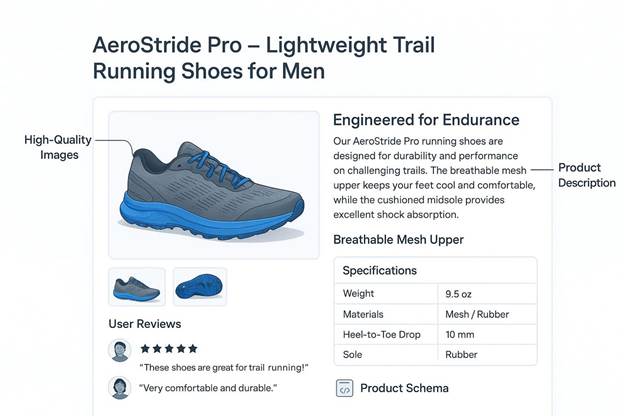

A product page on Shopify behaves differently in search results than the same product page on Magento.
Shopify generates collection URLs and variant parameters in patterns that create duplicate content if left unconfigured. Magento, by contrast, gives a store more control over URL structure but requires manual work to avoid the same duplication problem at scale, especially on stores with thousands of SKUs. WooCommerce sits on top of WordPress, which means its SEO issues often come from plugin conflicts and page speed problems rather than platform architecture itself.
An agency that only knows generic on-page SEO will miss these platform-specific failure points. On an ecommerce store, a missed technical issue translates directly into lost revenue, not just lost traffic. Store owners researching seo services for ecommerce websites need a partner with hands-on experience inside the specific platform their store runs on, since fixes that work on one platform often do not transfer to another.
The five agencies below were selected for documented, platform-specific ecommerce SEO work rather than general digital marketing experience.
What to Look for in an Ecommerce SEO Partner?
Platform-specific knowledge matters more in ecommerce SEO than in most other SEO categories, and a few signals separate agencies with real experience from those applying a generic checklist to every store:
- Direct experience fixing duplicate content caused by faceted navigation, color and size variants, and collection filtering on the specific platform a store runs.
- A documented process for handling product page indexing at scale, including out-of-stock products, seasonal SKUs, and discontinued items.
- Technical familiarity with platform constraints, including Shopify’s fixed URL structure, Magento’s layered navigation, and WooCommerce’s dependency on third-party plugins for core SEO functions.
- Conversion-focused reporting that connects organic traffic to add-to-cart rate and revenue per session, not only keyword rankings.
- A track record working with stores at a similar SKU count and traffic volume to the prospective client, since the technical problems at 500 products differ from those at 50,000.
The agencies reviewed below meet these standards based on documented client work.
Top Agencies for Shopify, WooCommerce, and Magento SEO
1. Panem
Panem runs ecommerce SEO engagements through the same three-part structure it applies across its broader practice: technical SEO, content strategy, and lead generation, each adjusted for the platform a client’s store runs on.
- On Shopify, the technical work usually focuses on collection page consolidation and resolving duplicate URLs created by variant and filter parameters, since Shopify’s fixed architecture leaves limited room for custom URL rewriting.
- On Magento stores, the team works directly with layered navigation settings and canonical tag configuration to prevent the same product from generating multiple indexable URLs across category paths.
- WooCommerce engagements typically start with a plugin audit, since SEO problems on WordPress-based stores often trace back to conflicting plugins slowing down page load rather than content gap.
Content strategy centers on category pages and buying guides built around commercial-intent keywords rather than blog posts unlikely to drive purchases. The lead generation layer tracks which pages and keywords correlate with completed checkouts, not just sessions.
Panem typically works with stores carrying between 500 and 20,000 SKUs across all three platforms.
2. Inflow
Inflow, based in Denver, Colorado, works exclusively with ecommerce clients and has built its SEO process around the technical demands of large product catalogs.
Their audits go deep into crawl budget management. They identify which low-value pages, such as filtered search results or thin tag pages, are consuming crawl budget that should go toward core product and category pages instead. The agency runs structured A/B testing on category page templates, measuring how layout and content changes affect both ranking and conversion rate before rolling a template out across an entire site.
Inflow has documented work across Shopify Plus, Magento, and BigCommerce stores, and for merchants weighing a full platform switch, working with a specialist in BigCommerce to Shopify migration services can prevent the SEO and inventory-mapping issues that seasonal retailers commonly hit mid-migration.
3. OuterBox
OuterBox, headquartered in Akron, Ohio, combines SEO with web design and development services. This gives the agency direct access to fix technical SEO issues at the code level rather than relying on a separate development team to implement changes.
Their process for Magento stores includes server-side rendering adjustments and database query optimization. These address page speed problems that are common on Magento installations with large product catalogs and custom extensions.
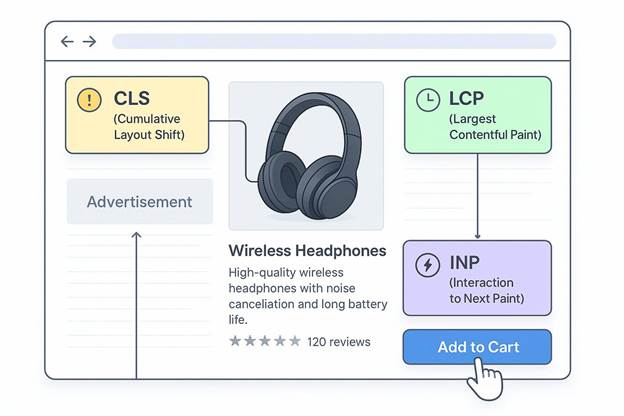
On Shopify, OuterBox focuses on theme code modifications to improve Core Web Vitals scores, since many Shopify themes load unnecessary scripts that slow down mobile page speed. The agency reports keyword ranking data alongside organic revenue figures pulled directly from Google Analytics ecommerce tracking.
Its client base includes manufacturers and B2B distributors running on Magento, in addition to direct-to-consumer Shopify brands.
4. Coalition Technologies
Coalition Technologies, based in Los Angeles, runs combined SEO and paid search campaigns for ecommerce clients.
Their SEO methodology is built around in-house tools the agency developed specifically for tracking ranking and revenue data together. Their technical audits cover schema markup implementation for product pages, including price, availability, and review data, which affects whether a product appears with rich results in search listings.
The agency has documented experience with Magento store migrations from Magento 1 to Magento 2, preserving existing rankings during the platform transition. Such migration frequently causes ranking loss when handled without a redirect and URL-mapping plan.
Coalition Technologies works with stores across fashion, beauty, and consumer electronics, typically mid-sized retailers with established traffic looking to scale rather than new stores starting from zero.
5. SmartSites
SmartSites, based in New Jersey, serves a broad range of ecommerce clients across Shopify, WooCommerce, and Magento. Their process separates technical SEO work from content production into two distinct internal teams working from a shared roadmap.
- Their WooCommerce work concentrates on resolving plugin-related page speed issues and consolidating duplicate content created by WordPress tagging and category structures.
- The agency also runs local SEO campaigns for ecommerce clients with physical retail locations.
- They connect store locator pages to local search visibility in addition to standard product and category page optimization.
- SmartSites reports monthly on organic traffic, ranking position, and revenue attribution segmented by product category,
Its client base skews toward small and mid-sized retailers rather than enterprise accounts.
Quick Agency Comparison
| Agency | Platform Focus | Countries Served | Typical Client Profile |
| Panem | Shopify, Magento, WooCommerce technical SEO and lead attribution | Ukraine, North America, Europe | 500–20,000 SKU stores |
| Inflow | Shopify Plus, Magento, BigCommerce | United States | Apparel, home goods, specialty retail |
| OuterBox | Magento, Shopify, custom development | United States | Manufacturers, B2B distributors, DTC brands |
| Coalition Technologies | Magento migrations, schema markup | United States | Fashion, beauty, consumer electronics |
| SmartSites | WooCommerce, Shopify, local SEO | United States | Small and mid-sized retailers |
Conclusion
The right SEO agency for an ecommerce store depends heavily on the platform the store runs on and the technical problems specific to that platform, which is why a generalist agency without ecommerce-specific experience often underperforms on stores with large product catalogs.
- Inflow brings the deepest crawl budget and template testing methodology for stores with seasonal inventory.
- OuterBox offers direct development access for fixing Magento and Shopify performance issues at the code level.
- Coalition Technologies has the clearest documented process for Magento migrations without ranking loss.
- SmartSites fits smaller WooCommerce and Shopify stores needing both technical fixes and local search visibility.
Before selecting a partner, a store owner should confirm whether the agency has handled the specific platform and SKU count their store involves. The fixes that work on a 2,000-product Shopify store rarely apply directly to a 30,000-product Magento catalog.
Panem Agency covers all three platforms with a process that ties technical SEO, content production, and lead attribution together. This makes it a practical option for store owners evaluating partners across Shopify, WooCommerce, and Magento in 2026.